
Disclosure: This page may contain affiliate links. Prices were checked on the date shown and may change.
An introduction to Leapwing Audio Al Schmitt, based on information from the maker and distributors: what it does, how to use it and who it may suit. It is not scored.
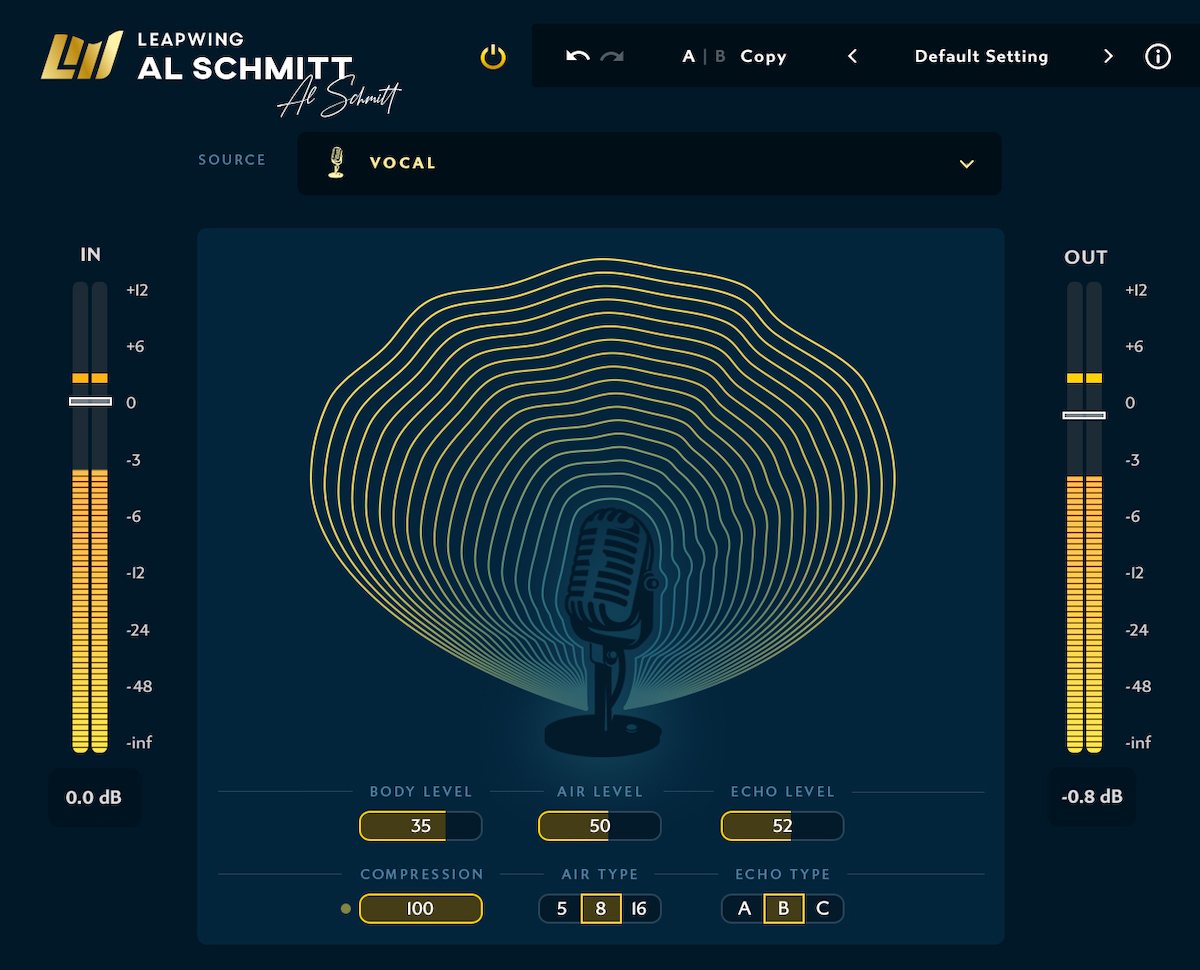
The Al Schmitt signature plugin has 6 distinct profiles: vocal, piano, bass, brass, strings, and mix (bus).
— Leapwing Audio official site
What is Al Schmitt?
Al Schmitt is Leapwing Audio's first signature plugin, developed with recording engineer Al Schmitt. It was built after analyzing his workflow, gear and processing approach.
It has six profiles: vocal, piano, bass, brass, strings and mix (bus), each with its own parameters. The controls are kept minimal so you can start shaping sound quickly.
Each profile includes parameters for harmonics, EQ, compression and echo (reverb). The echo comes in three types, which the maker describes as tuned reflection patterns.
The instrument profiles are low-latency, which the maker says suits recording. The interface is resizable and Retina-ready, and a 30-day free trial is offered on the maker's site.
Key features
Six profiles
Vocal, piano, bass, brass, strings and bus profiles are selected as needed. Each has different parameters, giving a starting point suited to the source.
Harmonic generation
Harmonic distortion tuned per profile is included. It may help when you want to add a little body to a source.
EQ and compression
Each profile has EQ and compression parameters, so basic processing can be done in one plugin.
Three echo types
The echo offers three tuned reflection patterns, which may help when you want to add depth.
Low-latency instrument profiles
The instrument profiles are low-latency, and the maker says they can be used while recording.
Single-screen interface
Main controls sit on one screen, with finer adjustments one click away. The window is resizable.
Specifications
| Item | Details |
|---|---|
| Type | Signature channel-strip style plugin |
| Formats | Mac: VST2, VST3, AU, AAX; Windows: VST2, VST3, AAX (per retailer) |
| OS | macOS 10.13 or later (Intel / Apple Silicon, 64-bit); Windows 8 and 10 (64-bit) |
| Profiles | 6 |
| Trial | 30 days (maker) |
What is included and system requirements
- Plugin
- Six profiles
- Manual (download from the maker)
How to use it
- Insert Al Schmitt on a track or bus.
- Choose the profile that fits the source.
- Adjust the amount of harmonics.
- Move the EQ and compression as needed.
- Pick one of three echo types and set the amount.
- Check the output level and compare against bypass.
Where it may come in handy
Vocal tracking and mixing
The vocal profile may suit getting basic shaping and depth in a few steps.
Shaping piano and strings
Instrument-specific profiles may offer a starting point matched to each source.
Mix bus finishing
You could try the bus profile on a stereo mix or a group.
Who it may suit
- People who want to shape sound quickly with few controls
- Anyone interested in an engineer's approach to processing
- Those who want instrument-specific starting points
Good to know before you buy
- The maker notes that Al Schmitt has passed away.
- A fully functional 30-day trial is offered by the maker.
- Prices vary by store and period.
Price
$159 (Leapwing Audio official site, checked 2026-10-27). Prices can vary by region and promotion, so check the official page before buying.
See Al Schmitt on the product page
More of the same kind
Other introduction articles of the same kind.
- MeldaProduction MCenter
- Eventide H9 Plug-in Series Bundle
- Antelope Audio RD47
- Waves Enigma
- Blue Cat Audio Blue Cat's Miaow Wah
- Waves Torque
We have introduced 5 other products from Leapwing Audio.
- Leapwing Audio CenterOne 3
- Leapwing Audio Joe Chiccarelli
- Leapwing Audio RootOne
- Leapwing Audio StageOne 2
- Leapwing Audio UltraVox 2
See the full list in Product database: Effects.
Sources: leapwingaudio.com pluginboutique.com (checked 2026-10-27)










Comments