
Disclosure: This page may contain affiliate links. Prices were checked on the date shown and may change.
An introduction to PSP Audioware PSP Audioware oldTimerME, based on information from the maker and distributors: what it does, how to use it and who it may suit. It is not scored.
PSP oldTimer is not based on any specific hardware, but is inspired by vintage circuitry
— PSP Audioware official site
What is PSP Audioware oldTimerME?
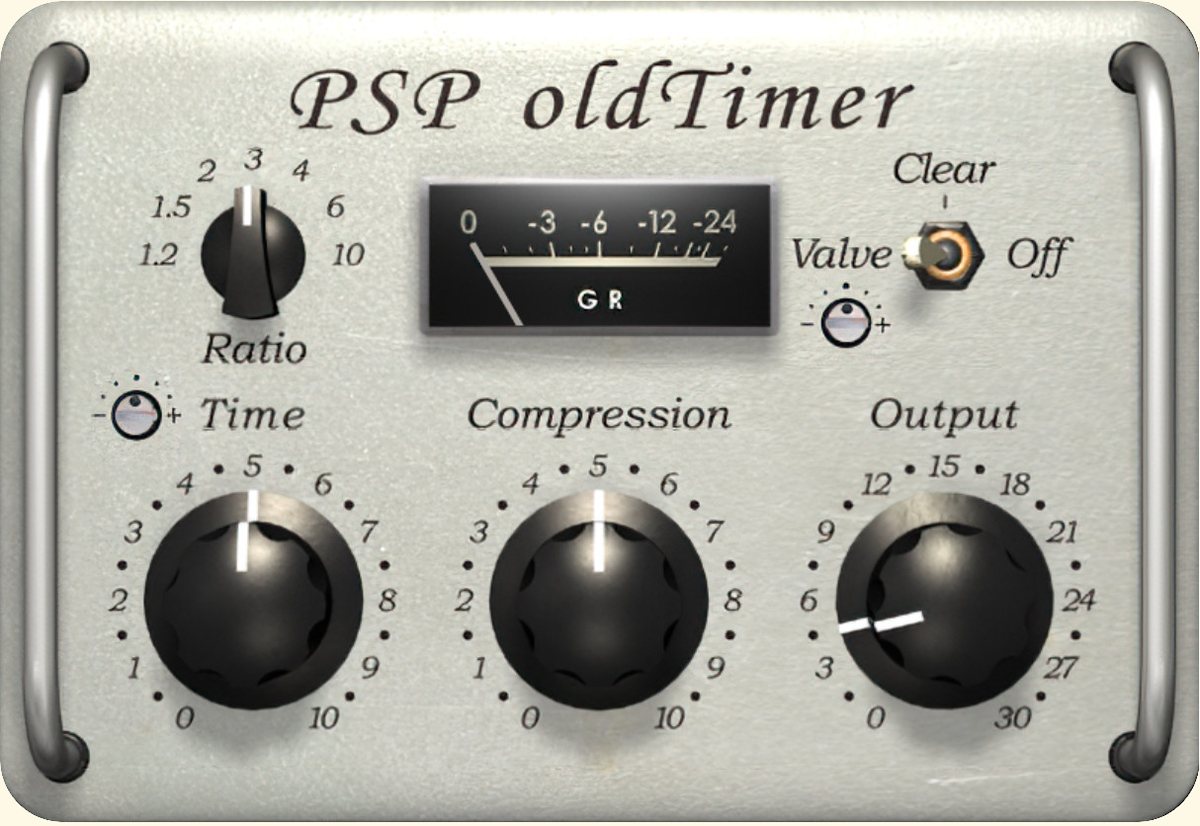
PSP oldTimerME (Master Edition) is a compressor inspired by vintage circuitry. The installer includes two versions: the more featured oldTimerME and the simpler oldTimer.
oldTimerME is aimed at track and group compression, limiting and mastering, and can process left, right, mid or side channels exclusively while staying simple to set up.
oldTimer is meant to offer musical compression with minimal tweaking. PSP says both give soft, smooth compression in most uses, and that heavy internal drive may slightly color transients through the tube emulation.
They are not based on specific hardware and run with zero latency, which PSP says suits live monitoring, broadcast production and managing levels while tracking.
Key features
Two versions included
Both the ME and standard versions are included, for detailed or quick work.
L/R/M/S processing
The ME version can process left, right, mid or side exclusively, which could be tried in mastering.
Zero latency
There is no processing delay, which suits monitoring while recording.
64-bit double precision
Internal processing uses 64-bit double precision floats and supports sample rates up to 192 kHz.
Preset library
A preset library is included as a starting point.
Tube-style coloration
Heavy settings may slightly color transients, so check the balance between smoothness and coloration by ear.
Specifications
| Item | Details |
|---|---|
| Type | Vintage-style compressor |
| Formats | AU / AAX / VST / VST3 |
| OS | Windows 7-11 (64-bit), macOS 10.12+ (Apple silicon supported, 64-bit) |
| Sample rates | Up to 192 kHz |
| Latency | Zero |
| License | iLok License Manager required |
What is included and system requirements
- PSP oldTimerME
- PSP oldTimer
- Preset library
- Requires the iLok License Manager
How to use it
- Create a PSP account and register your serial number.
- Install the iLok License Manager.
- Run the installer to install oldTimerME.
- Rescan plugins in your DAW.
- Insert it on a track or bus and try presets.
- On the ME version, switch the channel mode to hear L, R, M or S processing.
- A 30-day trial is available to check it before buying.
Where it may come in handy
Drum room mics
It could be used to bind room sound.
Mid/side finishing
Compressing mid and side separately might be tried in mastering.
Level control while tracking
Its zero latency may suit light compression for monitoring.
Who it may suit
- People who want soft compression with few settings
- People who want to try mid/side compression
- People looking for compression with low latency
Good to know before you buy
- The iLok License Manager is required for licensing.
- A 30-day trial is available for macOS and Windows.
Price
$99 (PSP Audioware official site, checked 2026-10-27). Prices can vary by region and promotion, so check the official page before buying.
See PSP Audioware oldTimerME on the product page
More of the same kind
We have introduced 85 compressors. Here are some of the others.
- Mellowmuse CP3V Compressor
- McDSP CompressorBank Native v7
- Waves Kramer PIE Compressor
- Tokyo Dawn Labs TDR Molot GE
- Waves CLA-2A Compressor / Limiter
- Solid State Logic SSL LMC+
We have introduced 12 other products from PSP Audioware.
- PSP Audioware PSP oldTimerMB
- PSP Audioware PSP stompDelay
- PSP Audioware PSP 285
- PSP Audioware PSP HertzRider2
- PSP Audioware PSP Datamix A567
For a side-by-side comparison scored on the same criteria, see our comparison of compressors.
See the full list in Product database: Effects.
Sources: pspaudioware.com pluginboutique.com (checked 2026-10-27)










Comments