
Disclosure: This page may contain affiliate links. Prices were checked on the date shown and may change.
An introduction to Wavelet Audio Pulse Box, based on information from the maker and distributors: what it does, how to use it and who it may suit. It is not scored.
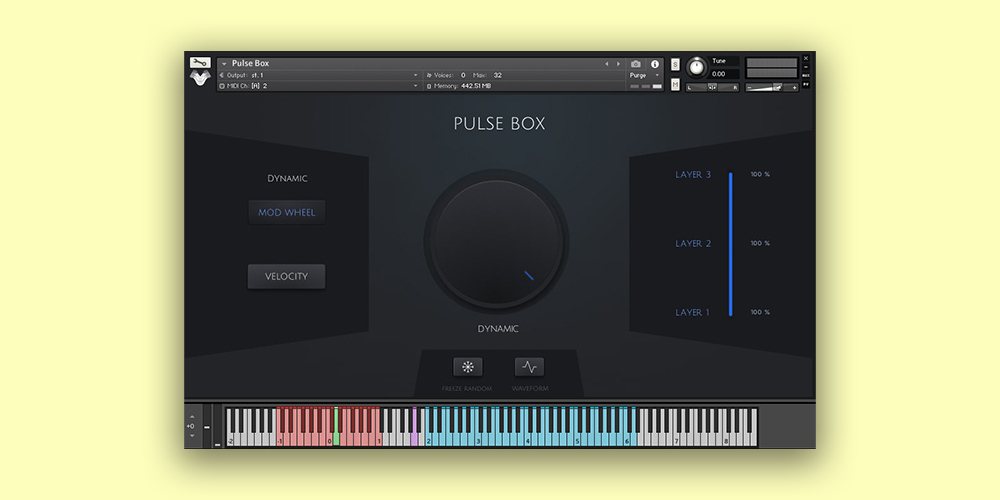
Introducing Wavelet Audio's new free sample library Pulse Box for creating cinematic pulses.
— Wavelet Audio official site
What is Pulse Box?
Pulse Box is a Kontakt instrument library from Wavelet Audio. The Plugin Boutique product page carries the headline "Features".
The main figures on the product page are: size: 597MB (per the maker).
The description points to cinematic material. Formats mentioned: Kontakt, WAV.
Listen to the maker's demos to see whether the sounds fit your tracks before you choose.
Key features
Features on the product page
30 Unique Pulses; Three different dynamic levels; .WAV format, 48kHz (96kHz) / 24bit.; 597 MB of hard drive space. (as listed).
Specifications
| Item | Details |
|---|---|
| Size | 597MB |
| Formats | Kontakt, WAV |
What is included and system requirements
- Works with Free Kontakt Player
- NI Kontakt 6.0.2+
- 3.01 GB of hard drive space (5.2 GB of original sample material)
- Compatible with hardware by Native Instruments
-
How to use it
- Download from your Plugin Boutique account after purchase.
- Save the files where your DAW can read them.
- Load them into the included player, or into your DAW sampler or audio tracks.
- Audition a few items at your project tempo.
- Layer the ones you like to build the backbone of a track.
Where it may come in handy
Sketching ideas
It may help you sketch the backbone of a cinematic track quickly.
Who it may suit
- Producers making cinematic tracks who need material
- People who want to build ideas quickly from ready-made material
- People whose taste matches the maker's demos
Good to know before you buy
- Supported operating systems, formats and required software are listed in the system requirements section of the Plugin Boutique product page.
- Prices and sales change over time.
Price
Please check the official page for the price.
See Pulse Box on the product page
More of the same kind
Other introduction articles of the same kind.
- Minimal Audio Microtech
- Ueberschall Pedal Steel 2
- Ueberschall The Resource
- Ueberschall Electric Guitar Moods
- Ueberschall Synthetic Soundtracks 2
- Ueberschall African Dance
Sources: pluginboutique.com (checked 2026-11-19)










Comments