
Disclosure: This page may contain affiliate links. Prices were checked on the date shown and may change.
An introduction to W. A. Production MultiBender, based on information from the maker and distributors: what it does, how to use it and who it may suit. It is not scored.
With delicious multi-band processing and 4 (count ‘em) simultaneous delay modules, Multibender is your tempo-synced solution to creative delay processing.
— W. A. Production official site
What is MultiBender?
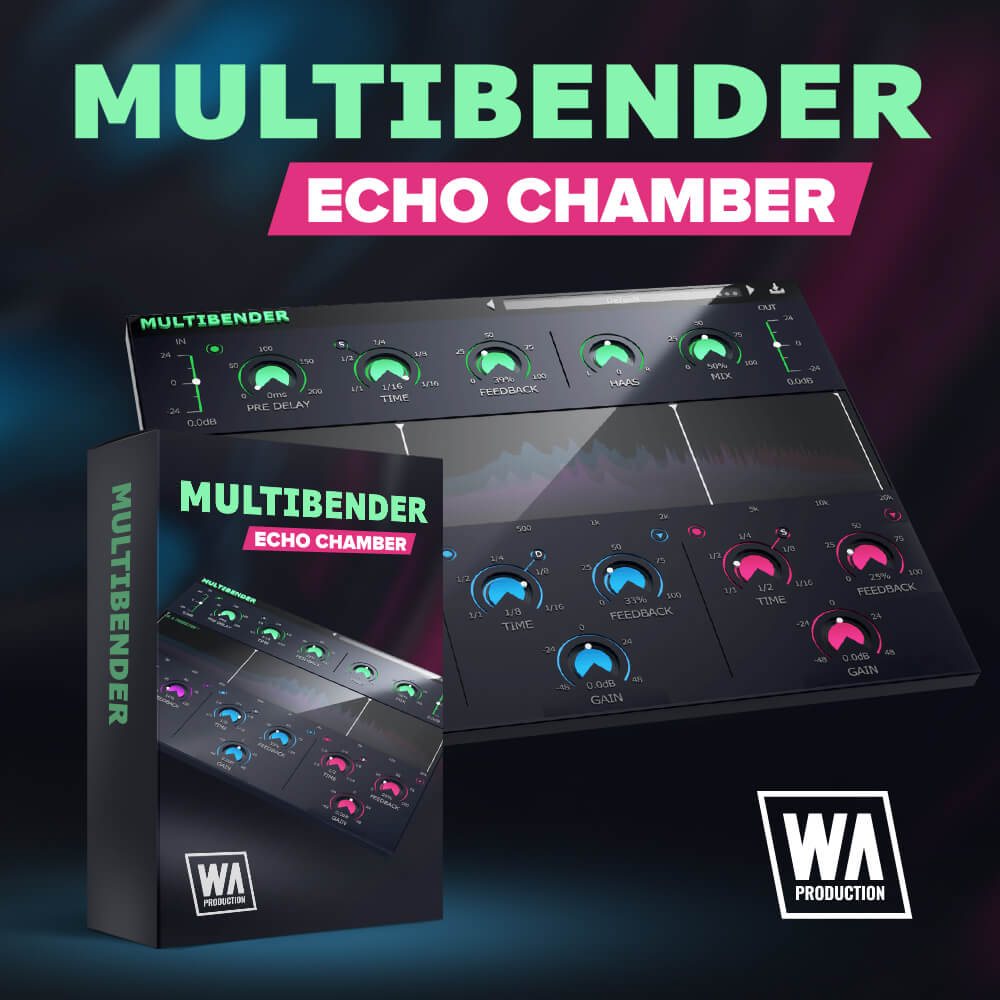
MultiBender is a multi-band delay plug-in from W. A. Production. It splits the input into low, mid and high bands and lets you apply a separate delay to each. The maker describes it as a tempo-synced approach to creative delay processing with four simultaneous delay modules. A demo version is also available on the official site.
The crossover points are set by dragging them in the central waveform display. For each band you choose a delay time (including dotted and triplet values), feedback and gain, and each band can be switched on or off. For example, you can use a short delay on the low end and longer ones on the mids and highs, keeping the bass tight while the upper bands spread out.
Each band also has three effects: saturation, bit crush and detune. They run independently of one another, and the amount can be set per band. The maker’s own examples include adding harmonics to the highs, detuning the mids for a wavering feel, and crushing the low end.
Other items include a HAAS control that shifts the timing of the left or right channel for stereo width, a click-and-pop-free bypass, a color-coded waveform display of each band, factory presets, and a PDF manual with a tutorial video. It supports Windows 10/11 and macOS 10.15 or later (64-bit), in VST, VST3, AU and AAX formats.
Key features
Separate delays for three bands
The input is split into low, mid and high bands, each with its own delay time and feedback. Using short delays on bass and longer ones on synths helps you add echo without clouding the low end.
Tempo sync with dotted and triplet values
Delay time can be synced to the tempo, with straight, dotted and triplet values available. You can build rhythmic repeat patterns with only a few moves.
Saturation, bit crush and detune per band
The three effects are independent for every band. You can distort only the lows or detune only the mids, which turns the delay from simple repeats into a tone-shaping tool.
HAAS control
The HAAS control on the main delay shifts the timing of the left or right channel to create stereo width. It is for adding spatial spread to the delay.
Waveform display for visual feedback
The central display draws the three bands in different colors and shows what each module is doing, so you can check the state by eye as well as by ear.
Presets and manual
Factory presets are included, and the maker says they can be used on guitars, bass, drums, synths and more. A PDF manual and a tutorial video are also provided.
Specifications
| Item | Details |
|---|---|
| Maker | W. A. Production |
| Type | Multi-band delay |
| Bands | 3 (low, mid, high) |
| Effects per band | Saturation / bit crush / detune |
| Note values | Straight / dotted / triplet |
| Formats | VST / VST3 / AU / AAX |
| Supported OS | Windows 10/11 (64-bit), macOS 10.15 or later (64-bit) |
| AAX | Pro Tools 12 or later |
| Regular price | $49.90 (official) |
What is included and system requirements
- MultiBender plug-in (VST / VST3 / AU / AAX)
- Factory presets
- PDF manual and tutorial video
- Supported OS: Windows 10/11 (64-bit), macOS 10.15 or later (64-bit)
How to use it
- After purchase, download the installer and install the plug-in.
- Open your DAW and insert MultiBender on a track or aux track that needs delay.
- Drag the crossover points in the central display to set the bands.
- Choose a delay note value (straight, dotted or triplet) for each band.
- Adjust feedback and gain, and switch off any band you do not need.
- Add saturation, bit crush or detune to individual bands as needed.
- Use the HAAS control for stereo spread, try the presets, and save the settings you like.
Where it may come in handy
Ping-pong delay on synths and leads
A longer delay on the high band thrown left and right may widen synths and leads while keeping their presence.
Delay while keeping bass tight
Using a short delay or turning off the low band and adding echo only to the mids and highs may help when you do not want to muddy the low end.
Building percussion patterns
Combining dotted and triplet times per band could create repeating percussion patterns.
Tone-changing delay
Using saturation and detune per band may let you treat the delay as a tone-changing effect.
Who it may suit
- People who want different delays on different bands
- People who want delay without muddying the bass
- People who want to add distortion or detune to their delay and change the tone
- People who want rhythmic patterns from tempo-synced delay
Good to know before you buy
- The AAX format requires Pro Tools 12 or later.
- The maker says the plug-in may not work properly on older operating systems.
- If you use an Apple silicon Mac, check the maker’s compatibility page before buying.
- A demo version is offered on the official site.
How it differs from similar products
We do not pick a winner; the official figures are placed side by side.
BLEASS Tides
MultiBender splits the input into three bands and sets delay and effects per band. BLEASS Tides has five insert slots in its feedback path, filled from 11 processors, and is driven by modulators such as three LFOs and two envelope followers.
Price
$49.90 (W. A. Production official site, checked 2026-10-27). Prices can vary by region and promotion, so check the official page before buying.
See MultiBender on the product page
More of the same kind
We have introduced 62 delays. Here are some of the others.
- PSP Audioware PSP 285
- BLEASS BLEASS Delay
- AudioThing Wires
- Nomad Factory ECHOES
- Solid State Logic SSL Native X-Echo
- MeldaProduction MeldaProduction MDelayMB
We have introduced 42 other products from W. A. Production.
- W. A. Production Spectron by Curbi
- W. A. Production Delay Rings
- W. A. Production SphereDelay 2
- W. A. Production Mutant Delay
- W. A. Production ChopBeast 2
For a side-by-side comparison scored on the same criteria, see our comparison of delays.
See the full list in Product database: Effects.
Sources: waproduction.com pluginboutique.com (checked 2026-10-27)










Comments