
Disclosure: This page may contain affiliate links. Prices were checked on the date shown and may change.
An introduction to Sound Particles inDelay, based on information from the maker and distributors: what it does, how to use it and who it may suit. It is not scored.
inDelay is a modern delay plugin with creative and easy to use new features never seen before.
— Sound Particles official site
What is inDelay?
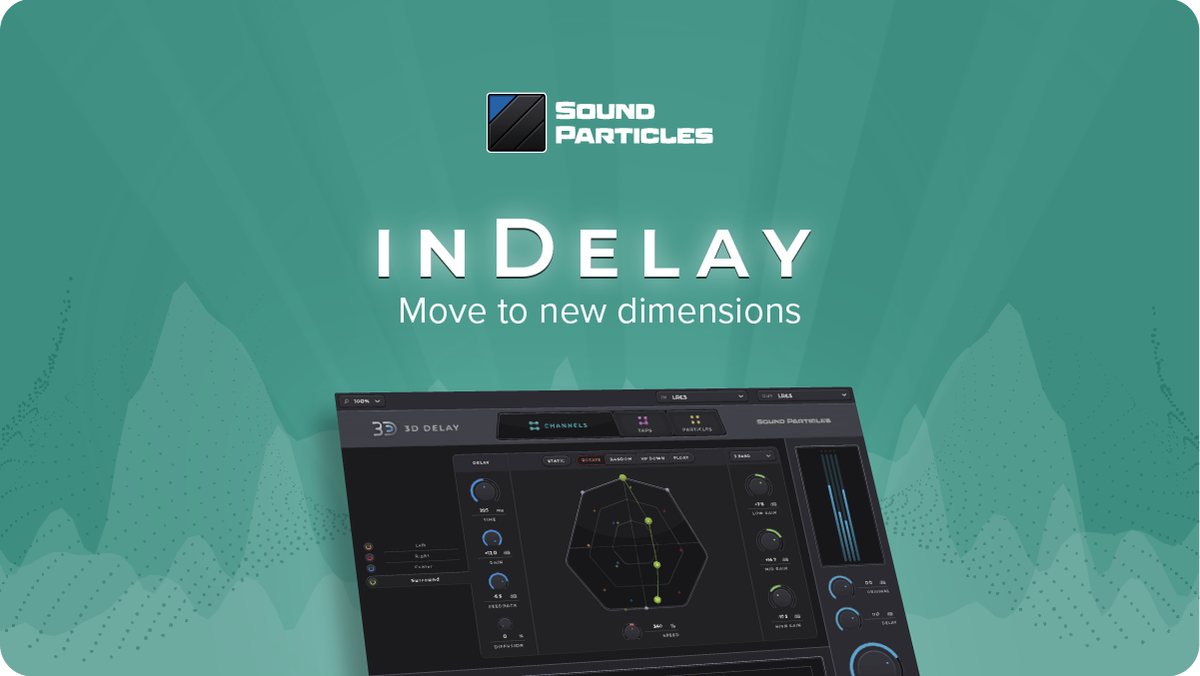
inDelay brings Sound Particles' 3D particle technology, used in film and game sound design, into a delay. From one sound it can create up to 100 delays and scatter them through space.
Its 16 taps can be edited individually, including the input source and position of each delay. A visual time editor lets you click and drag to change several parameters at once.
Air Simulation adds air absorption so that distant delays can sound more distant. The Craziness knob can turn delays into dense, reverb-like textures.
Output supports more than 30 formats, from mono and stereo to 5.1, High Order Ambisonics, Sony 360 and Dolby Atmos, so it can serve both ordinary music and immersive audio work.
Key features
Particles system
Sound Particles' 3D engine runs inside the delay, turning one sound into many delay particles with a click, for spread that a normal tap delay may not give.
Up to 100 delays
Up to 100 delays can run at once, building dense repeats useful for soundscape-like textures.
Delay movements
Delays can be static, rotate, move randomly, float or go up and down, giving the mix motion.
Time editor and 16 taps
A visual editor lets you drag multiple parameters at once, and each tap can have its own input source per channel.
Air Simulation
Simulates air absorption for each delay particle's distance and depth, which helps when you want a natural-sounding delay.
Random presets and output formats
A random button explores happy accidents, and 30+ output formats cover immersive work such as Dolby Atmos.
Specifications
| Item | Details |
|---|---|
| Max delays | 100 |
| Taps | 16 |
| Output formats | 30+ (mono, stereo, 5.1, High Order Ambisonics, Sony 360, Dolby Atmos and more) |
| OS | macOS 10.15+ (Intel and Apple Silicon), Windows 10+ |
| Formats | AAX Native, AU, AUv3, VST, VST3 |
| Minimum | 2-core CPU, 4 GB RAM, 600 MB disk |
| Recommended | 4-core CPU, 8 GB RAM |
What is included and system requirements
- The inDelay plugin
- AAX Native, AU, AUv3, VST and VST3 formats
- Many presets, including environment-based ones
How to use it
- Create an account on the Sound Particles site and register your license.
- Download the installer and choose the plugin formats to install.
- Load it as an insert on a DAW track.
- Set the basic Time, Gain and Feedback to build a base delay.
- Enable Particles for spread and adjust Air Simulation for distance.
- Try the Random button for happy accidents and save settings you like.
Where it may come in handy
Film, game and sound design work
Delays can be placed in 3D space, which may help build space in immersive projects.
Adding depth to vocals or synths
Particle spread on top of a normal delay could give a vocal or lead extra depth.
Ambient soundscapes
100 delays plus Craziness may suit thick atmospheric textures.
Who it may suit
- Those working on immersive audio such as Atmos
- People who want spatial movement from delays
- Users who feel a simple delay is not enough
Good to know before you buy
- The license is registered to a Sound Particles account.
- Pro Tools 64-bit (PT11 or later) is required for AAX.
- A trial is listed on the official site.
Price
$199 (Sound Particles official site, checked 2026-10-27). Prices can vary by region and promotion, so check the official page before buying.
See inDelay on the product page
More of the same kind
We have introduced 62 delays. Here are some of the others.
- Slate Digital Stellar Echo SD-201
- Waves Manny Marroquin Delay
- United Plugins Mirror
- Nomad Factory ECHOES
- AudioThing Mantis
- Waves Lofi Space
We have introduced 14 other products from Sound Particles.
- Sound Particles Doppler + Air Bundle
- Sound Particles Brightness Panner 2
- Sound Particles Air
- Sound Particles GrainDust
- Sound Particles MiniDust
For a side-by-side comparison scored on the same criteria, see our comparison of delays.
See the full list in Product database: Effects.
Sources: soundparticles.com pluginboutique.com (checked 2026-10-27)










Comments