
Disclosure: This page may contain affiliate links. Prices were checked on the date shown and may change.
An introduction to United Plugins QuickMuse, based on information from the maker and distributors: what it does, how to use it and who it may suit. It is not scored.
With just a single click, powered by the magic of randomness, QuickMuse delivers a multitude of instant but also unique results, injecting fresh and unpredictable elements into your compositions, productions, and sound design.
— United Plugins official site
What is QuickMuse?
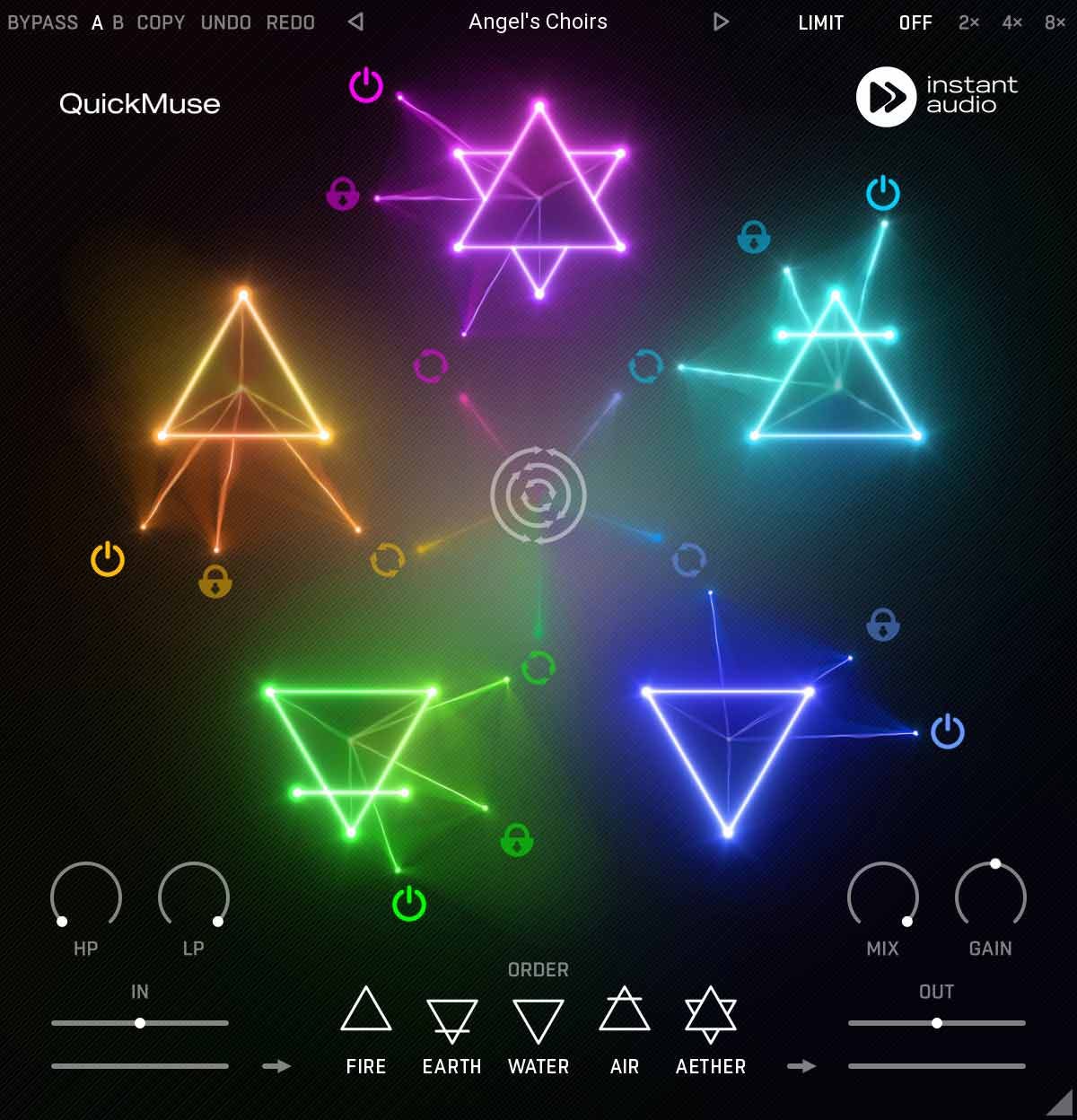
QuickMuse from United Plugins is a multi-effect driven by a Random button, meant for moments when inspiration runs dry.
It contains five effects named Fire, Air, Water, Earth and Aether. Each press of the central Random button sets them anew, and the maker says a setting can never be repeated.
Editing is intentionally limited to each element's dry/wet mix and their order. The random algorithm is described as choosing combinations that work well together.
Presets sorted into Bass, Guitar, Drums, Vocals, Synths and individual elements are included, and settings you like can be saved.
Key features
Fire
A saturation effect adding harmonically rich warmth, from subtle to heavy overdrive.
Air
Rhythmic multi-delays, vintage tape delays and room/hall/cathedral reverbs add space and depth.
Water
Tremolo, flanger, phaser, auto-pan, filter modulation and vibrato add motion.
Earth
Vintage chorus, stereo widening, multiband dynamics and analog-style shelf EQs make sounds bigger and wider.
Aether
Granular and spectral processing, multi-pitch shimmer reverb and reverse delay create otherworldly results.
64-bit processing
Internal 64-bit processing handles any sample rate including 192 kHz or higher, and Smart Bypass avoids clicks when automating.
Specifications
| Item | Details |
|---|---|
| Type | Randomizing multi-effect |
| Effects | Fire / Air / Water / Earth / Aether |
| Internal processing | 64-bit |
| Mac | macOS 10.10+ (Apple Silicon supported, 64-bit only), VST2 / VST3 / AAX / AU |
| Windows | Windows 8 – 11 (32/64-bit), VST2 / VST3 / AAX |
| License | No iLok; licence file based |
What is included and system requirements
- QuickMuse plugin
- Presets (Bass, Guitar, Drums, Vocals, Synths, individual elements)
- Supported systems: macOS 10.10+ / Windows 8-11
How to use it
- Create a United Plugins account and register the serial.
- Download the installer and license file.
- Install and restart the DAW.
- Insert QuickMuse on a track.
- Press the central Random button and listen.
- Adjust each element's dry/wet.
- Reorder the elements to change the result.
- Save settings you like as presets.
Where it may come in handy
Finding ideas
When stuck, pressing Random a few times could suggest a new direction.
Processing drums and synths
Random changes may uncover unexpected textures.
Colouring vocals
Starting from a vocal preset could add space and modulation.
Who it may suit
- People looking for creative sparks
- Those who prefer minimal editing
- Users who want quick sound-design experiments
Good to know before you buy
- Basic editing is limited by design; detailed tweaking may call for other effects.
- Random settings cannot be repeated, so save the ones you like.
Price
Please check the official page for the price.
See QuickMuse on the product page
More of the same kind
Other introduction articles of the same kind.
- McDSP SA-2 Dialog Processor HD v7
- Lese Frahm
- Leapwing Audio Joe Chiccarelli
- Leapwing Audio StageOne 2
- Serato Serato Pitch 'n Time LE
- Austrian Audio PolarDesigner
We have introduced 34 other products from United Plugins.
- United Plugins Bassment Core
- United Plugins DIFIX
- United Plugins FireSpacer
- United Plugins Lofinity
- United Plugins Electrum
See the full list in Product database: Effects.
Sources: unitedplugins.com pluginboutique.com (checked 2026-10-27)










Comments