
Disclosure: This page may contain affiliate links. Prices were checked on the date shown and may change.
An introduction to Lese Frahm, based on information from the maker and distributors: what it does, how to use it and who it may suit. It is not scored.
Frahm allows you to select from ten different force-field algorithms, adjust their parameters and even mix two of them together for your desired result.
— Lese official site
What is Frahm?
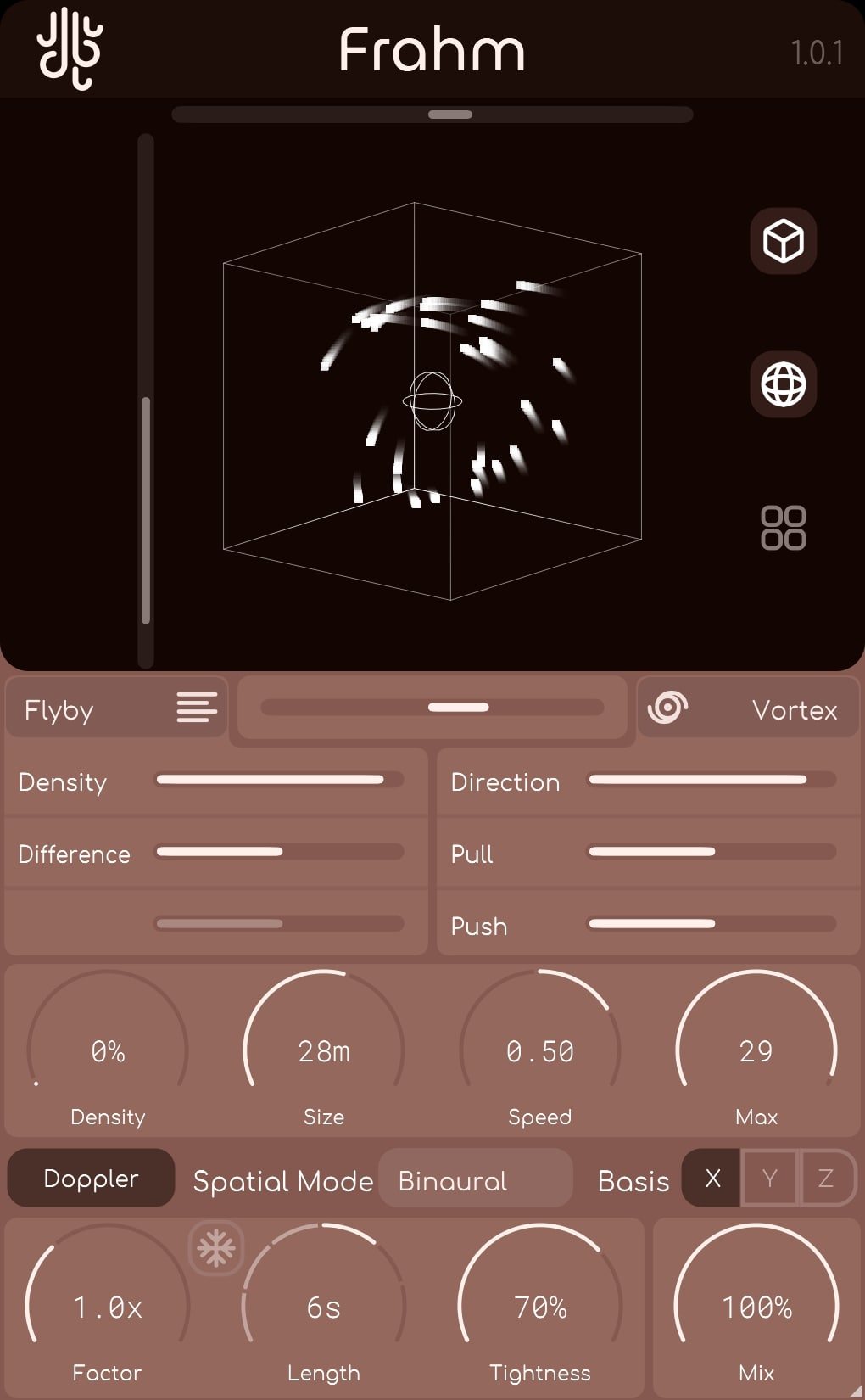
Frahm is a multi-spatializer from Lese that uses force fields. Built on a particle system, it treats the particles' movement as sound sources in three-dimensional space to give motion to audio. The maker tags it Granular and Spatial.
Particles are pushed by a function chosen from ten force-field algorithms. Each algorithm has its own parameters, and two algorithms can be cross-faded. Meta parameters such as movement speed, movement basis (the axis particles travel along) and simulation size are also provided.
The spatial engine works in binaural mode for headphones and stereo mode for speakers. Doppler shift is applied per particle while using only a fraction of the CPU of other plugins, according to the maker. A 3D viewport shows the particle movement, and a force-field display mode is available.
Version 1.1.0 added a User algorithm in which you draw your own force fields, and 1.2.0 added drag-and-drop of samples to be used in place of incoming audio. It is a one-time purchase, not a subscription, and uses no dongle. A license is valid on up to six computers.
Key features
Force-field algorithms
Choose from ten algorithms and adjust each one's parameters, cross-fading between two to vary the movement.
Binaural / stereo
Switch between binaural for headphones and stereo for speakers; an HQ binaural mode is also provided.
Doppler shift
Doppler shift is applied per particle with a design said to keep CPU use low.
3D viewport
Particle movement is shown in 3D, the view angle can be changed with X / Y sliders, and the force-field display mode shows how movement depends on position.
User algorithm (1.1.0+)
An editor lets you draw your own force fields, with force values drawn on slices.
Use your own sounds (1.2.0+)
Samples dropped into the viewport are used instead of incoming audio, turning Frahm into a pseudorandom sound generator.
Made for performing
The internal audio buffer can be resized, frozen and altered in real time.
Specifications
| Item | Details |
|---|---|
| Maker | Lese |
| Type | Spatial / granular (force field) |
| Algorithms | 10 (cross-fadable) |
| Modes | Stereo / binaural / HQ binaural |
| Windows | VST3, AAX |
| Mac | VST3, AU, AAX (Intel / ARM) |
| License | One-time purchase, up to 6 computers, no dongle |
What is included and system requirements
- Frahm plugin (Windows / Mac)
- Manual (included in the download package)
- A trial is available (Download Trial)
How to use it
- Download the trial from Lese's site to try it; after purchase, activate with the license.
- Insert Frahm on a track in your DAW.
- Choose binaural for headphones or stereo for speakers.
- Select an algorithm, move the parameters and watch the particles in the 3D viewport.
- Mix in a second algorithm to change the movement.
- Set speed and movement axis with the meta parameters.
- Layer multiple instances to build more complex spaces.
Where it may come in handy
Sound design
It may be used to add motion to sounds.
Ambient and film music
Layering multiple instances is one way to build spacious soundscapes.
Live performance
Because the buffer can be operated in real time, it may suit performance.
Who it may suit
- Those who want to add motion and space to sound
- Those who want to try binaural processing for headphones
- Those looking for a one-time-purchase plugin
Good to know before you buy
- Mac supports VST3, AU and AAX; Windows supports VST3 and AAX.
- The license is a one-time purchase valid on up to six computers.
Price
Please check the official page for the price.
More of the same kind
Other introduction articles of the same kind.
- Klevgrand STARK
- Waves StudioRack
- Waves MaxxBass
- Waves Vitamin Sonic Enhancer
- Leapwing Audio CenterOne 3
- McDSP SA-2 Dialog Processor HD v7
We have introduced 2 other products from Lese.
See the full list in Product database: Effects.
Sources: lese.io pluginboutique.com (checked 2026-10-27)










Comments