
Disclosure: This page may contain affiliate links. Prices were checked on the date shown and may change.
An introduction to Native Instruments Supercharger GT, based on information from the maker and distributors: what it does, how to use it and who it may suit. It is not scored.
The sound of modern tube compression taken even further with superior control, additional saturation, and sonic sculpting.
— Native Instruments official site
What is Supercharger GT?
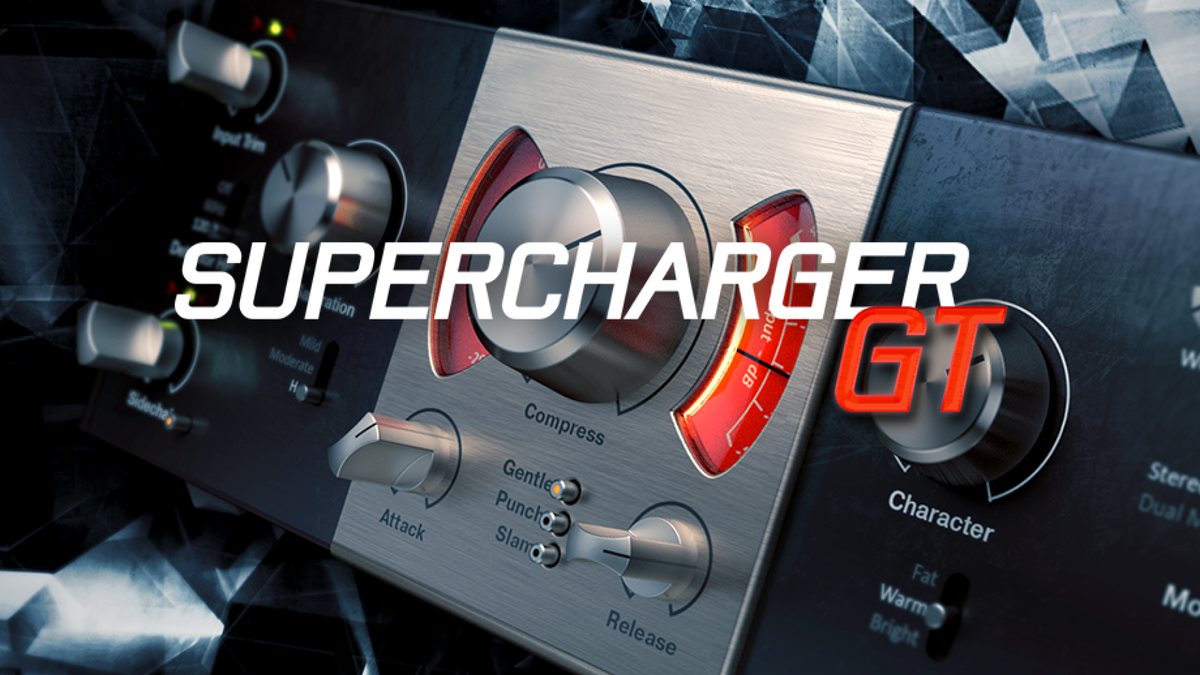
Supercharger GT is a tube-style compressor plug-in from Native Instruments. The official description says it takes the sound of modern tube compression further with finer control, additional saturation and sound sculpting.
In addition to compression, three saturation types (Mild, Crisp and Slam) can be chosen. Three character modes, Fat, Warm and Aggressive, fill in low end or smooth unruly high frequencies with the turn of a single knob.
Automatic makeup gain, popular attack and release settings and dedicated response controls are provided. A mid/side mode can carve out space in the mix, and the detector high-pass keeps low-frequency sidechain content from mis-triggering the compressor.
Formats are VST, VST3 and AAX (plus AU on Mac) for macOS 13 to 15 and Windows 10 or 11. An internet connection is needed for download and activation, and the product can be used offline once activated.
Key features
Three saturation modes
Mild, Crisp and Slam range from subtle harmonic enhancement to raw attitude.
Three character modes
Fat, Warm and Aggressive can be switched, which may help fill in low end or soften harsh highs.
Automatic makeup gain
Level changes from compression are compensated automatically so the focus stays on the sound of the effect.
Attack and release settings
Popular attack and release settings can be chosen, and dedicated response controls fine tune the behavior.
Mid/side mode
Mid and side can be processed separately to carve out space in the mix.
Detector high-pass
A high-pass on the detector prevents low-frequency content in the sidechain from mis-triggering the compressor.
Specifications
| Item | Details |
|---|---|
| Type | Compressor (tube-style) / saturation |
| Formats | Windows: VST, VST3, AAX (64-bit) / Mac: VST, VST3, AU, AAX (64-bit) |
| OS (official) | macOS 13, 14, 15 / Windows 10, 11 (64-bit) |
| Requirements (official) | Intel Core i5 or equivalent AMD CPU, 4 GB RAM (6 GB recommended), Apple Silicon supported, graphics card supporting OpenGL 2.1 or higher |
What is included and system requirements
- The plug-in
- Internet connection required for download and activation (offline use once activated)
How to use it
- Activate and install the product with a Native Instruments account.
- Insert Supercharger GT on a track.
- Choose the attack and release settings.
- Set the amount of compression.
- Switch saturation and character modes and compare.
- Use mid/side or the detector high-pass if needed.
Where it may come in handy
Drums and bass
Saturation and character modes may be combined to adjust thickness or grit in the low end.
Vocals
Character modes may be tried to adjust muddiness or harshness.
Mid/side arrangement
Mid/side mode may be used to separate the roles of center and sides.
Who it may suit
- People looking for a compressor with built-in saturation
- Existing Native Instruments users
- People who want character changes on a single knob
Good to know before you buy
- Internet connection and a graphics card with OpenGL 2.1 or higher are required for download and activation.
- The official page notes that owners of other Native Instruments products may see a different price after logging in.
Price
$65 (Plugin Boutique, checked 2026-10-27). Prices can vary by region and promotion, so check the official page before buying.
See Supercharger GT on the product page
More of the same kind
We have introduced 85 compressors. Here are some of the others.
- Tokyo Dawn Labs TDR Molot GE
- MeldaProduction MModernCompressor
- McDSP SPC2000
- McDSP 6030 Ultimate Compressor
- Pulsar Audio Pulsar 1178
- Universal Audio UA 175B & 176 Tube Compressor Collection
We have introduced 15 other products from Native Instruments.
- Native Instruments Tape Wobble
- Native Instruments Molekular
- Native Instruments Blocks Primes
- Native Instruments FORM
- Native Instruments KOMPLETE START
For a side-by-side comparison scored on the same criteria, see our comparison of compressors.
See the full list in Product database: Effects.
Sources: native-instruments.com pluginboutique.com (checked 2026-10-27)










Comments