
Disclosure: This page may contain affiliate links. Prices were checked on the date shown and may change.
An introduction to Waves LoAir, based on information from the maker and distributors: what it does, how to use it and who it may suit. It is not scored.
Subharmonic generation for sound design, post-production, and music
— Waves official site
What is LoAir?
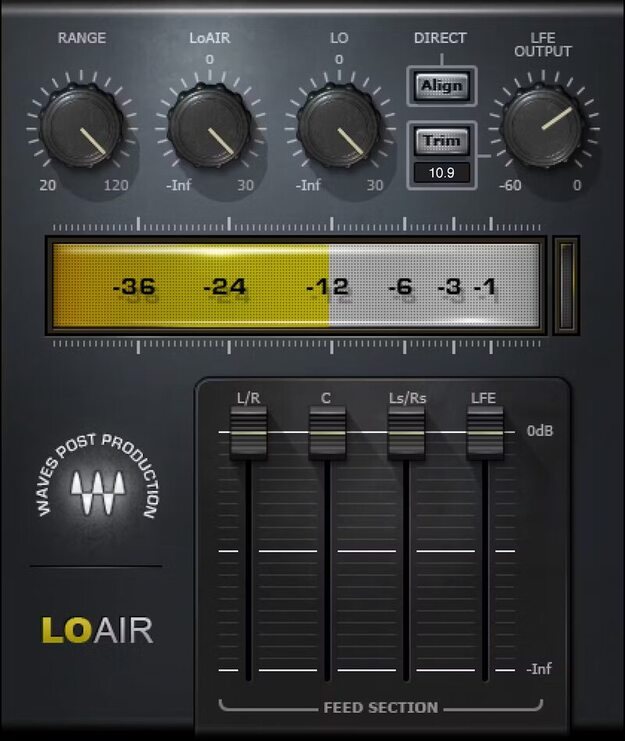
LoAir is a Waves subharmonic plug-in that adds a component one octave below the input to deepen and strengthen the low end.
The product page says this low-frequency tool, used in film post-production, also suits music. Examples include giving drums and bass more force and adding body to thin vocals.
It includes mono, stereo, 5.0 and 5.1 surround components, covering sound design and video work as well as music.
It is also described as filtering polyphonic material and lowering it by one octave, and as a way to restore low end often lost in field recordings.
Key features
Subharmonic generation
It generates a component one octave down and adds it, an option for adding sub to kick or bass.
Polyphonic filtering
Material containing several notes is filtered and then lowered by one octave.
Mono, stereo and surround
Components for mono, stereo, 5.0 and 5.1 are included for video and surround work.
Restoring low end
It is presented as a way to bring back low frequencies lost in recording, which may suit field-recording material.
Depth and power
It is described for drums, bass and masters where extra weight is wanted.
Specifications
| Item | Details |
|---|---|
| Type | Enhancer (subharmonic) |
| Components | Mono, stereo, 5.0, 5.1 |
| Plug-in formats (Mac) | VST, AU, AAX |
| Plug-in formats (Windows) | VST, AAX |
| Supported OS (Mac) | macOS Monterey 12, Ventura 13, Sonoma 14, Sequoia 15 |
| Supported OS (Windows) | Windows 10 or later |
What is included and system requirements
- LoAir plug-in with mono, stereo, 5.0 and 5.1 components
- Formats: VST, AU, AAX on Mac; VST, AAX on Windows
How to use it
- Buy from a retailer and install.
- Rescan in your DAW and insert LoAir on the track that needs more low end.
- Pick the component that matches the channel count.
- Adjust the balance between the original and the sub component gradually.
- Check on your monitors that the low end is not overpowering.
- If using it on a master, adjust lightly against the overall level.
Where it may come in handy
Adding low end to kick or bass
It may help when a kick or bass feels thin.
Thickening vocals or narration
Used lightly, it may add depth to a voice.
Low-end effects for video and sound design
It may suit rumbles and impacts in video sound.
Who it may suit
- Producers who want to add low end to kick or bass
- Sound designers working on deep rumbles
- People restoring low end in field recordings
Good to know before you buy
- Because it adds low frequencies, some speakers or headphones may not reproduce the added band, so adjust on a system that can.
- Requirements are macOS 12 to 15 and Windows 10 or later.
Price
Please check the official page for the price.
More of the same kind
Other introduction articles of the same kind.
- Sound Particles Density
- Blue Cat Audio Blue Cat's Connector
- Zynaptiq MORPH 3 PRO
- Boz Digital Labs Panther Stereo Manipulation
- Slate Digital Fresh Air
- Sound Particles Air
We have introduced 215 other products from Waves.
See the full list in Product database: Effects.
Sources: pluginboutique.com (checked 2026-10-27)










Comments