
Disclosure: This page may contain affiliate links. Prices were checked on the date shown and may change.
An introduction to W. A. Production Loop Engine 2, based on information from the maker and distributors: what it does, how to use it and who it may suit. It is not scored.
What is Loop Engine 2?
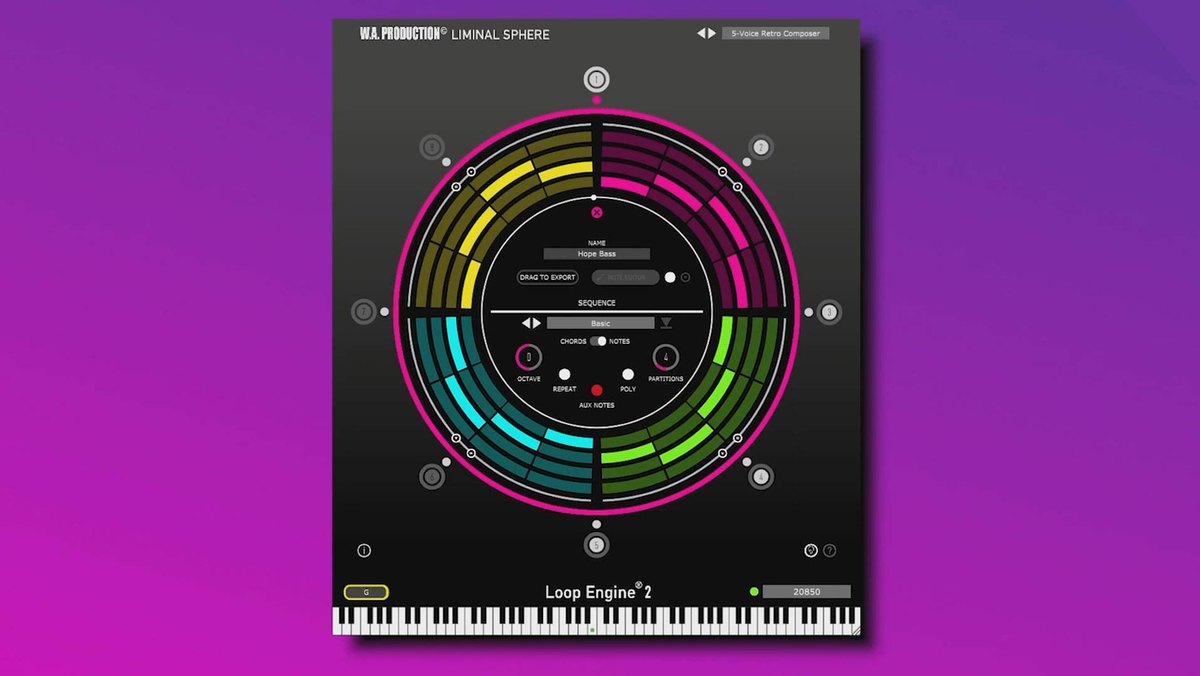
Loop Engine 2 is a plug-in for making MIDI loops of chords, riffs, arpeggios and melodies. It is presented as the successor in the line of W. A. Production's CHORDS series (per the manufacturer). It runs inside your DAW and sends MIDI, so you pick the sound yourself.
It runs on Windows 8 or later and macOS 10.13 or later (both 64-bit only). Formats are VST2, VST3 and AAX (plus AU on Mac); AAX works only with Pro Tools 11 or later (per the manufacturer).
Key features
A note editor for detailed work
The note editor added in version 2 is a scrollable piano roll where you place notes, so you can build melodies, basslines, arpeggios and rhythms that include notes outside the chord (per the manufacturer).
POLY and AUX notes
The revised POLY function layers patterns of different lengths to create shifting rhythms. AUX notes automatically add passing notes when the chord changes (per the manufacturer).
Up to eight parts of multitrack output
With the bundled Listener plug-in, up to eight MIDI parts can be sent to separate tracks in your DAW. Version 2 adds three Listener modes for handling AUX note output (per the manufacturer).
Chord selection and MIDI export
You can stack tensions and extensions on 21 chord types, or use the "Create" button to build new chords from 30 chord types. Finished loops can be dragged into your DAW, and categorized presets are included (per the manufacturer).
After you buy: installation and activation
This is the flow for W. A. Production products bought at Plugin Boutique (you register a license key in your W. A. Production account). Steps and screen names can change when the manufacturer updates its software.
- Create an account from “Download” in your Plugin Boutique account, or at waproduction.com/users/login.
- Under “Register Plugin”, enter the license key from your Plugin Boutique account (W. A. Production calls it a serial number) and press “Add”.
- From “My Orders” → “View Order” → “Download Files” in your account, download the installer and run it.
Price
Please check the official page for the price.
See Loop Engine 2 on the product page
Past sales
Sales we have confirmed so far. A sale with the same terms may not be held again.
| Ended | Regular | Sale | Discount | Store, date checked |
|---|---|---|---|---|
| Nov 1, 2026 | $109 | $43.60 | 60% off | Plugin Boutique, checked 10/28 |
More of the same kind
Other introduction articles of the same kind.
- Waves JJP Cymbals & Percussion
- McDSP Analog Channel HD v7
- Arturia Tape MELLO-FI
- Klevgrand Spinn
- Wave Alchemy Tapewave
- Mellowmuse Mellowmuse CP2V
We have introduced 43 other products from W. A. Production.
- W. A. Production Detroubler
- W. A. Production TriVox
- W. A. Production MixBoss
- W. A. Production Zqueezer
- W. A. Production Fundamental Bass
See the full list in Product database: Effects.
Sources: pluginboutique.com help.pluginboutique.com support.pluginboutique.com (checked 2026-11-15)










Comments