
Disclosure: This page may contain affiliate links. Prices were checked on the date shown and may change.
An introduction to W. A. Production MixBoss, based on information from the maker and distributors: what it does, how to use it and who it may suit. It is not scored.
Mixboss places powerful mastering-grade tools directly onto your mixbus from the very start.
— W. A. Production official site
What is MixBoss?
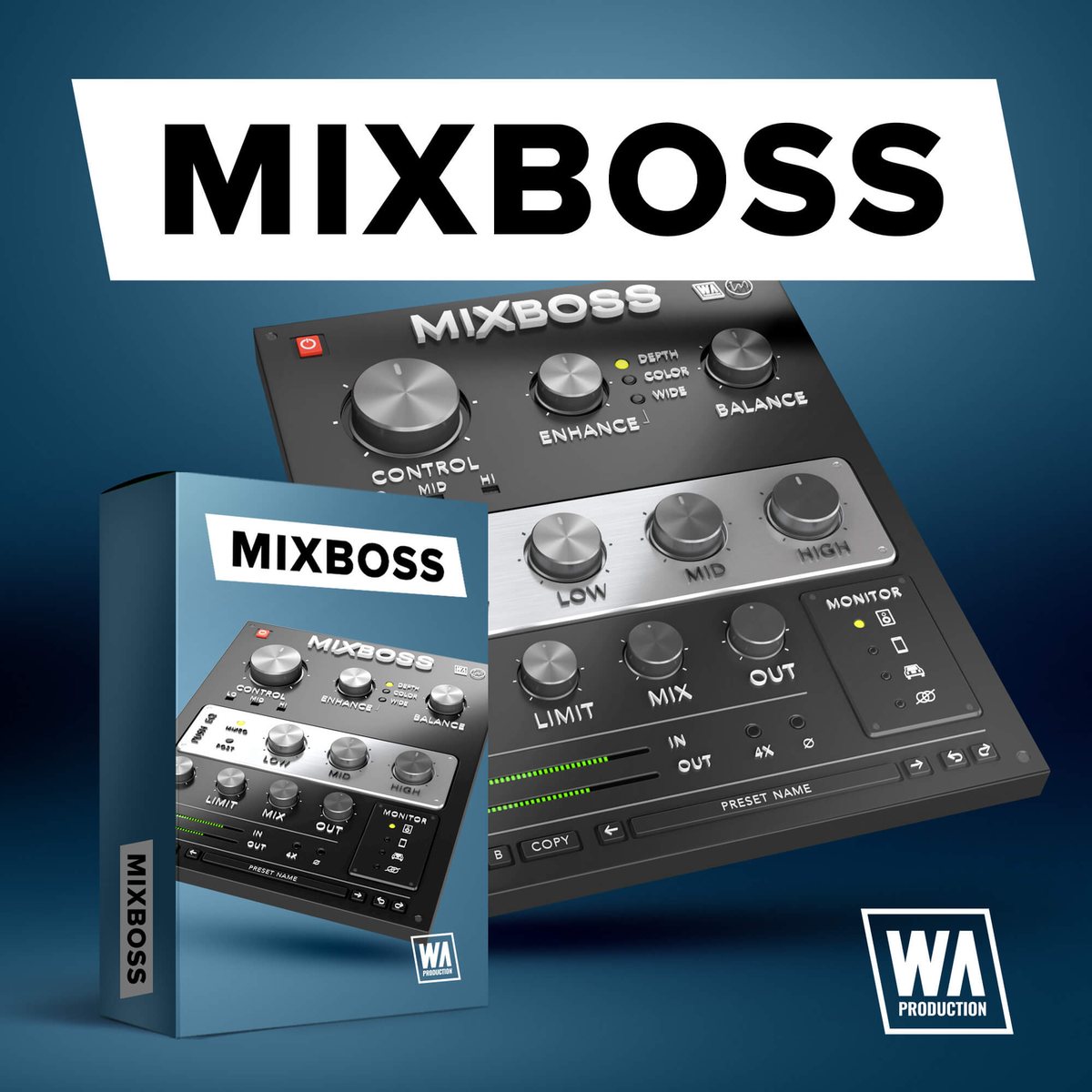
MixBoss is a mix-bus plugin that W. A. Production developed with mix engineer Emrah Celik. The maker presents it around the Topdown Mixing approach: before building individual tracks in detail, you set the tone, punch, depth and stereo field of the whole song on the mix bus.
At its centre is a multiband compressor with linear-phase crossovers. The Control knob sets the dry/wet balance of the compression, and LED meters show activity across the low, mid and high bands.
The Enhance knob has three character modes. Color is subtle saturation, Depth is a spatial enhancer for front-to-back placement, and Wide widens the stereo image while keeping mono compatibility. Any or all can be active together.
It also has a Push EQ, a Balance control that guides the tonal balance toward a noise profile built from thousands of charting songs, a mix-bus limiter, and monitoring simulations for small speakers, cars and phones. A demo is available.
Key features
Multiband compressor
Compression across bands split by linear-phase crossovers. It may be an option for gluing a whole mix without phase disturbance, with the Control knob setting the amount.
Enhance: Color, Depth, Wide
Color adds light saturation, Depth handles front-to-back placement and Wide handles stereo width. They can be used singly or together.
Push EQ
An equalizer for pushing lows, mids and highs, placed before or after compression via Pre/Post. The maker aims to make mix-bus EQ less heavy-handed.
Balance
Gently guides tonal balance toward a custom noise profile built from thousands of charting songs. Since you choose how much to apply, it may serve as a reference while comparing.
Limiter and parallel processing
A limiter built for the mix bus and a Mix knob to dial processing back in parallel. 4x oversampling and polarity flip are included.
Monitoring simulations
Four modes: Grotbox (small speaker), Car, Phone and Mono let you audition other playback situations, with gain-matched output.
Specifications
| Item | Details |
|---|---|
| Type | All-in-one mix-bus plugin (multiband compression / EQ / enhance / limiter) |
| Formats | VST, AU, AAX (Plugin Boutique); the maker's page also lists VST3 |
| OS | Windows 10 or later (64-bit), macOS 10.15 or later (64-bit), AAX for Pro Tools 11 or later |
| Oversampling | 4x |
| Monitoring | Grotbox / Car / Phone / Mono |
What is included and system requirements
- MixBoss plugin
- Genre factory presets (pop, hip-hop, EDM, rock and more)
- PDF manual and video tutorials
- A demo version is available
How to use it
- Install it and rescan plugins in the DAW.
- Insert MixBoss at the start of the mix bus (master).
- Start from a preset close to your genre.
- Set the multiband compression amount with Control and watch each band on the LED meters.
- Choose which of Color, Depth and Wide to use in Enhance.
- Shape the overall tone with Push EQ and Balance, switching Pre/Post to compare.
- Try Grotbox, Car, Phone and Mono monitoring, then decide the processing amount with the Mix knob.
Where it may come in handy
Setting direction top-down
You might place MixBoss before touching individual tracks, settle the overall character first, and then move on to detailed adjustments.
A first-pass premaster
It could be used to give a premaster a basic shape before it goes to mastering.
Listening in other environments
You might check how a mix sounds on phone or car speakers without leaving the DAW.
Practice for home mixing
Trying presets might help you hear what multiband compression and EQ each contribute.
Who it may suit
- Those who want mix-bus processing in one place
- Those who want to try Topdown Mixing
- Those who want a quick check of other playback situations
- Those who prefer to finish from presets
Good to know before you buy
- For Macs with Apple Silicon, the maker advises checking its compatibility information before buying.
- It is designed for the mix bus, so fixes on individual tracks need other plugins.
- A demo is available on the official site.
How it differs from similar products
We do not pick a winner; the official figures are placed side by side.
BassShaperW. A. Production
MixBoss is for the whole-song mix bus, with multiband compression, Push EQ and a limiter. BassShaper is for bass tracks, with Deboom, Demud, Punch, Fade and Subtone. They are used at different points.
Price
$59.90 (W. A. Production official site, checked 2026-10-27). Prices can vary by region and promotion, so check the official page before buying.
See MixBoss on the product page
More of the same kind
Other introduction articles of the same kind.
- Waves OneKnob Louder
- Solid State Logic SSL Fusion Transformer
- Blue Cat Audio Blue Cat's Remote Control
- BOOM Library ENRAGE
- MeldaProduction MeldaProduction MRingModulatorMB
- NUGEN Audio Halo Downmix
We have introduced 42 other products from W. A. Production.
- W. A. Production ChopBeast 2
- W. A. Production Fundamental Bass
- W. A. Production TriVox
- W. A. Production BassShaper
- W. A. Production SphereQuad
See the full list in Product database: Effects.
Sources: waproduction.com pluginboutique.com (checked 2026-10-27)










Comments