
dSONIQ’s Realphones 2 is software that corrects the sound of headphones and reproduces how it sounds in a studio or on everyday devices. It supports more than 200 headphones, and the speakers and environments it can reproduce, from phones to concert halls, number more than 40.
Monitor correction software corrects the quirks of speakers and headphones and the ring of the room so that you can hear sound accurately.
In this article we compare Realphones 2 with 8 monitor correction programs and rate how well it serves its purpose on three criteria. The basis is official manufacturer information.
Disclosure: This article contains affiliate links. If you buy through them, SoundBounty may earn a commission at no extra cost to you. Prices and sale information are as of the date we checked them and can change.
Score 3.7 / 5 (average of the 8 products compared: 3.2)
- Specs last checked
- 2026/09/25
- What it can correct
- Headphones
- Supported headphones
- 200+ models
- Correction controls
- Amount of correction
- Price (store, date)
- $54 (sale; regular $99) [PB, checked Oct 26]
Summary
Among the 8 monitor correction programs, Realphones 2 is rank A. The ranks run S, A, B and C, and A is second from the top. Averaging the scores for the three criteria (out of 5) gives 3.7.
Strengths
- Checking how it sounds elsewhere (5 points): you can reproduce how a mix sounds on many devices and check it.
Who it suits: people who work only on headphones and also want to check how a mix sounds on speakers.
Main features of Realphones 2
Corrects more than 200 headphones
Realphones 2 is software that corrects the quirks of headphones so that they sound as if you were listening in a studio. It has correction data for more than 200 popular headphones, and you can also make your own correction data.
Reproduces more than 40 environments
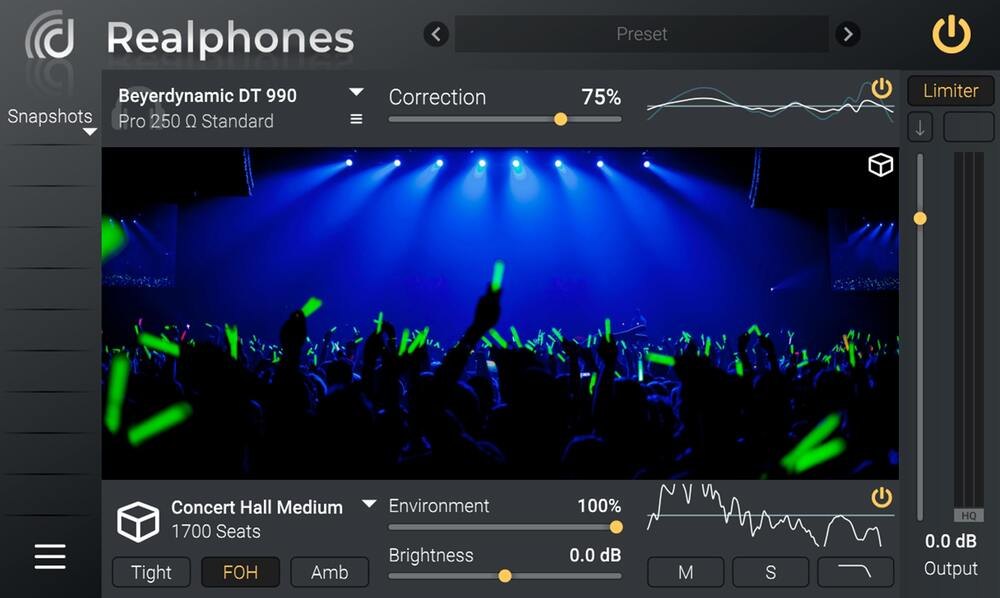
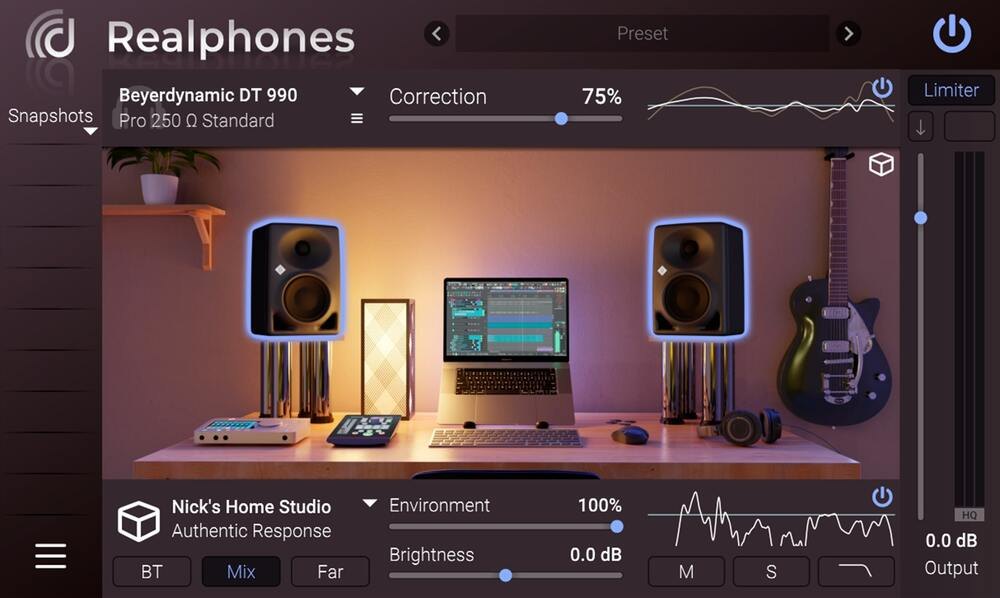
It can reproduce how more than 40 speakers and environments sound, from professional studio speakers to a small phone or a concert hall. You can check on headphones how a mix sounds in different places.
Amount of correction and depth of reproduction
You can adjust the amount of correction applied to the headphones and how strongly the chosen environment is reproduced. Settings you use often can be recalled with snapshots. There is also a System-Wide app that applies to the sound of the whole computer.
Advanced mode features
In Advanced mode you can make correction data for your own headphones or adjust the supplied data. It also supports a setting that sends the uncorrected sound to monitor speakers, and control by MIDI. Version 2 also reduced latency (delay).
Where it is useful
- Mixing on headphones with a sound closer to studio speakers
- Checking how a mix sounds on a phone or car audio
- Making mixing decisions at night without playing speakers
Rating by criterion
What it can correct: 3 / 5
We look at whether it can correct speakers, headphones or both.
It corrects more than 200 headphones (you can also make your own correction data). It does not correct speakers.
Correction controls: 3 / 5
We look at whether you can choose or adjust the correction method and its strength.
You can adjust the amount of correction applied to the headphones.
Checking how it sounds elsewhere: 5 / 5
We look at whether it can reproduce how a mix sounds on other speakers, phones and other devices.
It can reproduce more than 40 devices and environments, from studio speakers to phones and concert halls (the number depends on the edition).
How we score (Monitor correction software)
| Criterion | Basis | 5 pt | 4 pt | 3 pt | 2 pt | 1 pt |
|---|---|---|---|---|---|---|
| What it can correct | Whether it can correct speakers, headphones or both | Both speakers and headphones | — | Either one | — | — |
| Correction controls | Which of the correction method (phase and so on), the target curve and the amount of correction you can choose or adjust | All three | Two of the three | One of the three | None | — |
| Checking how it sounds elsewhere | Whether it can reproduce how the mix sounds on other speakers and everyday devices | 40 or more devices and environments | 20 or more devices and environments | Can reproduce them, but the number is not stated | — | Cannot reproduce them |
Each criterion is scored from 1 to 5 on how well the product serves one goal: hearing a correctly balanced sound in a home-studio room or on headphones. Scores follow the conditions in the table above. So that speaker products and headphone products can be compared by the same standard, there are three criteria: "What it can correct", "Correction controls" and "Checking how it sounds elsewhere". The number of supported headphones is shown in the table for reference. The basis is official manufacturer information. How well the correction works has not been measured, so it is not scored, and neither are the price or any supplied measurement microphone. Features that cannot be confirmed from the manufacturer's or a retailer's description are scored as if absent.
Realphones 2 screens and images
Realphones 2 system requirements and getting started
| Operating system | Windows / Mac (Apple Silicon supported) |
|---|---|
| Standalone | Yes (System-Wide) |
| Trial | 41-day trial available |
Checked on the manufacturer’s official pages on September 27, 2026.
Compared with other monitor correction programs
Click a heading to sort. On a phone, the table scrolls sideways.
| Product | RankAvg. score | What it can correct | Supported headphones | Correction controls | Checking how it sounds elsewhere | Price (store, date) |
|---|---|---|---|---|---|---|
| SonarworksSoundID Reference | A 4.0 | Speakers and headphones | 500+ models | Method, target curve | Cars, phones and more | $249 [PB, checked Oct 26] |
| IK MultimediaARC X | A 3.7 | Speakers | — (for speakers) | Phase method, 9 target curves | 20+ | $149.99 [PB, checked Oct 26] |
| dSONIQRealphones 2 | A 3.7 | Headphones | 200+ models | Amount of correction | 40+ | $54 (sale; regular $99) [PB, checked Oct 26] |
| ToneboostersMorphit | B 3.3 | Headphones | 666+ models | Amount, target curve | Other headphones, speakers | ≈$43.72 [Official, checked Oct 26] |
| WavesNx Virtual Mix Room | B 2.7 | Headphones | 270 models | Room settings only | Virtual mix room | Not listed |
| WavesAbbey Road Studio 3 | B 2.7 | Headphones | 270 models | Monitor distance only | 3 kinds of monitors | Not listed |
| EmbodyImmerse Virtual Studio | B 3.0 | Headphones | Not stated on the official page | Headphone correction amount | Several studios | Not listed |
| SonarworksSoundID Reference Virtual Monitoring | B 2.7 | Headphones | 500+ models | Not confirmed on the official page | 13 kinds of environments | $129 [Official, checked Oct 26] |
Features checked on each manufacturer's official website on September 25, 2026. Check the store page behind the buy button for the price.
Read next
- SoundID Reference: features and rating (rank A)
- ARC X: features and rating (rank A)
- Morphit: features and rating (rank B)
- Nx Virtual Mix Room: features and rating (rank B)

Comments