
Disclosure: This page may contain affiliate links. Prices were checked on the date shown and may change.
An introduction to Audio Modeling SWAM Solo Strings 3, based on information from the maker and distributors: what it does, how to use it and who it may suit. It is not scored.
Powered by physical modeling, each instrument responds in real time to performance gestures
— Audio Modeling official site
What is SWAM Solo Strings 3?
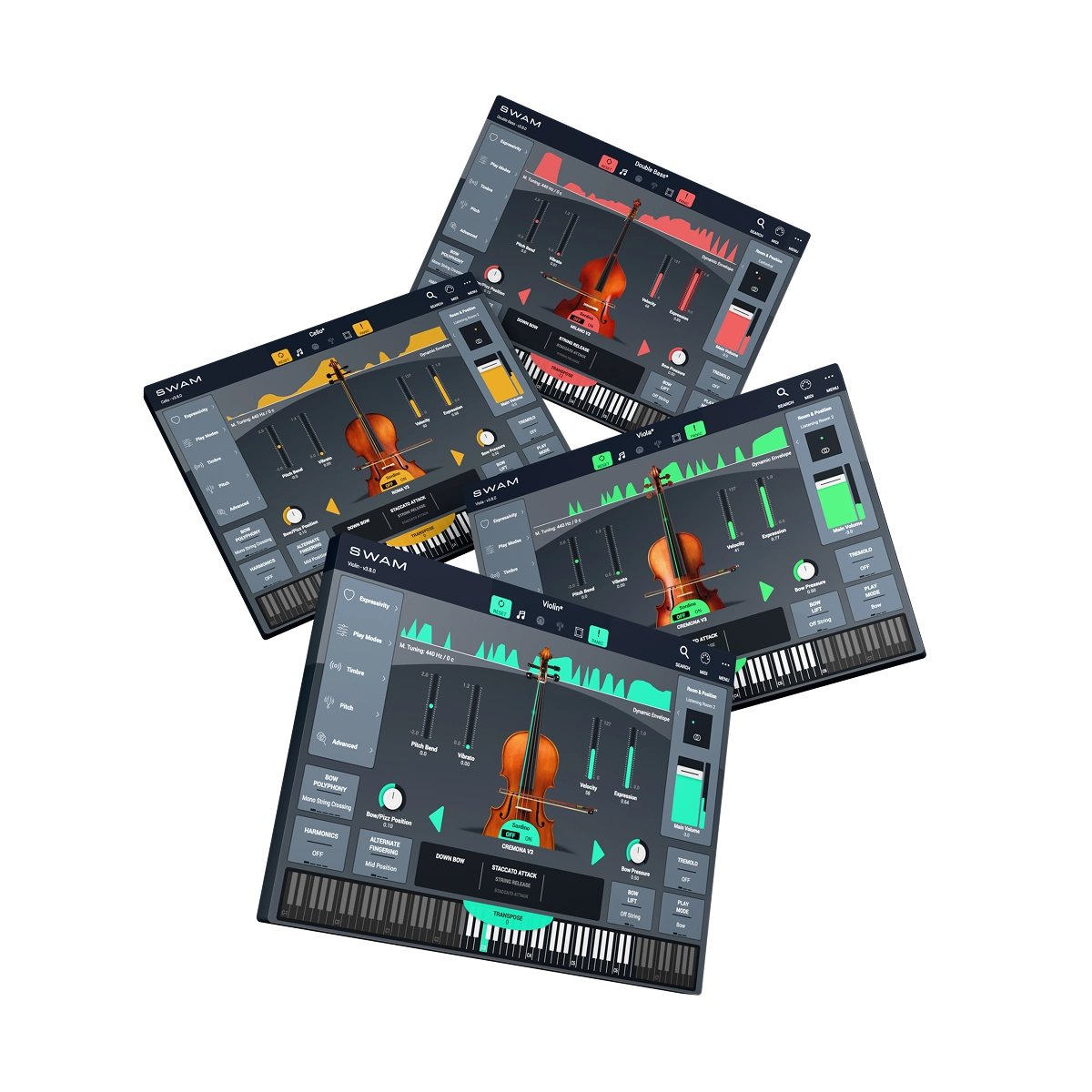
SWAM Solo Strings 3 bundles four solo string instruments: violin, viola, cello and double bass. All use physical modeling and respond to playing gestures in real time.
The maker says it offers smooth articulation and continuous control. The instruments are designed to work together so arrangements keep a consistent sound across the string range.
The Japanese distributor's page says version 3.8 added Ambiente support, better preset management, parameter search and accessibility improvements.
Layering the same instrument to form a section is described as possible with simple per-instance timbre adjustments.
Key features
Four solo strings
Violin through double bass covers the full string range, which may suit those who want a quartet setup without buying pieces separately.
Bow-driven sound
Bow speed, pressure and position shape the sound in each instrument. Violin and viola have left hand, right hand and polyphony modes.
Consistent sound
The maker says the instruments are designed to work together, so you may program all parts with the same operation style.
Building sections
Layering the same instrument with small timbre changes is described as a way to form a section, which may help with a larger-ensemble feel.
Light design
No multi-gigabyte samples are needed and disk and CPU load are small, which may ease running several tracks on a laptop.
Version 3.8 features
Preset management, parameter search, keyboard shortcuts and screen-reader descriptions were added.
Specifications
| Item | Details |
|---|---|
| Products | SWAM Violin, Viola, Cello, Double Bass |
| Range examples | Violin G2-F6, Viola C2-C6 (Japanese distributor; middle C = C3) |
| Formats | Standalone, AU, VST, VST3, AAX (per the product pages) |
| OS | macOS 10.13-27, Windows 10/11 (per the Violin/Viola official pages) |
| Trial | 15 days on individual products |
What is included and system requirements
- SWAM Violin
- SWAM Viola
- SWAM Cello
- SWAM Double Bass
How to use it
- After purchase, get the four instrument installers from your account.
- Choose the formats your DAW uses and install.
- Create one instrument track per string part in your DAW.
- Load an instrument on each track.
- Use MIDI Learn to assign expressive controllers.
- For violin and viola, choose a play mode.
- Load the same instrument on several tracks and layer with small timbre changes.
- Save settings as presets.
Who it may suit
- People who want to shape every string part themselves
- People who prefer buying together over separately
- People looking for a small-footprint string instrument
Good to know before you buy
- The page shows 396 USD and 339 USD without labels; 396 USD is taken as the regular price, matching 99 USD x 4 for the individual products.
- The distributor's name is SWAM Solo Strings 3 bundle.
- Final prices are set at checkout.
How it differs from similar products
We do not pick a winner; the official figures are placed side by side.
SWAM ViolinViola
The Violin and Viola are 99 USD each, while the four-product bundle is shown at 396 USD.
Price
Please check the official page for the price.
See SWAM Solo Strings 3 on the product page
More of the same kind
Other introduction articles of the same kind.
- Wave Arts Master Restoration Suite 6
- Applied Acoustics Systems Libraries
- Waves Restoration
- Polyverse Polyverse Bundle Deal
- Waves Greg Wells Signature Series
- sonible learn:bundle
We have introduced 12 other products from Audio Modeling.
- Audio Modeling SWAM Solo Woodwinds 3 Bundle
- Audio Modeling SWAM Double Reeds
- Audio Modeling SWAM Viola
- Audio Modeling SWAM Solo Horns and Tubas
- Audio Modeling SWAM Flutes
See the full list in Product database: Bundles.
Sources: audiomodeling.com minet.jp (checked 2026-10-27)









Comments