
Disclosure: This page may contain affiliate links. Prices were checked on the date shown and may change.
An introduction to Wave Arts MultiDynamics 7, based on information from the maker and distributors: what it does, how to use it and who it may suit. It is not scored.
Versatile multi-band dynamics processor
— Wave Arts official site
What is MultiDynamics 7?
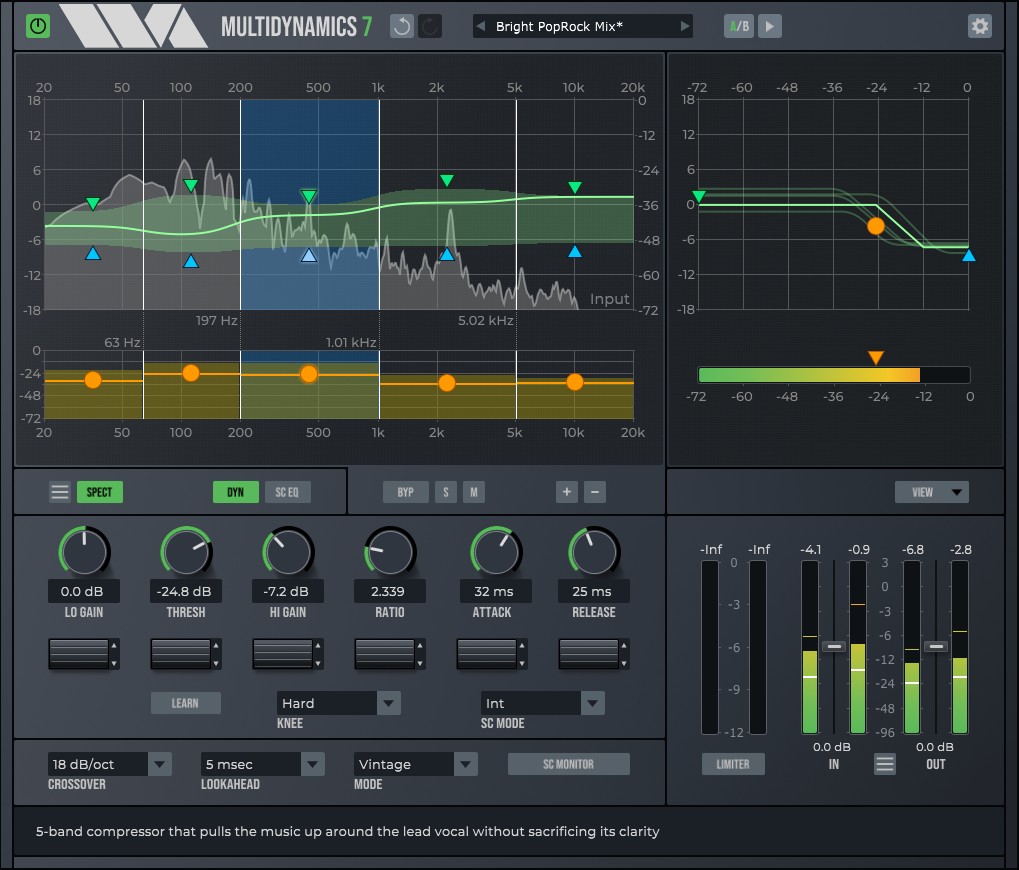
Wave Arts MultiDynamics 7 is a multi-band dynamics plug-in for mastering, track processing, sound design and noise reduction. Each of its six bands can be set for compression or for expansion and gating.
Uses include compressing only one frequency range, for example the vocal band without affecting bass and highs, level-dependent EQ such as brightening a hi-hat only when it is played softly, noise reduction with several gating bands, and ducking music only in the frequency ranges where dialogue sits.
New in MultiDynamics 7 are a dark-theme interface, a Learn feature that sets band thresholds to detected peak or RMS levels, an output peak limiter, input meters and gain, a metering section with peak, RMS and K-system options, and a real-time spectrum display.
Key features
Six independent bands
Each band can compress or expand and gate.
Learn
Automatically sets band thresholds to detected peak or RMS levels.
Output peak limiter
A peak limiter was added to the output.
Metering and spectrum
Peak, peak and RMS, RMS and K-system meters and a real-time spectrum display.
Noise reduction
Several gating bands with thresholds just above the noise level; the maker says it avoids artifacts typical of FFT-based de-noisers.
Ducking
Music can be ducked only in the ranges where dialogue sits.
Specifications
| Item | Details |
|---|---|
| Formats | Mac: AU, VST3, AAX (macOS 10.13 or later; AAX needs Pro Tools 11 or later). Windows: VST2, VST3, AAX (AAX needs Pro Tools 10.3.5 or later, or 11 or later, depending on the product) |
| Main features | Six independent bands, Learn, Output peak limiter, Metering and spectrum |
What is included and system requirements
- MultiDynamics 7
- Formats: AU, VST3, AAX (Mac), VST2, VST3, AAX (Windows)
How to use it
- Insert MultiDynamics 7 on a track that needs multiband dynamics.
- Use Learn to set each band's threshold to the material.
- Choose compression or gating per band.
- Set the band crossovers while watching the spectrum.
- Check the result with the output limiter and meters.
Where it may come in handy
Frequency-dependent compression
For example compressing only the vocal range.
Noise reduction
Using gating bands to reduce noise.
Music behind narration
Ducking music only in the dialogue range.
Who it may suit
- People who want dynamics control by frequency band
- Post-production users who need noise reduction and ducking
Good to know before you buy
- This article is based on the Wave Arts product page. Check the maker or retailer pages for the latest specifications and prices.
Price
Please check the official page for the price.
See MultiDynamics 7 on the product page
More of the same kind
Other introduction articles of the same kind.
- Boz Digital Labs Pan Knob
- Mastering The Mix REFERENCE 3
- Serato Serato Pitch 'n Time Pro
- United Plugins QuickBass
- FLUX:: Alchemist
- Kuassa EFEKTOR Rotarion
We have introduced 8 other products from Wave Arts.
- Wave Arts Panorama 7
- Wave Arts Dialog 2
- Wave Arts TrackPlug 7
- Wave Arts Tube Saturator 2
- Wave Arts MasterVerb 7
See the full list in Product database: Effects.
Sources: wavearts.com (checked 2026-11-09)









Comments