
Disclosure: This page may contain affiliate links. Prices were checked on the date shown and may change.
An introduction to Waves Restoration, based on information from the maker and distributors: what it does, how to use it and who it may suit. It is not scored.
What is Restoration?
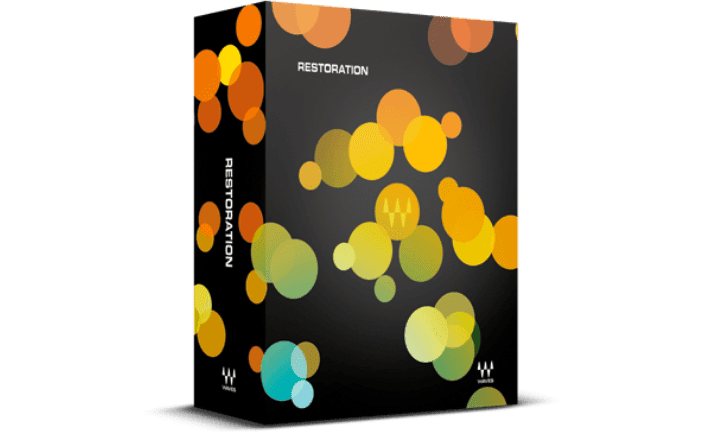
Waves Restoration is a bundle of plug-ins dedicated to noise removal and repair, with separate plug-ins for clicks, crackle, hum and hiss.
Each plug-in has a graphical interface with only the parameters needed for that noise, and can be edited while listening in real time.
Waves says its psychoacoustic technology removes noise while keeping changes to the sound small.
The bundle holds X-Click, X-Crackle, X-Hum, X-Noise and Z-Noise. Formats are SoundGrid, AAX Native, AudioSuite, Audio Units and VST3 on macOS and Windows.
Key features
X-Click
Removes sharp spike-like clicks caused by digital switching or crosstalk; it is also noted for 78 rpm record noise.
X-Crackle
A second stage for vinyl repair, used after X-Noise or X-Click, to remove crackle from surface damage.
X-Hum
Removes or reduces rumble, DC offset and hum, which usually comes from ground-loop problems.
X-Noise
Removes tape hiss, air-conditioning and computer noise on single tracks, finished mixes or damaged recordings.
Z-Noise
Besides the traditional noise-profile method, an adaptive mode detects noise during playback, which may suit changing background noise.
Specifications
| Item | Details |
|---|---|
| Plug-ins | X-Click / X-Crackle / X-Hum / X-Noise / Z-Noise |
| Formats | SoundGrid / AAX Native / AudioSuite / Audio Units / VST3 |
| Demo | 7-day demo |
What is included and system requirements
- X-Click, X-Crackle, X-Hum, X-Noise, Z-Noise
- Mac: Intel or Apple Silicon, 16 GB+ RAM, 30 GB free, macOS Ventura 13 to Tahoe 26
- Windows: Windows 10 64-bit / 11, 16 GB+ RAM, 30 GB free
- (requirements apply to Waves V17 products generally)
How to use it
- Install the license and plug-ins with Waves Central.
- Rescan plug-ins in your DAW.
- Insert the appropriate plug-in on the track to be cleaned.
- Choose by noise type, e.g. X-Noise for hiss, X-Hum for hum, X-Click for clicks.
- Capture a profile from a noise-only section, or try Z-Noise adaptive mode.
- Avoid excessive processing and compare against the original.
Where it may come in handy
Digitizing records and tape
It may suit cleaning clicks, crackle and hiss step by step.
Narration and streaming audio
It could be tried to reduce hum and air-conditioning noise.
Location recording
Z-Noise adaptive mode may help when background noise changes.
Who it may suit
- People restoring old audio
- People who prefer separate tools per noise type
- Existing Waves users
Good to know before you buy
- Requirements call for 16 GB or more RAM and 30 GB free space.
Price
Please check the official page for the price.
See Restoration on the product page
More of the same kind
Other introduction articles of the same kind.
- IK Multimedia AmpliTube SVX
- LANDR LANDR Ultimate Bundle
- Kuassa Synth Essential Bundle
- Kuassa Kuassa EVE-AT Bundle
- Relab Development Sonsig Pro Bundle
- McDSP 6060 Ultimate Module Collection
We have introduced 215 other products from Waves.
- Waves CLA Classic Compressors
- Waves Signature Series Vocals
- Waves Tape, Tubes & Transistors
- Waves Jack Joseph Puig Signature Series
- Waves V-Series
See the full list in Product database: Bundles.
Sources: wavesjapan.jp minet.jp (checked 2026-10-27)









Comments