
Disclosure: This page may contain affiliate links. Prices were checked on the date shown and may change.
An introduction to Waves Tape, Tubes & Transistors, based on information from the maker and distributors: what it does, how to use it and who it may suit. It is not scored.
Step into the studio with Eddie Kramer during the golden age of music in the 60s and early 70s
— Waves official site
What is Tape, Tubes & Transistors?
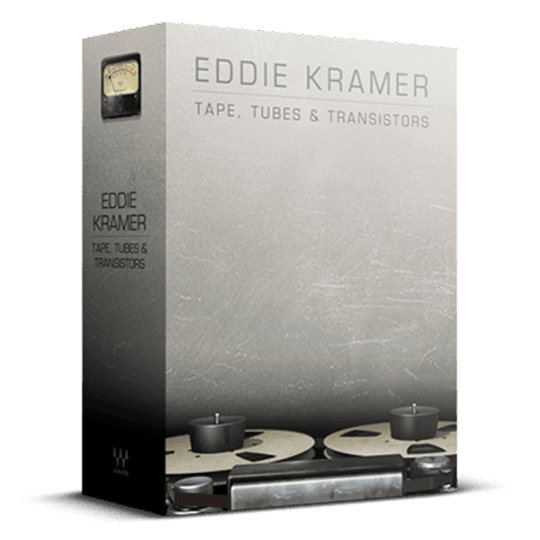
Tape, Tubes & Transistors is a Waves bundle made in collaboration with engineer Eddie Kramer. It contains Kramer HLS Channel, Kramer Master Tape and Kramer PIE Compressor.
According to the product description, it models the signal chain of Olympic Studios: a Helios console, a Pye compressor and 2-track tape.
It is described as usable from individual vocal tracks to mastering mixes.
The charm of analog gear's imperfections can optionally be included.
Key features
Kramer HLS Channel
A channel modeled on the Helios console of the Rolling Stones mobile truck.
Kramer Master Tape
A tape emulation modeled on an American tube recorder used at Olympic Studios.
Kramer PIE Compressor
A plug-in modeled on the Pye compressor.
Made with Eddie Kramer
The product description says it was created in close collaboration with Eddie Kramer.
Optional imperfections
The imperfections of analog gear can optionally be included.
Specifications
| Item | Details |
|---|---|
| macOS | Monterey 12, Ventura 13, Sonoma 14, Sequoia 15 |
| Windows | Windows 10 or later |
| Formats | Mac: VST / AU / AAX; Windows: VST / AAX |
What is included and system requirements
- Kramer HLS Channel
- Kramer Master Tape
- Kramer PIE Compressor
How to use it
- Create a Waves account, or log in to an existing one.
- Register the serial number shown in your Plugin Boutique user account under 'Register New Products' in your Waves account.
- Download and install the Waves Central app.
- Log in to Waves Central and choose the products to install on the 'Install Products' tab.
- Click 'Install & Activate' to install and authorize them.
- Open your DAW and load the Waves plugin from an effect slot.
- Step through the presets and adjust the input level to start working.
Where it may come in handy
Vocal channel processing
HLS Channel may help shape vocal tone.
Adding tape character
Master Tape on a bus or master may add a tape-style texture.
Compressing drums
The PIE Compressor could be used on drums.
Who it may suit
- People interested in 1960s-70s recording chains
- People who want console, compressor and tape together
Good to know before you buy
- A Waves account and serial registration are required.
- Kramer Master Tape is also sold separately.
Price
Please check the official page for the price.
See Tape, Tubes & Transistors on the product page
More of the same kind
Other introduction articles of the same kind.
- NUGEN Audio NUGEN Post
- Kuassa Efektor Gainia Preamp Bundle
- iZotope Mix & Master Bundle Advanced
- sonible smart:bundle
- sonible learn:bundle
- iZotope iZotope Mix & Master Bundle Standard
We have introduced 215 other products from Waves.
- Waves Masters
- Waves CLA Classic Compressors
- Waves Manny Marroquin Signature Series
- Waves V-Series
- Waves Studio Classics Collection
See the full list in Product database: Bundles.
Sources: pluginboutique.com (checked 2026-10-27)










Comments