
Disclosure: This page may contain affiliate links. Prices were checked on the date shown and may change.
An introduction to Sound Particles Doppler + Air Bundle, based on information from the maker and distributors: what it does, how to use it and who it may suit. It is not scored.
Doppler is a professional audio plugin, for sound design and audio post-production. Perfect for simulating the physical behavior of sound moving through the air, turning your mix into an incredibly immersive sonic experience.
— Sound Particles official site
What is Doppler + Air Bundle?
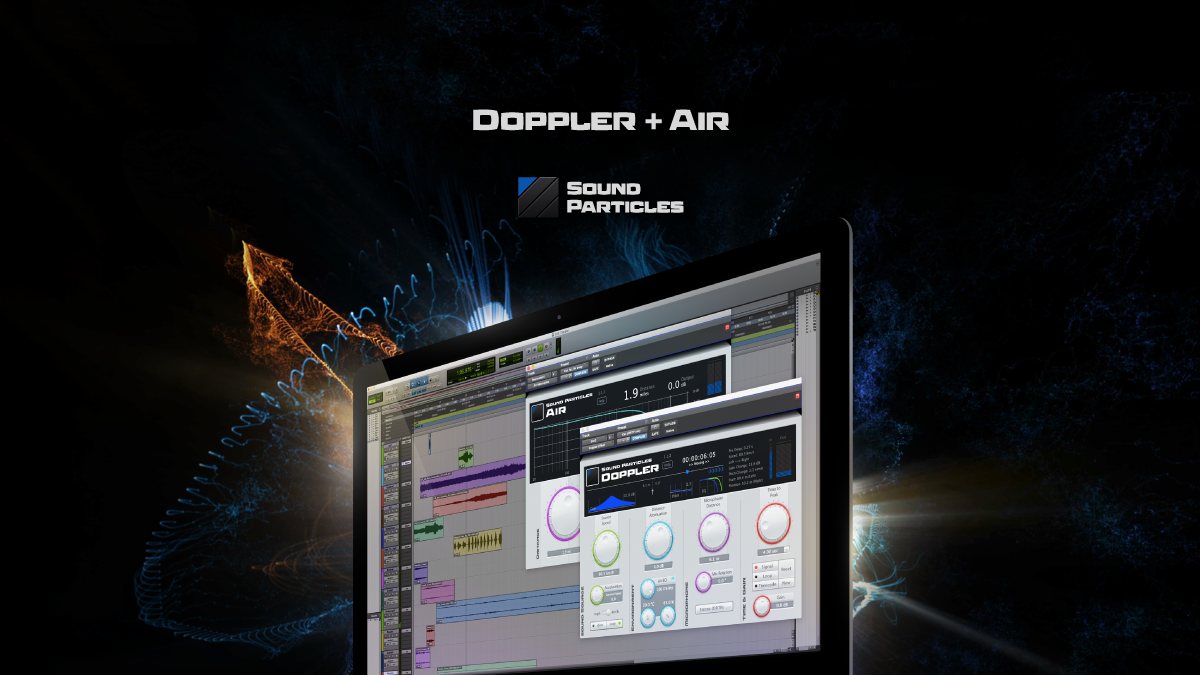
Doppler + Air is a bundle of two Sound Particles plugins, Doppler and Air. Both are effects for sound design and post-production that reproduce physical properties of sound traveling through air.
Doppler simulates the changes in pitch, level and EQ heard when an object passes by. According to the maker, you can choose among formats from mono and stereo microphones through 5.1, 7.1 and 9.1 Dolby Atmos beds to Ambisonics up to third order, and you can specify the time of the peak to sync with picture.
Air reproduces the loss of high frequencies in distant sounds. It includes settings for locations around the world, from Antarctica to Death Valley, and you can enter your own values. The maker says it uses measured frequency responses of air absorption rather than a simple low-pass filter.
It may suit pass-by effects for cars and aircraft, giving ADR a sense of distance, or adding depth to ambient sounds. On the official site the bundle is 149 dollars, with Doppler alone at 99 and Air alone at 69.
Key features
Doppler effect
It reproduces the pitch, level and EQ changes of a passing source based on physical factors. It may help when creating pass-bys of cars or trains.
Immersive formats
Output can be chosen from mono, stereo, 5.1, 7.1, 9.1 Dolby Atmos bed and Ambisonics up to third order. This may be useful in multichannel work.
Peak time sync
When you specify the time of the Doppler peak, other parameters adjust to match. This could be convenient for lining sound up with the moment something passes on screen.
Distance EQ
Besides level and pitch, Doppler applies the frequency response change from air absorption over distance. It may help give receding sounds a natural character.
Air location settings
Settings from Antarctica to Death Valley are included, and custom values are possible. It may be useful for trying different distance characters per environment.
Frequency response view and distance attenuation
Air shows the frequency response being applied and lets you adjust level over distance. It may be a reference when blending ADR into location sound.
Units and control surfaces
Meters or feet and km/h or mph can be switched, and control surfaces such as the AVID S6 can edit parameters.
Specifications
| Item | Details |
|---|---|
| Type | Effect bundle of Doppler and Air |
| Formats | AAX Native, AU, VST, VST3 (as listed by Plugin Boutique) |
| OS | macOS 10.9 or later (Intel / Apple Silicon), Windows 7 / 8 / 10 (as listed by Plugin Boutique) |
| Minimum | 2-core CPU or higher, 4 GB RAM or more, 600 MB disk space |
| Recommended | 4-core CPU or higher, 8 GB RAM or more |
What is included and system requirements
- Doppler plugin
- Air plugin
- Formats: AAX Native, AU, VST, VST3
- OS: macOS 10.9 or later / Windows 7, 8, 10
How to use it
- After purchase, download the installers from your Sound Particles or Plugin Boutique account.
- Run the installer for your OS to install Doppler and Air.
- Open your DAW and insert Doppler on the track of the pass-by sound.
- Choose the microphone format that matches your output, such as stereo.
- Specify the time of the pass-by peak and adjust speed and distance.
- Insert Air on tracks that need a sense of distance and choose a location setting.
- Use Distance Attenuation to adjust level over distance.
Where it may come in handy
Vehicle pass-bys
It may be useful for creating passing cars, trains or aircraft to match picture. The peak-time setting could be helpful.
Giving ADR distance
Air may be a candidate when you want ADR voices to sound as if spoken from farther away on location.
Depth in ambiences
You could add high-frequency loss from distance to landscape or crowd sounds to create depth.
Game and video sound design
Since immersive formats are supported, it may be worth trying in Atmos or Ambisonics work.
Who it may suit
- People making sound effects in video or film post-production
- Anyone who wants to match the distance of ADR voices
- Those working in Atmos or Ambisonics
- Sound designers handling pass-bys and distance
Good to know before you buy
- It is aimed at sound design and post-production rather than music production.
- Plugin Boutique lists VST3 as well, while the Sound Particles page lists AAX, AU and VST.
- The official page notes there is also a free Air | Music Edition.
- Each plugin can also be bought separately on the official site.
How it differs from similar products
We do not pick a winner; the official figures are placed side by side.
Sound Particles Doppler
On the official site, Doppler alone is 99 dollars, Doppler + Air is 149 dollars and Air alone is 69 dollars. The bundle adds Air, which handles high-frequency loss over distance, to Doppler.
Price
$149 (Sound Particles official site, checked 2026-10-27). Prices can vary by region and promotion, so check the official page before buying.
See Doppler + Air Bundle on the product page
More of the same kind
Other introduction articles of the same kind.
- Nomad Factory Blue Tubes Bundle
- iZotope RX Post Production Suite 9
- McDSP Classic Pack
- Audio Modeling SWAM Solo Woodwinds 3 Bundle
- Kuassa Kuassa EVE-AT Bundle
- Black Rooster Audio ALL Bundle
We have introduced 14 other products from Sound Particles.
- Sound Particles Density
- Sound Particles Beat Panner
- Sound Particles inDelay
- Sound Particles MiniDust
- Sound Particles Air
See the full list in Product database: Bundles.
Sources: soundparticles.com pluginboutique.com (checked 2026-10-27)










Comments