
Disclosure: This page may contain affiliate links. Prices were checked on the date shown and may change.
An introduction to Sound Particles Beat Panner, based on information from the maker and distributors: what it does, how to use it and who it may suit. It is not scored.
Define your movement patterns and make your sounds swirl, glide, and travel around you.
— Sound Particles official site
What is Beat Panner?
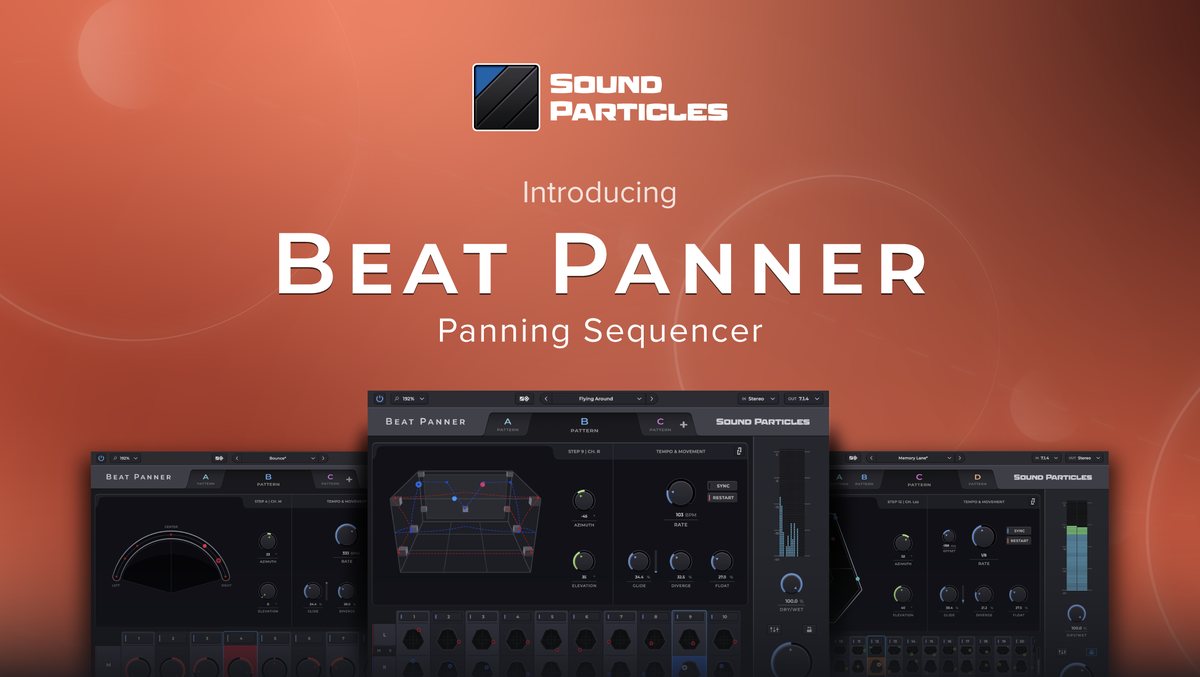
Beat Panner is a panning sequencer plugin from Sound Particles that lets you create movement patterns tied to your DAW’s tempo. The official page lists AAX, AU and VST3 formats.
An ordinary panner sets where a sound sits. Beat Panner lets you lay out steps to build a movement pattern and syncs it to the song’s tempo. The official page presents it for electronic producers, DJs, film composers and audio engineers.
Sequences have up to 32 steps per channel, and four patterns can be switched within a single instance. Movement between steps can range from hard jumps to smooth glides. It handles stereo as well as immersive layouts such as 7.1.4, up to 6th-order Ambisonics.
More than 25 presets are included, plus a random dice function for combinations. Plugin Boutique’s description states support for more than 30 multichannel formats.
Key features
Step sequencer
Build tempo-synced panning movement with up to 32 steps per channel, laying out steps rather than drawing automation by hand.
Four patterns per instance
Four patterns can be switched in a single instance, for example giving verses and choruses different movements.
Glide and sequence direction
Choose between hard jumps and smooth transitions, and run the sequence forward, backward, ping-pong or random.
Float and divergence
Float adds tiny movements inside each step and Divergence adds slight position variation, giving the motion an organic feel.
Stereo workflow
In stereo mode, moving one handle moves the other, mirrored or linked at 60, 90 or 180 degrees. You can also switch to standard pan knobs.
3D views and mixer
Several stereo and 3D views show the movement, and a built-in mixer adjusts each output channel. A virtual center option empties the center channel.
Presets and random dice
More than 25 presets are included, and the dice button explores random combinations.
Specifications
| Item | Details |
|---|---|
| Type | Panning sequencer |
| Steps | Up to 32 per channel |
| Patterns | 4 per instance |
| Channel formats | Mono and stereo through formats such as 7.1.4, up to 6th-order Ambisonics |
| Presets | More than 25 |
| Formats | AAX, AU, VST3 (official page) |
| System requirements (Plugin Boutique) | macOS 10.15 or later / Windows 10 or later, 2-core CPU or higher, 4 GB RAM or more, 600 MB disk |
What is included and system requirements
- Beat Panner plugin
- More than 25 presets
- Formats: AAX, AU, VST3
- OS: macOS 10.15 or later (Intel and Apple Silicon), Windows 10 or later
- AAX use requires 64-bit Pro Tools 11 or later
How to use it
- Install and authorize following the purchase or trial instructions.
- Rescan plugins in your DAW.
- Insert Beat Panner on the track you want to move.
- Confirm it is synced to your DAW tempo.
- Pick a preset or lay out steps to build a movement.
- Set the character with Glide and Sequence Direction.
- Add organic variation with Float and Divergence.
- Use the four patterns to follow the song’s sections.
Where it may come in handy
Motion in electronic tracks
Synth arpeggios or pads could be moved left and right in time with the beat so the movement itself becomes part of the rhythm.
Changing movement in a chorus
Using pattern switching, elements other than the vocal could change their panning in the chorus, which may help shape the arrangement.
Sound design for picture
The official page lists film and post-production users, so adding movement to effects or ambience is a plausible use.
Entry to immersive work
In multichannel mixes such as 7.1.4, it may be a quick way to build movement patterns.
Who it may suit
- Producers and DJs who want beat-synced panning
- Users who want movement without drawing detailed automation
- Those adding motion to effects for picture or games
- Anyone interested in immersive multichannel work
Good to know before you buy
- The official page has a trial button; check the details there before buying.
- The official page shows $199 and Plugin Boutique shows $149; no sale marker was visible at Plugin Boutique.
- The official page lists AAX, AU and VST3, while Plugin Boutique lists additional formats, so confirm your DAW’s support before buying.
How it differs from similar products
We do not pick a winner; the official figures are placed side by side.
Sound Particles Energy Panner 2
Beat Panner builds tempo-synced panning movement from steps you lay out. Energy Panner 2 turns the intensity of the audio itself into movement, which the official site says needs no manual automation.
Price
Please check the official page for the price.
See Beat Panner on the product page
More of the same kind
Other introduction articles of the same kind.
- NUGEN Audio AB Assist 2
- Universal Audio A-Type Multiband Dynamic Enhancer
- New Audio Technology Spatial Sound Card – Spatial Sound Card Pro
- Waves X-Click
- W. A. Production SphereQuad
- Sonarworks SoundID VoiceAI K-pop voices
We have introduced 14 other products from Sound Particles.
- Sound Particles Air
- Sound Particles Doppler
- Sound Particles Density
- Sound Particles AudioMatrix
- Sound Particles Energy Panner 2
See the full list in Product database: Effects.
Sources: soundparticles.com pluginboutique.com (checked 2026-10-27)










Comments