
Disclosure: This page may contain affiliate links. Prices were checked on the date shown and may change.
An introduction to McDSP Classic Pack, based on information from the maker and distributors: what it does, how to use it and who it may suit. It is not scored.
McDSP's legendary emulations of vintage equalizers, compressors, tape machines and channel amplifiers are available together in the Classic Pack bundle.
— McDSP official site
What is Classic Pack?
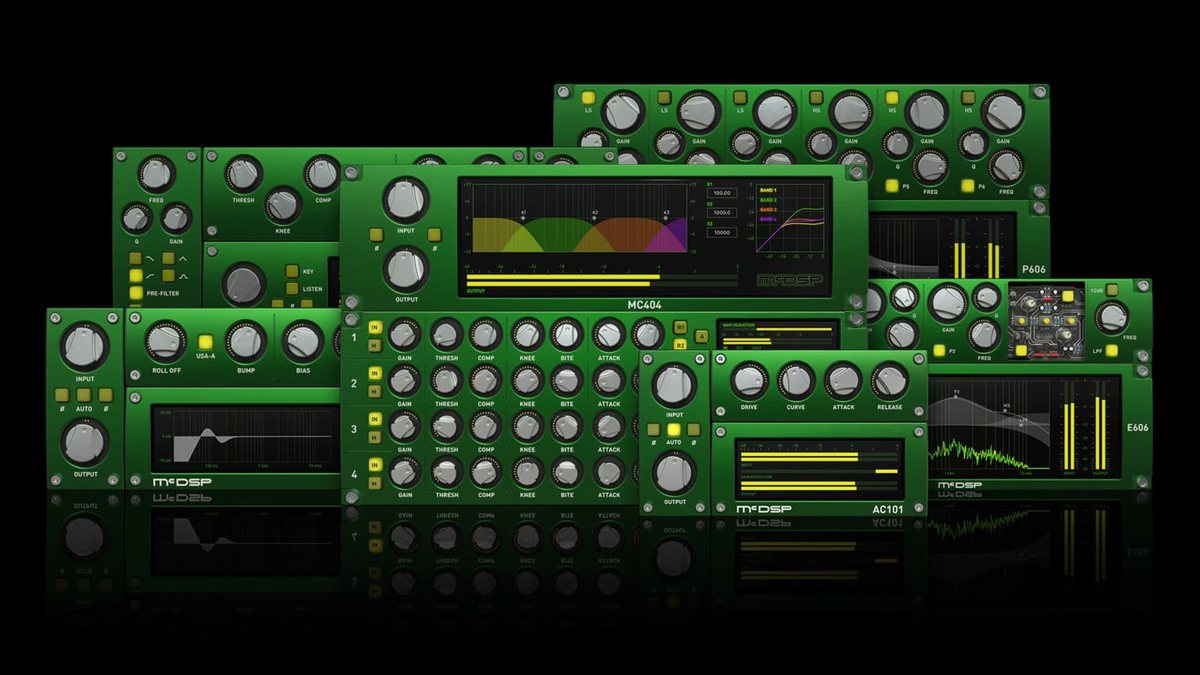
Classic Pack bundles four of McDSP's original plugins: FilterBank (EQ), CompressorBank (compressor), MC2000 (multiband compressor) and Analog Channel (tape and channel amplifier character).
McDSP says these were among its first plugins and among the first third-party plugins ever. The Japanese distributor Media Integration also presents it as four long-standing Pro Tools plugins in one package.
FilterBank is McDSP's first product and can emulate any EQ or create a custom one. CompressorBank emulates vintage to modern compressors while giving detailed control over the dynamics.
The v7 versions are optimized for Apple silicon and recent Intel processors, support AAX, AU and VST3, and allow two activations per license. It is smaller than the twelve-plugin Emerald Pack, so it can be a place to start.
Key features
FilterBank: McDSP's first EQ
An EQ with a flexible design and a rich set of features that can emulate many EQs or be configured as a custom one, which may help with detailed tone shaping.
CompressorBank: vintage to modern
A high-end compressor designed to emulate vintage and modern compressors, with detailed control over how compression is applied.
MC2000: multiband compressor
A multiband compressor whose adjustable knee is highlighted on the Japanese distributor page, which may suit controlling dynamics per band.
Analog Channel: tape and amp character
A plugin that emulates high-end analog tape machines, tape and channel amplifiers, which may help when you want to add warmth or thickness.
Artist presets
Presets from engineers and artists such as Bob Horn, Dave Pensado, Kevin Churko, Joe Barresi and Mike Dean are included.
v7 improvements
Optimized for Apple silicon and Intel, with double precision and zero latency. The distributor page also notes a Phase button added to the included plugins.
Specifications
| Item | Details |
|---|---|
| Type | Plugin bundle (4 products) |
| Contents | FilterBank, CompressorBank, MC2000, Analog Channel |
| Formats | AAX, AU, VST3 |
| License | iLok 2, 3 and iLok Cloud compatible; two activations per license |
| Processing | Double precision |
| Latency | Zero |
| Maximum sample rate | 192 kHz (varies by plugin) |
| Version | v7 (Native and HD) |
What is included and system requirements
- FilterBank
- CompressorBank
- MC2000 Multi-band Compressor
- Analog Channel
- Artist presets
- PDF manuals in Japanese and English (distributor page)
How to use it
- Choose Native or HD and purchase.
- Download the installers from your McDSP account.
- Prepare an iLok account and activate the license.
- Run the installer and choose the formats you need among AAX, AU and VST3.
- Scan for plugins in your DAW.
- Load FilterBank or CompressorBank on a track insert.
- Start from the artist presets and adjust.
- Use the second activation for another computer.
Where it may come in handy
EQ and compression in mixes
FilterBank and CompressorBank may suit basic EQ and compression on vocals and drums.
Bus processing
MC2000 could be used to control dynamics by band on drum or mix buses.
Adding texture
Analog Channel could add tape- or amp-like character.
Starting with a smaller bundle
It may suit those who want mainly EQ and compression without buying the full range.
Who it may suit
- People who want four basic EQ, compressor and tape tools
- Those who want to try McDSP in Pro Tools or other DAWs
- People who prefer to start smaller than a large bundle
- Users who want to run on two computers
Good to know before you buy
- Native and HD versions are available.
- An iLok license is required.
- The Japanese distributor URL ends in classic-pack-old and may be an older page; McDSP's current page has a different URL.
- Upgrade pricing from earlier versions is offered.
How it differs from similar products
We do not pick a winner; the official figures are placed side by side.
Emerald Pack
Classic Pack has four plugins; Emerald Pack has twelve including those four (McDSP official).
Price
Please check the official page for the price.
See Classic Pack on the product page
More of the same kind
Other introduction articles of the same kind.
- Waves Manny Marroquin Signature Series
- Kuassa Shoegaze Essentials Bundle
- Waves Chris Lord-Alge Signature Series
- NUGEN Audio NUGEN Post
- Wave Arts Master Restoration Suite 6
- Waves Tape, Tubes & Transistors
We have introduced 53 other products from McDSP.
- McDSP Classic Pack v7
- McDSP 6060 Ultimate Module Collection
- McDSP Emerald Pack
- McDSP Retro Pack v7
- McDSP Channel G HD v7
See the full list in Product database: Bundles.
Sources: mcdsp.com minet.jp (checked 2026-10-27)









Comments