
Disclosure: This page may contain affiliate links. Prices were checked on the date shown and may change.
An introduction to Waves OneKnob Louder, based on information from the maker and distributors: what it does, how to use it and who it may suit. It is not scored.
OneKnob Louder brings up the level with peak limiting, low-level compression, and automatic makeup gain to give the results you want in seconds—without destroying dynamics.
— Waves official site
What is OneKnob Louder?
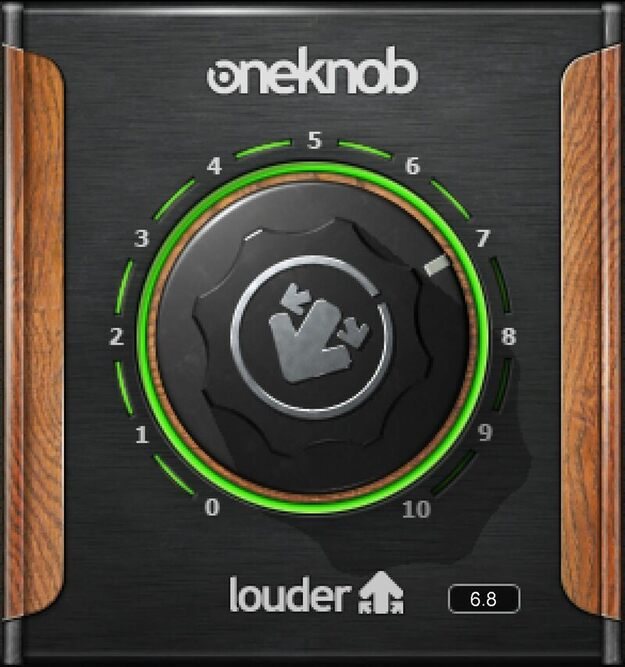
OneKnob Louder is a Waves plug-in that raises perceived level with one knob. It combines peak limiting, low-level compression and automatic makeup gain, and is described as raising level without destroying dynamics.
It is presented as a way to address mixes that do not stand out next to commercial recordings. Beyond the master, the page lists making vocal levels more consistent, adding guitar sustain, strengthening drums and increasing the impact of effects buses.
It has a single knob and is described as distilling engineering skills into one control. The page calls it suited to songwriters who need to dial in powerful sounds quickly.
Because it can both reduce level variations on individual tracks and raise overall loudness, you might try it from the rough-mix stage.
Key features
Peak limiting
Raises level while holding peaks in check.
Low-level compression
Includes processing that lifts quieter parts, which may be worth trying on tracks with uneven levels.
Automatic makeup gain
Level matching is automatic, which may make before/after comparisons less confusing.
Reduce level variation on tracks
Making vocal and guitar levels more consistent is among the listed uses.
Presence for effects buses
The page describes adding it to effects buses to strengthen their impact.
Single-knob control
One knob keeps the number of decisions small.
Specifications
| Item | Details |
|---|---|
| Formats (Mac) | VST / AU / AAX |
| Formats (Windows) | VST / AAX |
| OS (Mac) | macOS Monterey 12 to Sequoia 15 |
| OS (Windows) | Windows 10 or later |
| License | Registration and activation through a Waves account |
What is included and system requirements
- Mac: macOS Monterey 12 / Ventura 13 / Sonoma 14 / Sequoia 15 (VST, AU, AAX)
- Windows: Windows 10 or later (VST, AAX)
- Level control with a single knob
How to use it
- Create a Waves account (or log in if you already have one).
- In 'Register New Products', enter the serial number shown in your Plugin Boutique account.
- Download and install Waves Central, then log in.
- On the 'Install Products' tab, tick the product and click 'Install & Activate'.
- Open your DAW and insert the plug-in on a track or bus.
- Insert OneKnob Louder on a track or the master and turn the knob gradually while listening to the change in loudness.
Where it may come in handy
Setting overall loudness
When you want to check loudness against other tracks, you might try it from the rough-mix stage.
Stabilizing a vocal
It may help when you want a steadier vocal level.
Adding drive to a drum bus
You could insert it on a drum group to adjust its impact.
Who it may suit
- Songwriters who want to set loudness quickly
- People who want a simple way to adjust a mix
- People who prefer a single-knob tool
Good to know before you buy
- A Waves account and license activation are required (for purchases through Plugin Boutique, the serial number is registered to a Waves account).
- Supported systems are listed as macOS Monterey 12 through Sequoia 15 on Mac and Windows 10 or later on Windows.
How it differs from similar products
We do not pick a winner; the official figures are placed side by side.
Waves OneKnob Pressure
Louder raises loudness with limiting, low-level compression and automatic makeup gain, while Pressure switches between 10 compressor settings. Both use a single knob.
Price
Please check the official page for the price.
See OneKnob Louder on the product page
More of the same kind
Other introduction articles of the same kind.
- Universal Audio Vibe Analog Machines
- Zynaptiq ADAPTIVERB
- Antelope Audio VP Drum-All-Nite
- MAAT LINone
- IK Multimedia AmpliTube Fender Collection 2
- Sound Particles Brightness Panner 2
We have introduced 215 other products from Waves.
- Waves Abbey Road Reel ADT
- Waves MultiMod Rack
- Waves CLA MixDown
- Waves Maserati DRM
- Waves SoundShifter
See the full list in Product database: Effects.
Sources: pluginboutique.com (checked 2026-10-27)










Comments