
Disclosure: This page may contain affiliate links. Prices were checked on the date shown and may change.
An introduction to Waves OneKnob Pressure, based on information from the maker and distributors: what it does, how to use it and who it may suit. It is not scored.
The 10 optimized compressor settings cover everything from light parallel compression to hardcore squashing.
— Waves official site
What is OneKnob Pressure?
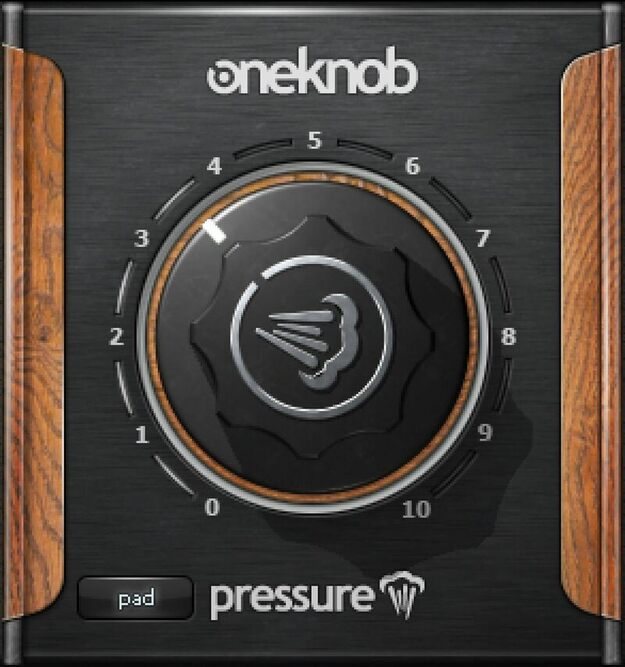
OneKnob Pressure is a Waves plug-in that switches between 10 compressor settings with a single knob. Instead of tuning many parameters, you turn the knob and pick the sound you like.
The 10 settings are said to range from light parallel compression to hard squashing. Examples given include a gentle lift on the stereo bus, smoother vocals, acoustic guitar and drums.
An input Pad / Unity / Boost button helps set the input level. The page also describes using it while tracking, without breaking the creative flow.
It may be easy to try if you want fewer knobs to juggle or are still getting used to compressor settings. For work that needs fine adjustment, a compressor with more parameters may suit better.
Key features
10 compressor settings on one knob
Turning one knob moves through 10 settings, which may help when you want to skip hunting for parameters.
From light to heavy
The range is described as running from parallel-style light compression to heavy squashing.
Input Pad / Unity / Boost
Switch the input level to fit the source, which may help with quiet or hot material.
Vocal intelligibility
Evening out vocal dynamics for easier-to-understand lyrics is one of the listed uses.
Usable while tracking
You can add processing while recording, and the page describes keeping the creative flow going.
Specifications
| Item | Details |
|---|---|
| Formats (Mac) | VST / AU / AAX |
| Formats (Windows) | VST / AAX |
| OS (Mac) | macOS Monterey 12 to Sequoia 15 |
| OS (Windows) | Windows 10 or later |
| License | Registration and activation through a Waves account |
What is included and system requirements
- Mac: macOS Monterey 12 / Ventura 13 / Sonoma 14 / Sequoia 15 (VST, AU, AAX)
- Windows: Windows 10 or later (VST, AAX)
- 10 compressor settings
How to use it
- Create a Waves account (or log in if you already have one).
- In 'Register New Products', enter the serial number shown in your Plugin Boutique account.
- Download and install Waves Central, then log in.
- On the 'Install Products' tab, tick the product and click 'Install & Activate'.
- Open your DAW and insert the plug-in on a track or bus.
- Turn the OneKnob Pressure knob through the 10 settings, pick one you like, and use the Pad / Unity / Boost button if the input is hot or quiet.
Evening out home-recorded vocals
When level variations bother you, you might turn the knob until a setting fits.
Bringing acoustic guitar forward
You could try it on an acoustic guitar part that needs to stand out.
Gentle lift on a bus
You might use it lightly on a stereo bus or an instrument group.
Who it may suit
- People who find detailed compressor settings difficult
- People who want quick processing while recording
- People looking for a plug-in with few controls
Good to know before you buy
- A Waves account and license activation are required (for purchases through Plugin Boutique, the serial number is registered to a Waves account).
- Supported systems are listed as macOS Monterey 12 through Sequoia 15 on Mac and Windows 10 or later on Windows.
How it differs from similar products
We do not pick a winner; the official figures are placed side by side.
Waves OneKnob Louder
Both belong to the OneKnob series. Pressure switches between 10 compressor settings; Louder raises level using peak limiting, low-level compression and automatic makeup gain.
Price
Please check the official page for the price.
See OneKnob Pressure on the product page
More of the same kind
We have introduced 85 compressors. Here are some of the others.
- Antelope Audio BA-6A
- McDSP SPC2000
- Native Instruments Supercharger GT
- Antelope Audio Antelope Audio Gyratec X
- FLUX:: Syrah
- Antelope Audio Antelope Audio BX3
We have introduced 215 other products from Waves.
- Waves SSL G-Master Buss Compressor
- Waves Renaissance Compressor
- Waves Linear Phase Multiband Compressor
- Waves V-Comp
- Waves API 2500
For a side-by-side comparison scored on the same criteria, see our comparison of compressors.
See the full list in Product database: Effects.
Sources: pluginboutique.com (checked 2026-10-27)










Comments