
Disclosure: This page may contain affiliate links. Prices were checked on the date shown and may change.
An introduction to Slate Digital FG-Dynamics, based on information from the maker and distributors: what it does, how to use it and who it may suit. It is not scored.
Capture the iconic sound of classic solid-state dynamics with FG-Dynamics, the all-in-one compressor and gate trusted on countless hits.
— Slate Digital official site
What is FG-Dynamics?
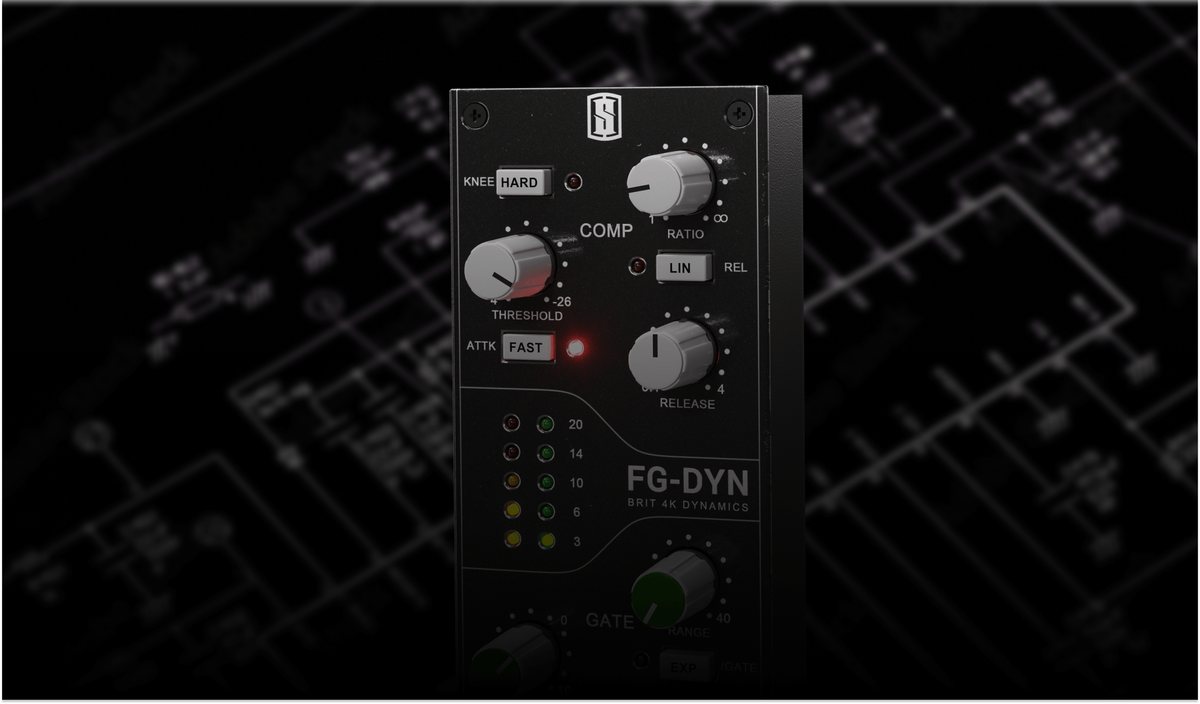
FG-Dynamics is a plug-in from Slate Digital that combines a compressor and a gate, modeled on a classic solid-state console compressor and gate.
The company says it aims to capture the warmth and responsiveness of analog hardware, and it is designed to work as a module in Virtual Mix Rack (VMR).
Makeup gain is adjusted automatically so you can hear changes in character as you adjust settings, and a gate/expander and Mix knob are included.
A range of presets is provided, and it is intended to be combined with other VMR modules such as FG-S.
Key features
Solid-state style compression
It recreates VCA compressor behavior, aiming at punchy compression, and might be tried on drums and buses.
Automatic makeup gain
Level is compensated automatically as you change settings, so you can hear compression character without being misled by loudness.
Gate / expander
A gate and expander in the same module could help reduce bleed in recorded material.
Mix knob
One knob creates parallel compression without a separate fader, useful when you want to keep the original feel.
Presets
Numerous presets are provided for experienced and new users alike.
Built for Virtual Mix Rack
As a VMR module, it can be chained with EQs and saturators quickly.
Specifications
| Item | Details |
|---|---|
| Type | Compressor / gate |
| Formats (macOS) | AU, VST, VST3, AAX (64-bit host) |
| Formats (Windows) | VST, VST3, AAX (64-bit host) |
| OS | macOS 14 or later / Windows 11 |
| Hardware | Intel or Apple Silicon, 4GB RAM |
| Licensing | iLok (iLok 2/3 or host computer) |
| Purchase | Perpetual license or subscription |
What is included and system requirements
- FG-Dynamics plug-in
- Presets
- A module usable in Virtual Mix Rack
How to use it
- Buy from Slate Digital or Plugin Boutique and add the license to iLok.
- Install and load it in your DAW.
- Insert it standalone or as a VMR module.
- Pick a nearby preset.
- Adjust threshold and ratio.
- Set the gate/expander if needed.
- Set the parallel amount with the Mix knob.
- Bypass and compare.
Where it may come in handy
Drum processing
Combining compression and gate could help shape the outline of drum sounds.
Vocal compression
Parallel compression could help level a vocal while keeping it natural.
Bass control
Auto makeup gain could help you compare changes while tightening bass.
Building VMR chains
Placed beside EQs and saturators, it can speed up chain building.
Who it may suit
- Users of Slate Digital's Virtual Mix Rack
- People who want a compressor and gate in one
- Those who like auto makeup for comparison
- Anyone choosing between perpetual and subscription
Good to know before you buy
- An iLok account is required.
- The official site notes that older operating systems are not actively tested.
- It is available as a perpetual license or via subscription plans.
How it differs from similar products
We do not pick a winner; the official figures are placed side by side.
Custom Opto
Custom Opto, another Slate Digital VMR module, is based on an opto compressor with Speed, Ratio and four tone modes. FG-Dynamics is solid-state style and includes a gate.
Price
$99 (Slate Digital official site, checked 2026-10-27). Prices can vary by region and promotion, so check the official page before buying.
See FG-Dynamics on the product page
More of the same kind
We have introduced 16 gates and expanders. Here are some of the others.
- Waves Primary Source Expander
- Sonnox Oxford Drum Gate 2
- Soundtoys Tremolator
- Black Salt Audio Silencer
- DOTEC-AUDIO DeeGate
- Metric Halo MH SuperGate v4
We have introduced 21 other products from Slate Digital.
- Slate Digital MetaPitch
- Slate Digital Virtual Buss Compressors
- Slate Digital The Monster
- Slate Digital Virtu
- Slate Digital Fresh Air
See the full list in Product database: Effects.
Sources: slatedigital.com pluginboutique.com (checked 2026-10-27)










Comments