
Disclosure: This page may contain affiliate links. Prices were checked on the date shown and may change.
An introduction to Black Rooster Audio Edelweiss'72, based on information from the maker and distributors: what it does, how to use it and who it may suit. It is not scored.
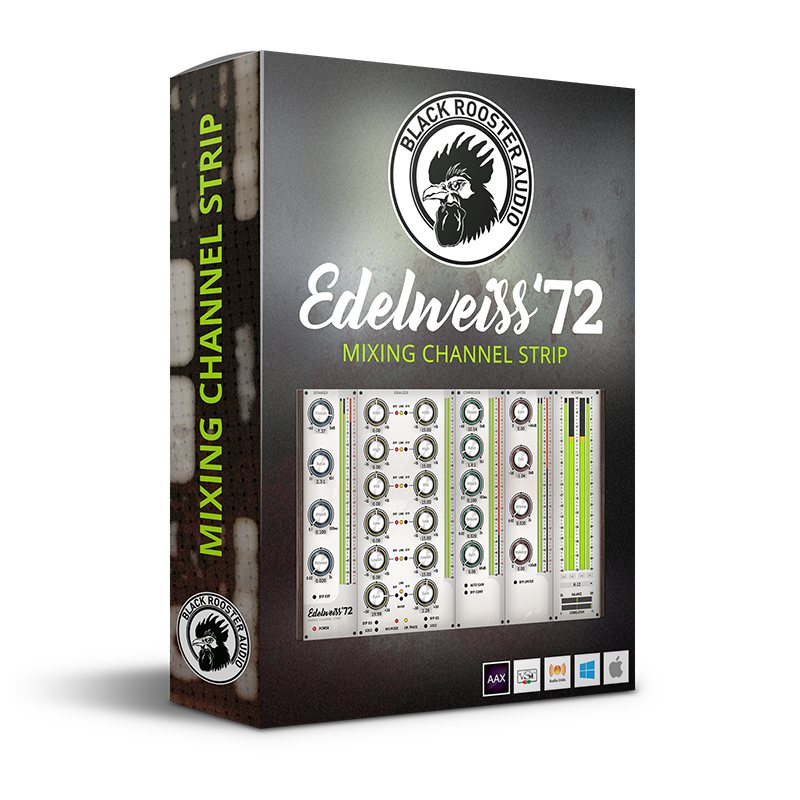
The Edelweiss´72 is a vintage-flavoured channel strip that puts a full mixing and mastering chain behind a single insert: an expander, a five-band equalizer, a compressor and a brickwall limiter
— Black Rooster Audio official site
What is Edelweiss'72?
Edelweiss'72 is a channel strip plug-in from Black Rooster Audio in Germany. It combines four modules in one insert: an expander, a five-band EQ, a compressor and a brickwall limiter.
The chain starts with the expander, which is meant to widen the dynamic range of over-compressed material before tone shaping. The EQ has five fixed-frequency bands and switches between stereo and M/S.
The EQ offers a linear-phase mode for avoiding phase inconsistencies; the maker notes it uses more CPU. The following compressor has auto gain, and the final limiter has a ceiling control.
Seventeen individual bypasses and per-module solo let you audition each stage. K-12, K-14 and K-20 scales and phase correlation metering show loudness and stereo state.
Key features
Expander-first chain
An expander (threshold, ratio from 1:1 to 10:1, attack, release) comes first in the chain. You may try it when you want to restore dynamics in squashed material.
Five-band fixed-frequency EQ
Five bands: 80 Hz low shelf, 450 Hz, 1.5 kHz, 4.5 kHz and 12 kHz high shelf, each with ±15 dB of range. Fixed frequencies may help you set direction quickly.
Stereo / M/S switch
The EQ switches from stereo to M/S so mid and side can be edited separately. Band linking uses anti-circular gain inversion, which the maker says lets one move tighten or widen the stereo field.
Linear-phase EQ
The EQ can switch from IIR to linear-phase FIR filtering. You may try it on buses or the master to avoid phase issues, though it uses more CPU.
Compressor with auto gain
A soft-knee compressor (threshold, ratio up to 10:1, attack, release) with make-up gain and an auto gain mode. It can make before/after comparisons easier by compensating for level changes.
Brickwall limiter
The final limiter has ceiling, release, gain and auto gain, and can serve as the stage that caps peaks and sets the final level.
17 bypasses and K-scale metering
Seventeen bypasses and solos let you compare each stage, and K-12, K-14, K-20 plus phase correlation and L/R balance meters show the state of the signal.
Specifications
| Item | Details |
|---|---|
| Type | Channel strip (expander / 5-band EQ / compressor / limiter) |
| EQ | 5 fixed-frequency bands (80 Hz, 450 Hz, 1.5 kHz, 4.5 kHz, 12 kHz), ±15 dB, stereo / M/S, linear-phase option |
| Formats | AAX / VST / VST3 / AU |
| Metering | K-12 / K-14 / K-20, phase correlation, L/R balance |
| Mac | macOS 10.13 or newer (Intel / Apple Silicon), 1 GB RAM |
| Windows | Windows 7 or newer, SSE2-compatible processor, 1 GB RAM |
| Display | 1280×1024 or more |
| Trial | 14 days (account registration required) |
What is included and system requirements
- Edelweiss'72 plug-in (macOS and Windows)
- Formats: AAX / VST / VST3 / AU (no AU on Windows)
- Manual (PDF)
- System requirements: 1 GB RAM, 1280×1024 or larger display, 64-bit compatible host
How to use it
- Create a Black Rooster Audio account; a 14-day trial license can be created on the product page.
- Download and install the installer (AAX / VST / VST3 / AU).
- Rescan plug-ins in your DAW.
- Insert it on the mix bus or on a track.
- Apply the expander lightly and check how the dynamics return.
- Adjust the EQ bands, switching to M/S or linear phase if needed.
- Set the compressor and limiter.
- Bypass each stage in turn and compare the effect.
Where it may come in handy
Finishing the mix bus
You may insert it on the mix bus and adjust the expander, EQ, compressor and limiter in order.
Adjusting width with M/S EQ
You may try M/S EQ to adjust only the brightness of the sides without touching a centered vocal.
Checking around mastering
The linear-phase EQ and K-scale metering may help when you adjust while watching phase and level.
Who it may suit
- People who want EQ and dynamics in one plug-in
- People who want to try M/S processing or linear-phase EQ easily
- People who want to adjust the mix bus while watching meters
Good to know before you buy
- The maker notes that linear-phase EQ uses more CPU.
- AU is Mac only; Windows offers AAX, VST and VST3.
- A free account is needed for the trial.
- The name is written 'Edelweiss`72' by the store and 'Edelweiss´72' by the maker.
Price
Please check the official page for the price.
See Edelweiss'72 on the product page
More of the same kind
We have introduced 51 channel strips. Here are some of the others.
- Waves SSL E-Channel
- Harrison Consoles MPC Channel Strip
- Softube Chandler Limited Zener-Bender for Console 1
- Antelope Audio VEQ-4K BROWN
- Harrison Audio Bass Flow
- Antelope Audio Antelope Audio VEQ-4K PINK
We have introduced 8 other products from Black Rooster Audio.
- Black Rooster Audio KH-COMP1
- Black Rooster Audio Magnetite
- Black Rooster Audio BlueAsh SC-5
- Black Rooster Audio BlackAsh SC-5
- Black Rooster Audio ALL Bundle
See the full list in Product database: Effects.
Sources: blackroosteraudio.com pluginboutique.com (checked 2026-10-27)










Comments