
Disclosure: This page may contain affiliate links. Prices were checked on the date shown and may change.
An introduction to W. A. Production Screamo, based on information from the maker and distributors: what it does, how to use it and who it may suit. It is not scored.
a talk-box / screamer hybrid that can groove along with your track.
— W. A. Production official site
What is Screamo?
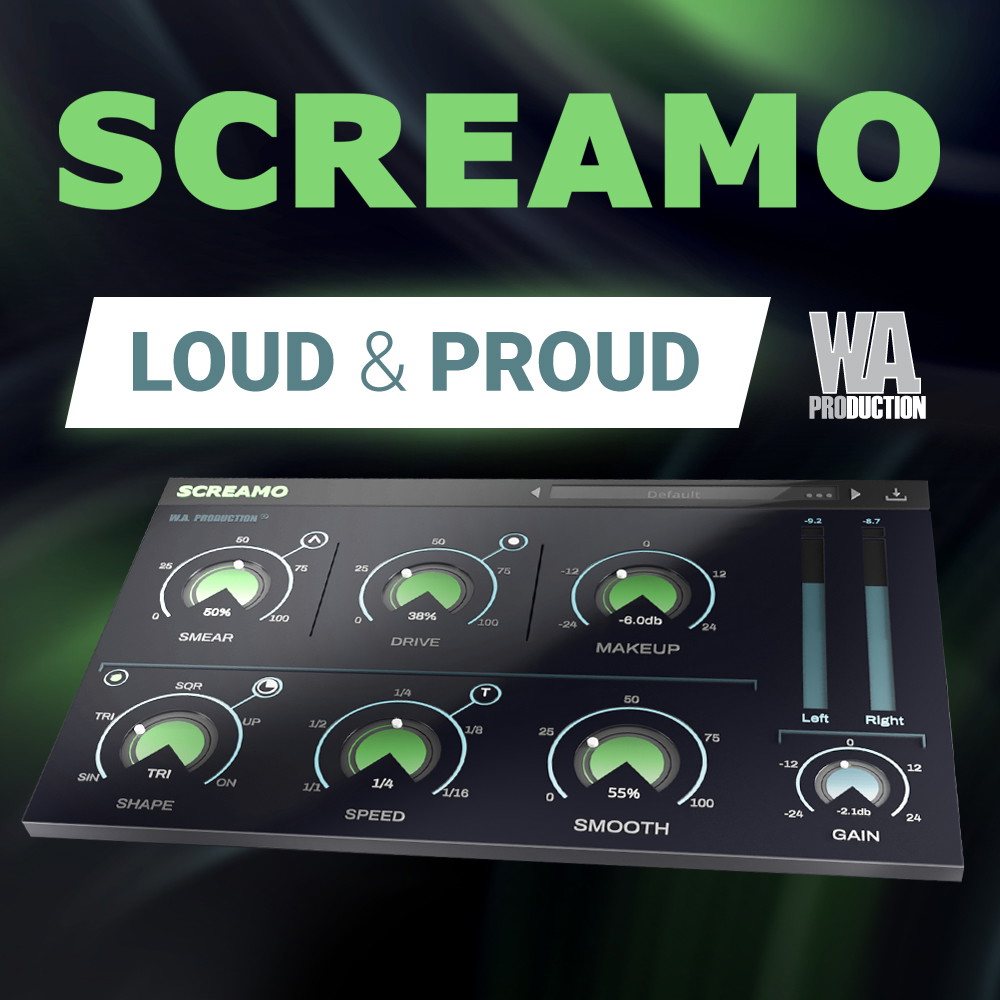
Screamo is a distortion plug-in from W. A. Production. The maker describes it as a hybrid of a talk box and a screamer-style overdrive.
Half of the interface is a dedicated waveform shaper that can modulate resonant filters, distortion and gain, so moving distortion can be made without building complex routing or syncing LFOs yourself.
There are three main parts. Smear uses two resonant shelving filters, giving a talk-box-like effect when used lightly and a screamer-like one when pushed. Drive goes from subtle saturation to heavy overdrive in soft, medium and hard modes. Sync links the controls to tempo.
It includes 25 factory presets, a real-time output level display and a resizable interface, and supports VST, AU, AAX and VST3. A free trial is offered on the official site.
Key features
Smear
Two resonant shelving filters offer three styles of frequency movement: upward, downward or two-way.
Drive
Drive ranges from subtle saturation to extreme overdrive, with soft, medium and hard distortion modes.
Tempo sync
Smear, Drive and Makeup are synced together, with straight, triplet and dotted rhythms.
Waveform shaper
Shape, Speed and Smooth build a waveform that controls the three upper parameters, with five sync wave shapes.
25 presets
The 25 factory presets run from subtle saturation to wild rhythmic overdrive, and user presets can be saved.
Level display and manual
A real-time output display and gain help with A/B checks, and a PDF manual and tutorial video are provided.
Specifications
| Item | Details |
|---|---|
| Type | Distortion / talk-box-style filter |
| Formats | VST, AU, AAX, VST3 |
| Windows | Windows 10/11 (64-bit) |
| Mac | macOS 10.15 or later (64-bit) |
| AAX | Pro Tools 12 or later |
| Presets | 25 |
| Sync wave shapes | 5 |
| Interface | Resizable |
What is included and system requirements
- Plug-in
- 25 factory presets
- PDF manual and tutorial video
How to use it
- Buy from the official site or try the Free Trial.
- After installing, load it as an insert in your DAW.
- Pick a preset close to the sound you want.
- Choose a Smear style and adjust the filter movement.
- Set the Drive amount and mode.
- Build the waveform with Shape, Speed and Smooth.
- Choose the tempo-sync rhythm.
- Watch the output level display and adjust gain.
Where it may come in handy
Adding movement to bass
Subtle movement is suggested for bringing bass lines out of the background.
Pushing synths forward
Rhythmic overdrive is suggested for making a synth line stand out.
Snap on percussion
Drive is suggested for making percussion loops crack.
Talk-box-style effects
Filter movement may be used for a talk-box-like effect.
Who it may suit
- People who want moving distortion with simple controls
- Those curious about talk-box-style filter effects
- Producers adding variation to synths or bass
- Anyone who prefers to try a trial first
Good to know before you buy
- It is a plug-in, not a standalone program.
- The official page asks Apple Silicon users to check the compatibility status before buying.
- The AAX format requires Pro Tools 12 or later.
Price
Please check the official page for the price.
See Screamo on the product page
More of the same kind
We have introduced 82 saturation and distortion effects. Here are some of the others.
- Universal Audio Ampex ATR-102 Mastering Tape Recorder
- Kuassa Efektor DS3603 Distortion
- Waves Abbey Road Saturator
- IK Multimedia T-RackS TASCAM PORTA ONE
- AudioThing Things – Fold
- Stagecraft Software Picante
We have introduced 42 other products from W. A. Production.
- W. A. Production Satyrus
- W. A. Production Punchy Worm
- W. A. Production Heat by 22Bullets
- W. A. Production HEAT 2
- W. A. Production Combustor
For a side-by-side comparison scored on the same criteria, see our comparison of saturation and distortion effects.
See the full list in Product database: Effects.
Sources: waproduction.com pluginboutique.com (checked 2026-10-27)










Comments