
Disclosure: This page may contain affiliate links. Prices were checked on the date shown and may change.
An introduction to HyperX QuadCast S, based on information from the maker and distributors: what it does, how to use it and who it may suit. It is not scored.
The HyperX QuadCast S is a USB condenser microphone that both sounds great and looks great.
— HyperX official site
What is QuadCast S?
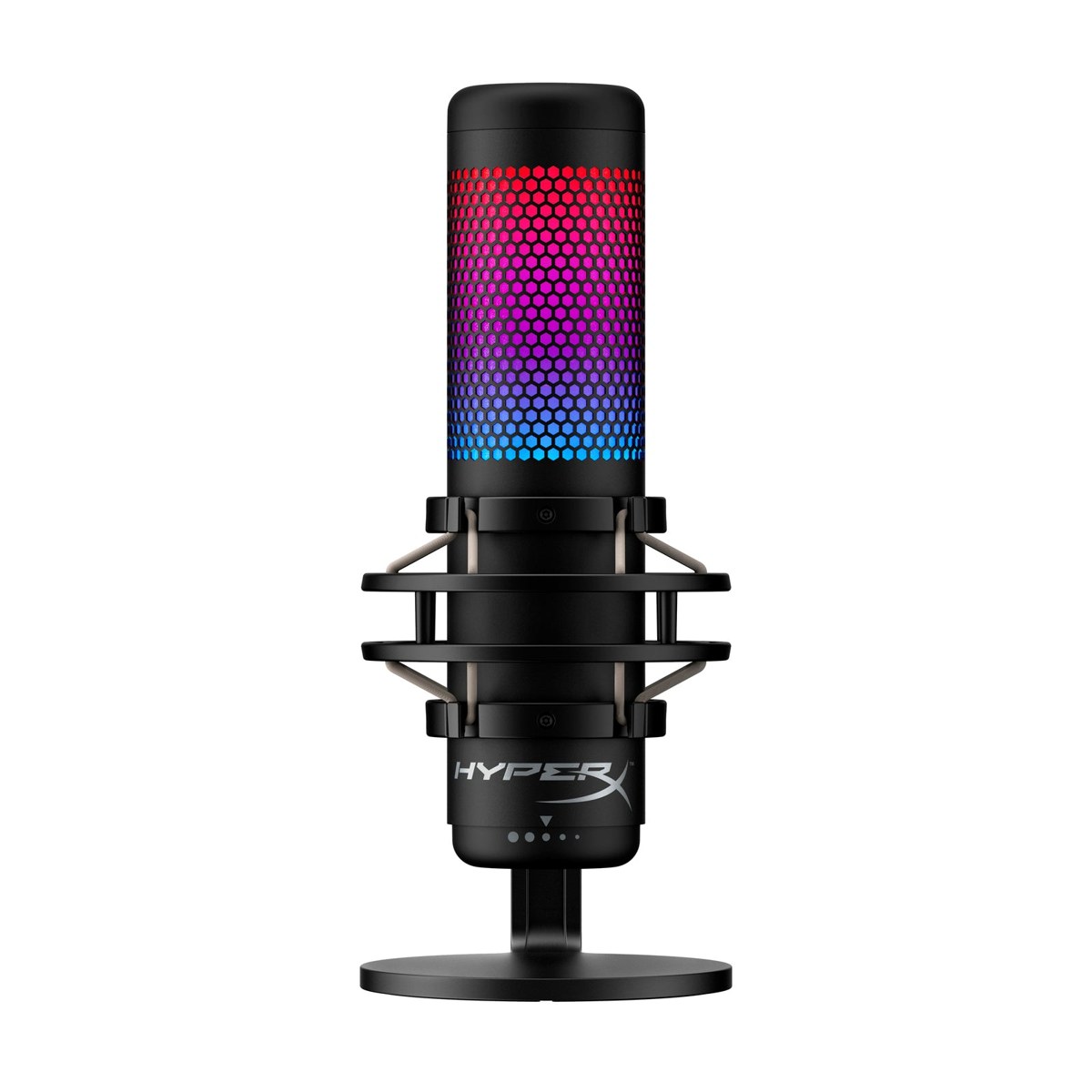
The HyperX QuadCast S is a USB condenser microphone with RGB lighting. The maker presents it for streamers and content creators. The lighting and its dynamic effects are set in the HyperX NGENUITY software.
It has three 14 mm electret condenser capsules and four polar patterns: stereo, omnidirectional, cardioid and bidirectional. You can mute by tapping the top, and an LED shows whether the microphone is live or muted.
An anti-vibration shock mount is built in, along with an internal pop filter to block plosives and a 3.5 mm headphone jack. A dial on the bottom adjusts microphone sensitivity.
It works with PC, PS5, PS4 and Mac. The maker says it is certified by Discord and TeamSpeak and works with streaming software such as Streamlabs OBS, OBS Studio and XSplit.
Key features
Two-zone RGB lighting
Two zones of RGB lighting are customised in HyperX NGENUITY, with dynamic effects.
Tap-to-mute
Tapping the top mutes the microphone and the LED shows its state: lit when active, off when muted.
Four polar patterns
Choose stereo, omnidirectional, cardioid or bidirectional.
Built-in anti-vibration shock mount
An elastic rope suspension isolates the microphone and suppresses accidental bumps and rumbles.
Mount adapter and pop filter
An adapter fits 3/8 and 5/8 inch threads for most mic stands and boom arms, and an internal pop filter helps block plosives.
USB-C and headphone jack
It connects over USB-C and a 3.5 mm headphone jack lets you monitor.
Specifications
| Item | Details |
|---|---|
| Type | USB condenser microphone with RGB lighting |
| Capsules | Three 14 mm electret condenser capsules |
| Polar patterns | Stereo, omnidirectional, cardioid, bidirectional |
| Frequency response | 20 Hz to 20 kHz |
| Sensitivity | -36 dB (1 V/Pa at 1 kHz) |
| Self noise (RMS) | -95 dBFS or lower (A-weighted) |
| Connection | USB-C, 3.5 mm headphone output |
| Weight (microphone) | 0.55 lb |
| Compatibility | PC, PS5, PS4, Mac |
What is included and system requirements
- Microphone
- USB cable
- Mount adapter
- Quick start guide
How to use it
- Connect the microphone to your computer with the USB cable.
- Select QuadCast S as the input in your sound settings.
- Choose the polar pattern.
- Adjust sensitivity with the dial on the bottom.
- Plug in headphones to monitor.
- Set the lighting in HyperX NGENUITY if you like.
Where it may come in handy
Game streaming
It supports streaming and chat software such as Discord and OBS Studio.
Streams where the mic is visible
The lighting is a key feature, which may suit people who want the microphone to appear on camera.
Recording conversations
Stereo or bidirectional could record two voices.
Who it may suit
- Streamers looking for a USB microphone with lighting
- People who want a microphone with a stand adapter included
Good to know before you buy
- A boom arm is not included.
- Lighting settings need HyperX NGENUITY.
- This article is based on the maker's product pages. Check the maker or retailer pages for the latest specifications and prices.
How it differs from similar products
We do not pick a winner; the official figures are placed side by side.
HyperX QuadCast 2
The QuadCast S is known for two-zone RGB lighting and a built-in anti-vibration mount. The QuadCast 2 has a 3 m USB-C cable, a multifunction knob and a detachable shock mount.
Price
Please check the official page for the price.
See QuadCast S on the product page
More of the same kind
We have introduced 100 microphones. Here are some of the others.
- ZOOM ZDM-1PMP Podcast Mic Pack
- Universal Audio SD-1
- 3Dio Free Space Pro II
- Earthworks M23 Gen 2
- FIFINE K669B
- Mojave Audio MA-C
We have introduced 3 other products from HyperX.
For a side-by-side comparison scored on the same criteria, see our comparison of microphones.
See the full list in Product database: Microphones and accessories.
Sources: hyperx.com (checked 2026-11-09)









Comments