
Disclosure: This page may contain affiliate links. Prices were checked on the date shown and may change.
An introduction to HyperX QuadCast 2, based on information from the maker and distributors: what it does, how to use it and who it may suit. It is not scored.
The HyperX QuadCast 2 refines everything that made the original such a favorite amongst gamers, streamers, and content creators around the world.
— HyperX official site
What is QuadCast 2?
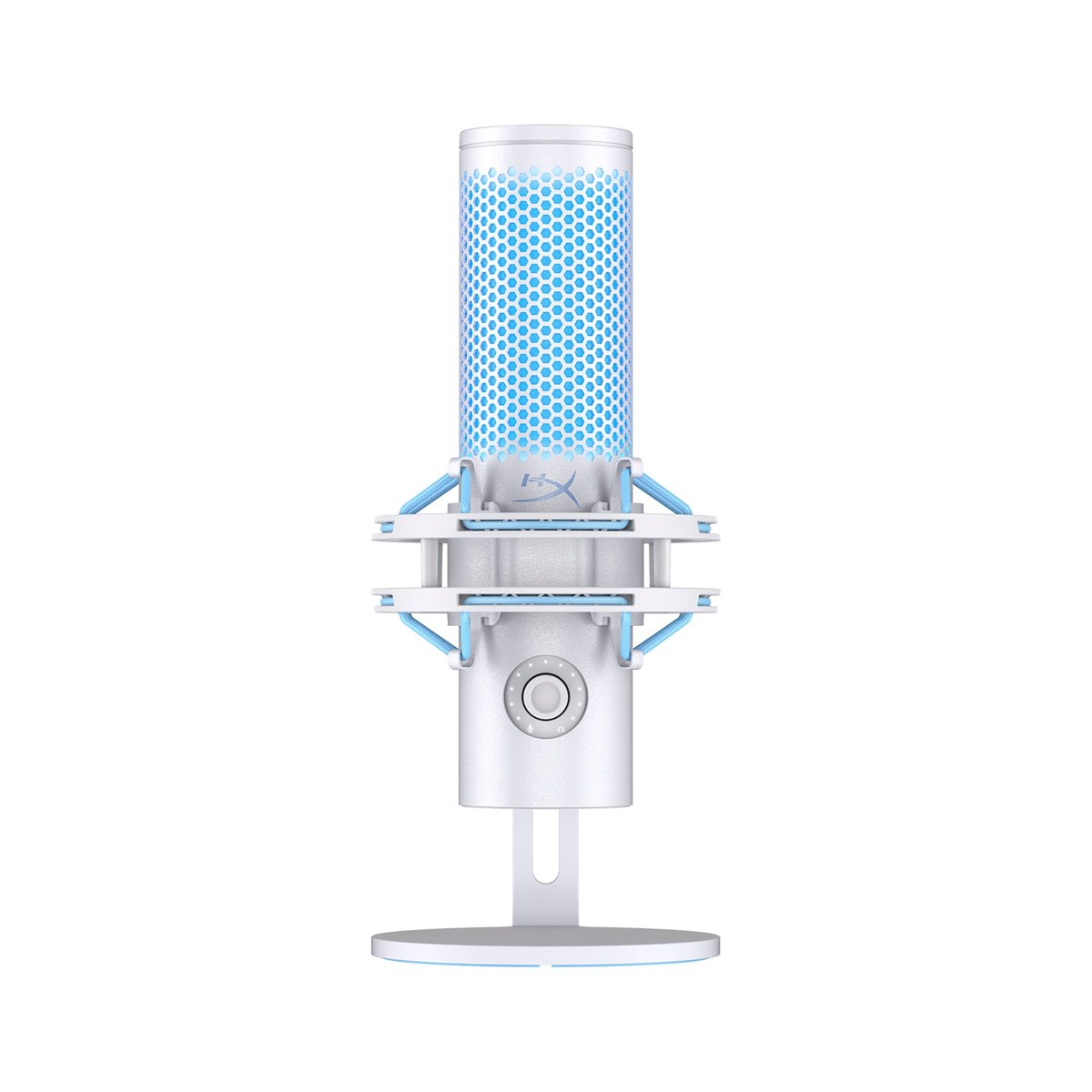
The HyperX QuadCast 2 is a USB microphone for game streaming, podcasting and content creation. The maker describes it as refining everything that made the original QuadCast popular, and the favourite features carry over.
The main features are the lighting, tap-to-mute on the top, four selectable polar patterns, a 3.5 mm headphone jack, and an included shock mount and stand. A multifunction knob switches between gain, playback volume, monitoring volume and the polar pattern.
It has three 14 mm electret condenser capsules and offers cardioid, omnidirectional, bidirectional and stereo patterns. The maker's page promotes hi-res, studio-quality recording.
The HyperX NGENUITY software tunes the microphone, sets monitoring and customises the lighting. It works with PC, Mac, PS4, PS5, Nintendo Switch and Steam Deck.
Key features
Tap to mute
Touch the top of the microphone to toggle mute, and an LED shows whether it is live or muted.
Four polar patterns
Choose cardioid, omnidirectional, bidirectional or stereo, for a solo stream, a conversation or a recording that includes the room.
Multifunction knob
One knob switches between gain, playback volume, monitoring volume and the polar pattern.
Detachable shock mount
A vibration-dampening shock mount is pre-attached and releases with spring-loaded pins. It is compatible with 3/8 and 5/8 inch threads.
Lighting and HyperX NGENUITY
The signature red lighting can be customised for live and muted states in the NGENUITY software.
USB-C and headphone output
It connects over USB-C and has a 3.5 mm headphone output for monitoring.
Specifications
| Item | Details |
|---|---|
| Type | USB condenser microphone |
| Capsules | Three 14 mm electret condenser capsules |
| Polar patterns | Cardioid, omnidirectional, stereo, bidirectional |
| Frequency response | 20 Hz to 20 kHz |
| Sensitivity | -7.5 dB (1 V/Pa at 1 kHz) |
| Self noise (RMS) | -77 dBV or lower (A-weighted) |
| SNR | 100 dB or higher (1 kHz/0 dBFS, A-weighted) |
| Connection | USB-C, 3.5 mm headphone output |
| Weight | Microphone 11.8 oz; shock mount and stand 4.8 oz; microphone stand 9.6 oz; total with cable 28.8 oz |
| Compatibility | PC, Mac, PS4, PS5, Nintendo Switch, Steam Deck |
What is included and system requirements
- QuadCast 2 USB microphone
- 3 m USB-C to USB-C cable
- USB-C to USB-A adapter
- Quick start guide
How to use it
- Connect the microphone to your computer or console with the USB-C cable.
- Select QuadCast 2 as the input in your device's sound settings.
- If you want the extras, download HyperX NGENUITY.
- Set the gain and pickup pattern with the knob.
- Plug in headphones and adjust the monitoring volume.
- Tap the top to check how mute behaves.
Where it may come in handy
Game streaming
Tap-to-mute may suit streamers who want to switch quickly during a stream.
Podcasts and conversations
Bidirectional or stereo patterns could record two people with one microphone.
Using it with consoles
The maker's page says it works with PS5, PS4, Nintendo Switch and Steam Deck.
Who it may suit
- Streamers looking for a plug-in USB microphone
- People who want a microphone with lighting
- People who want one microphone that also works with consoles
Good to know before you buy
- Lighting and fine adjustments need the HyperX NGENUITY software.
- The QuadCast 2 S in the same series is sold as a separate product.
- This article is based on the maker's product pages. Check the maker or retailer pages for the latest specifications and prices.
How it differs from similar products
We do not pick a winner; the official figures are placed side by side.
HyperX QuadCast S
Both have three 14 mm condenser capsules, four polar patterns and tap-to-mute. The QuadCast 2 comes with a 3 m USB-C cable and lists an SNR of 100 dB or more, while the QuadCast S is known for its RGB lighting.
Price
Please check the official page for the price.
See QuadCast 2 on the product page
More of the same kind
We have introduced 100 microphones. Here are some of the others.
- Earthworks M23 Gen 2
- Austrian Audio OD303
- Earthworks QTC40
- LEWITT LCT 441 FLEX
- WHISMR W-BM1
- SONTRONICS Podcast Pro
We have introduced 3 other products from HyperX.
For a side-by-side comparison scored on the same criteria, see our comparison of microphones.
See the full list in Product database: Microphones and accessories.
Sources: hyperx.com (checked 2026-11-09)









Comments