
Disclosure: This page may contain affiliate links. Prices were checked on the date shown and may change.
An introduction to Bogren Digital IRDX Core, based on information from the maker and distributors: what it does, how to use it and who it may suit. It is not scored.
It does not load impulse responses but instead can be placed after any amp sim or IR loader to add natural sounding speaker dynamics.
— Bogren Digital official site
What is IRDX Core?
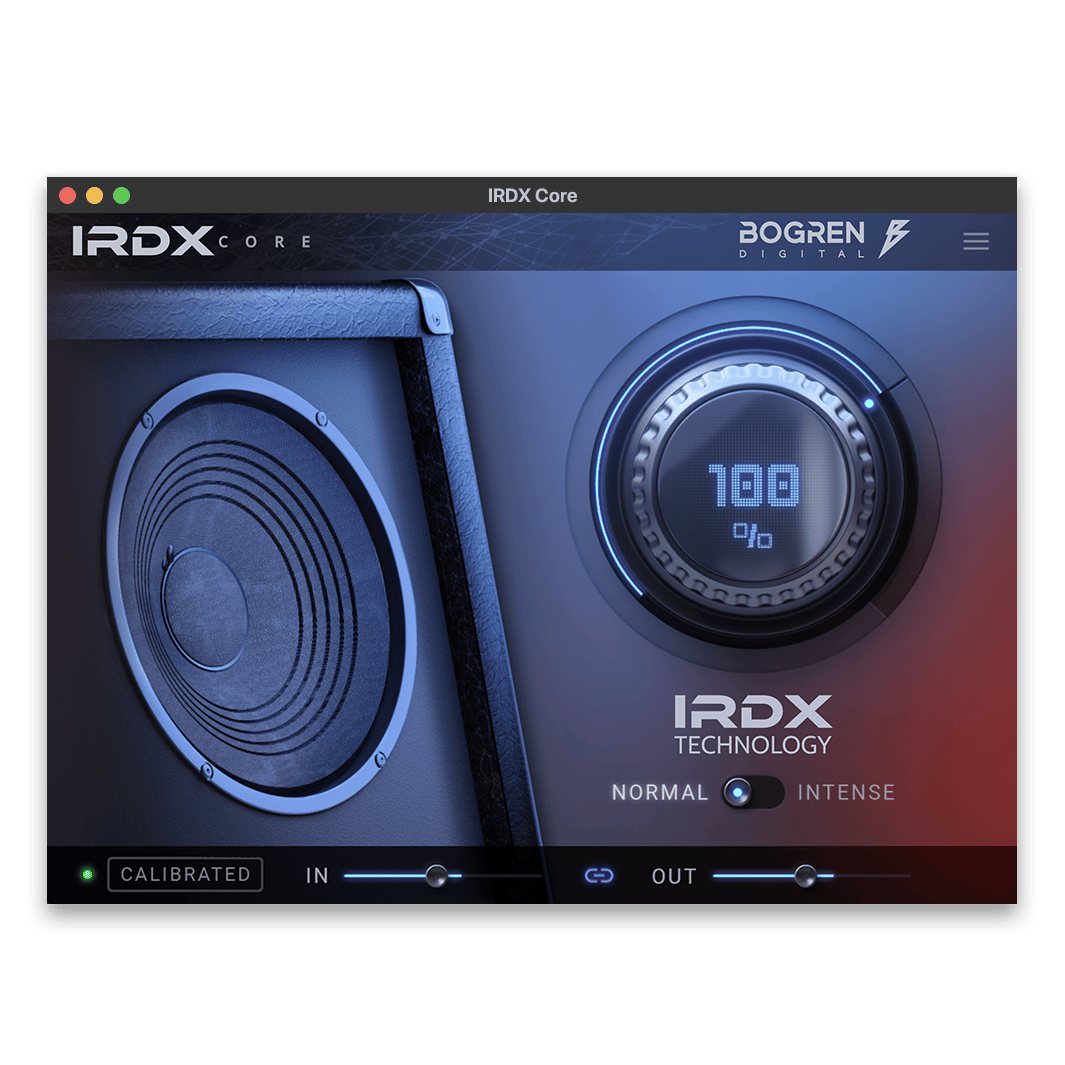
IRDX Core is a plugin you place after a guitar amp simulator or an IR loader to add dynamic speaker behavior. It does not load impulse responses; it adds cabinet-like movement to the output of other makers' amp plugins and IR loaders.
The maker explains that an IR is a static, linear snapshot, like a photograph, and does not include how a real speaker moves, compresses and breaks up with the input. IRDX is described as technology that uses machine learning to reconstruct the difference between a real cab and an impulse response.
To use it, insert it right after an IR loader or an amp plugin that includes a speaker model. The maker says automatic input calibration is available and that, in many cases, no adjustment is needed. Bogren Digital's own amp plugins already include IRDX, so there is no need to add it to those.
There are two modes, Normal and Intense, which change how noticeable the speaker movement, compression and distortion are. Formats are VST3, AU, AAX and standalone.
Key features
Not an IR loader
IRDX Core does not load IRs; it is an effect that adds movement after an IR loader or amp plugin. You can try it without changing your existing IRs or amp setup.
Normal and Intense
The maker describes Normal as subtle and natural movement, compression and distortion, and Intense as a slightly different flavor with more noticeable effects. You pick by listening in context.
Input calibration
Automatic calibration listens to the guitar signal and sets a healthy input level. It helps the effect respond in a natural way without manual level matching.
Non-linear speaker behavior
The maker says it emulates speakers moving air, compressing and breaking up under high level. It is like adding, in software, what a loud real cabinet does when recorded.
Use in a mix
The maker says it can add width, movement and excitement to guitar tracks and help them sit with other instruments. It suggests switching between enabled and bypassed to hear the difference.
Real-time playing
The maker says the guitar reacts more realistically when you play through an amp sim in real time. It may be worth trying when you want to change the feel while playing.
Specifications
| Item | Details |
|---|---|
| Type | Speaker dynamics effect (not an IR loader) |
| Modes | Normal / Intense |
| Formats | VST3 / AU / AAX / Standalone |
| System | Windows 10 or newer, macOS 10.13 or newer (Intel and Apple Silicon) |
| Bogren Digital amps | Not needed; IRDX is built in |
What is included and system requirements
- The IRDX Core plugin
- Normal / Intense modes
- Automatic input calibration
- Formats: VST3 / AU / AAX / Standalone; Windows 10 or newer, macOS 10.13 or newer
How to use it
- Insert a guitar amp plugin or IR loader on the track.
- Insert IRDX Core right after it.
- Play your guitar and set the input level with input calibration.
- In Normal mode, switch between enabled and bypassed to hear the difference.
- If the difference is hard to hear, switch to Intense.
- Check the movement and width against other instruments in the song.
- Change the IR or amp settings and compare again in the same way.
Where it may come in handy
Adding movement to your IRs
Placed after your usual IR loader, it may help when the result feels static.
Bringing guitars forward in a mix
Adding width and movement may help guitars sit with other instruments, as the maker describes.
Changing the feel while playing
You can test whether the response to playing dynamics changes in real time.
Comparing amp plugins
Using it with the same setting on several amp plugins may help keep comparison conditions even.
Who it may suit
- People who use other makers' amp plugins or IR loaders
- People who find IR-based tones static and want more movement
- People who adjust the presence of guitar tracks in a mix
Good to know before you buy
- It cannot load IRs; you need a separate IR loader or amp plugin.
- Bogren Digital's own amp plugins (such as the Ampknob series) already include IRDX, so it should not be added to them.
- As the maker notes, the effect may seem subtle on initial listening, similar to tape saturation.
- A sale may be running; please check the current price on the store page.
Price
Please check the official page for the price.
See IRDX Core on the product page
More of the same kind
We have introduced 28 guitar amp simulators. Here are some of the others.
- Universal Audio UAD Enigmatic '82 Overdrive Special Amp
- Waves Voltage Amps
- Eventide Spring
- Kuassa Amplifikation Creme
- Waves GTR3
- Kuassa Amplifikation Vermilion
We have introduced 12 other products from Bogren Digital.
- Bogren Digital BassKnob Trivium
- Bogren Digital Ampknob BDH 5169
- Bogren Digital Ampknob Trivium Rhythm
- Bogren Digital Ampknob Fatman
- Bogren Digital AmpKnob BH4
For a side-by-side comparison scored on the same criteria, see our comparison of guitar amp simulators.
See the full list in Product database: Effects.
Sources: bogrendigital.com pluginboutique.com (checked 2026-10-27)










Comments