
Disclosure: This page may contain affiliate links. Prices were checked on the date shown and may change.
An introduction to Dreamtonics Vocoflex, based on information from the maker and distributors: what it does, how to use it and who it may suit. It is not scored.
Define a target voice by importing a voice sample or using randomization. Transform a voice sample or mic input into a target voice in real-time.
— Dreamtonics official site
What is Vocoflex?
Vocoflex is a real-time plugin that replaces or blends the timbre of a singing or speaking voice with another voice. It is made by Dreamtonics, known for Synthesizer V, and works on live microphone input or on recorded tracks in a DAW.
A target voice is defined either by importing a voice sample or by generating one from gender and tone settings. According to Dreamtonics, no large training set is needed, and a short excerpt works as the input.
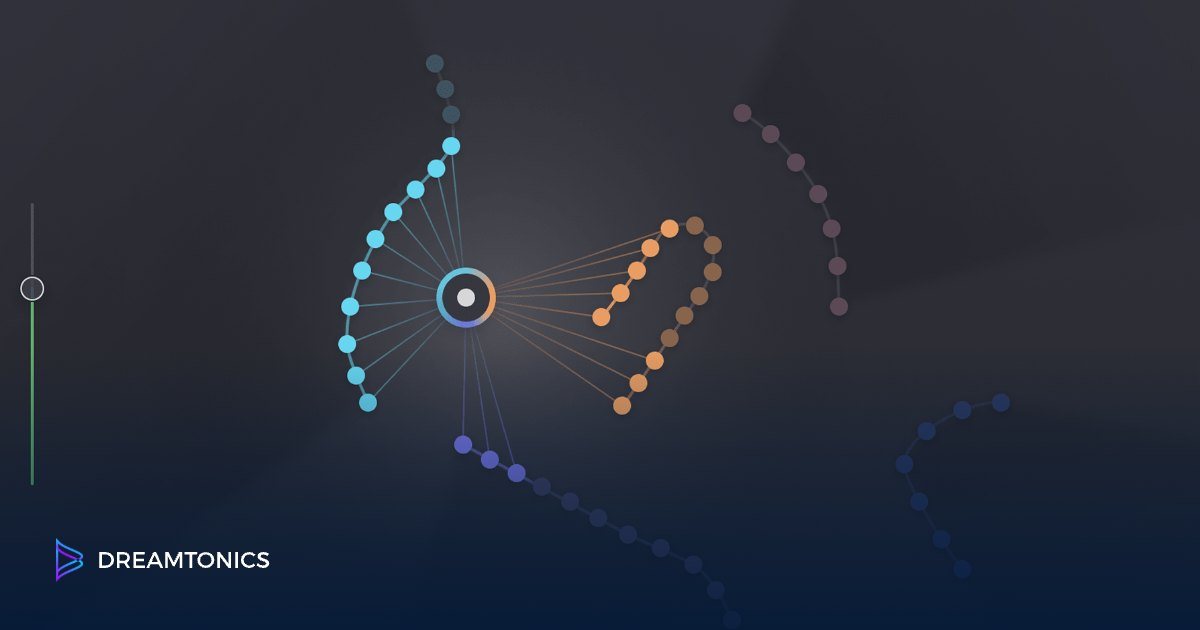
The main control is a light cursor on screen. Moving it between voice nodes adds the voices under the light and subtracts those in the shadow, so you can blend voices or adjust the brightness and softness of a single voice.
Pronunciation habits, pace and intonation of the original performance are kept, and mainly the timbre changes, says the maker. It runs locally on the CPU with no GPU or internet connection required, and includes VST3, AU and AAX plugins plus a standalone version.
Key features
Build a target voice from a short sample
Import a voice sample of about ten seconds and its character is shown as a curve that becomes the target. You can register several voices and swap or blend them later, which may suit projects that start from voices you already have.
40 licensed voice presets
Forty licensed voice presets are included, so you can try the processing before preparing any samples of your own. That may help when you first want to understand how it behaves.
Add and subtract voices with light and shadow
Voices under the light are added and those in the shadow are subtracted. Dreamtonics gives the example of a breathy voice in light and a clear one in shadow, which pushes the result breathier. The cursor can be moved while performing.
Voice generator for gender and tone
An X/Y pad sets the gender direction and randomizing the hue changes the tone, producing a new voice that can be shared as a hex code. It may suit building a character voice from scratch.
Move voices with MIDI and automation
Waypoints on the curve can be assigned to buttons, knobs or sliders on a MIDI controller, and DAW automation can add movement too, which may allow a voice to shift gradually during a song.
Low-latency and high-quality modes
Listed round-trip latency is 105 ms in the quality-priority mode and 35 ms in the low-latency mode. One could use the short mode on stage and the quality mode when rendering.
ID verification and watermark
Use requires identity verification through a KYC partner, and an inaudible audio watermark is embedded so that the creator of altered audio can be identified. Using voice samples without the singer's consent is prohibited by the license terms.
Specifications
| Item | Details |
|---|---|
| Type | Real-time voice transformation plugin |
| Formats | VST3 / AAX / AU (effect), standalone |
| OS | Windows 11 / macOS 11.0 or later |
| CPU | Intel Core i5-7300U / AMD Ryzen 3 3300U / Apple Silicon (M1 or later) |
| RAM | 4 GB |
| Storage | 200 MB |
| Round-trip latency | 105 ms (quality mode) / 35 ms (low-latency mode) |
| License | Perpetual, one-time purchase |
| Trial | The maker states no free trial is currently offered |
What is included and system requirements
- VST3 / AU / AAX plugins
- Standalone application
- 40 licensed voice presets
- Synthesizer V Studio Pro is not included (sold separately)
How to use it
- Buy from Plugin Boutique or the maker's site and run the installer.
- On first use, complete the identity verification (KYC) step.
- Insert Vocoflex as an effect on a track in your DAW.
- Choose a preset or import a voice sample as the target voice.
- Connect a microphone and sing, or play back a recorded vocal, to hear the conversion.
- Move the light cursor between nodes to blend voices or adjust timbre.
- Save settings you like as a new preset.
- For live use, switch to the low-latency mode and check the behavior.
Who it may suit
- People who want to hear their own singing in another timbre
- Users of Synthesizer V who want a wider range of voices
- Sound designers building character or experimental voices
- Anyone who wants voice conversion on an ordinary computer without a GPU
Good to know before you buy
- Identity verification (KYC) is required.
- The maker says it does not work with distorted input, choirs or audio with background music.
- Spoken voice works but may be less convincing than singing, according to the maker.
- Importing voice samples without the performer's consent is prohibited by the license terms.
- Synthesizer V voices released by Dreamtonics' partners may not be used with Vocoflex without explicit permission.
- No free trial is offered.
Price
$199 (Dreamtonics official site, checked 2026-10-27). Prices can vary by region and promotion, so check the official page before buying.
See Vocoflex on the product page
More of the same kind
Other introduction articles of the same kind.
- Black Rooster Audio BlueAsh SC-5
- Sound Particles Brightness Panner 2
- Sugar Bytes Transfigure
- United Plugins Bassment Core
- Softube Fix Phaser
- Acon Digital Extract:Dialogue 2
See the full list in Product database: Effects.
Sources: dreamtonics.com pluginboutique.com (checked 2026-10-27)










Comments