
Disclosure: This page may contain affiliate links. Prices were checked on the date shown and may change.
An introduction to Excite Audio Bloom, based on information from the maker and distributors: what it does, how to use it and who it may suit. It is not scored.
What is Bloom?
Bloom is a series of phrase-based instruments from Excite Audio. You can play loops, one-shots and phrases from a keyboard, and rearrange or transform them (per the maker).
Key features
A series of playable instruments built from loops and phrases
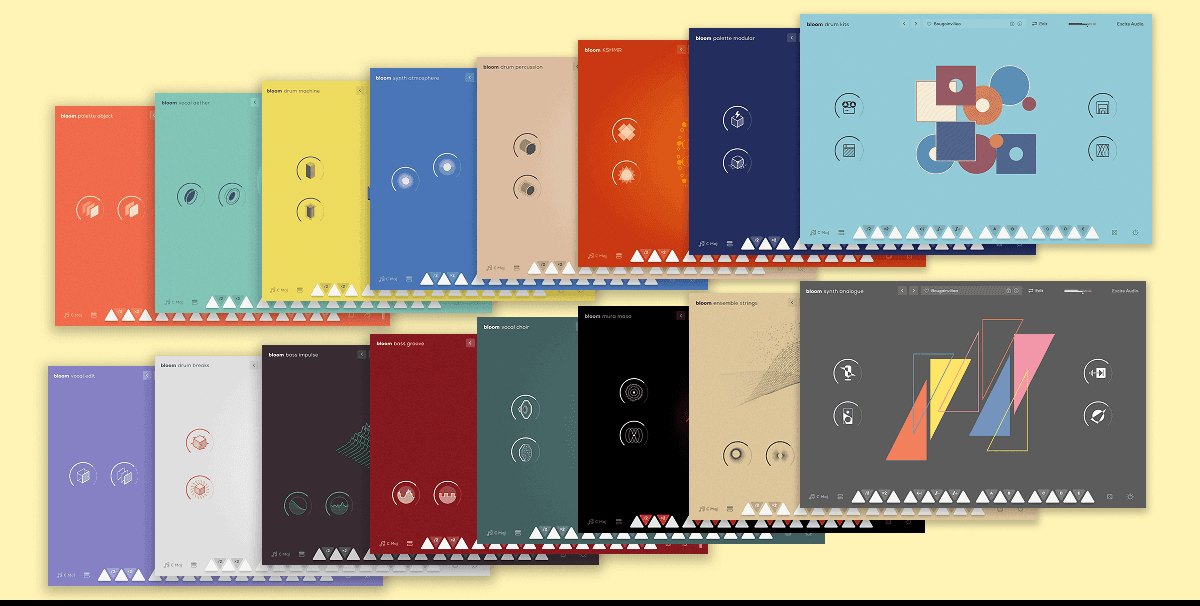
The Bloom series is a collection of instruments, ready to play, made from loops, one-shots and phrases. The maker says the bundle gives you 16 Bloom plug-ins.
Phrases that follow your key and tempo
Choose a key and tempo and play 14 tempo-synced phrases across two octaves. White keys play samples and loops; black keys handle changes in playback speed and tuning, sequencing and effect changes (per the maker).
Four macros that move the effects
Each instrument has four macros that control an effect chain tuned to its samples (per the maker).
What is included and system requirements
- Bloom Synth Analogue: chords, leads, bass, arpeggios and phrases recorded from vintage analog synths (per the maker).
- Bloom Synth Atmosphere Lite: pads, arpeggios and ambient textures (per the maker).
- Bloom Bundle: a bundle of all 16 products in the Bloom series (per the maker).
After you buy: installation and activation
This is the general flow for products bought at Plugin Boutique. Activation differs by product (serial number, a manufacturer account, iLok and so on), so check the instructions in your library after purchase.
- Log in to your Plugin Boutique account and find the product in “Library”.
- Download the installer (you can switch between the Windows and Mac versions). Depending on the product, you also get a serial number, an unlock code or a key file.
- Product-specific steps are under “…” → “Installation Instructions” next to the product in your library, and also near the bottom of the product page.
Price
Please check the official page for the price.
More of the same kind
Other introduction articles of the same kind.
- Applied Acoustics Systems Libraries
- sonible smart:bundle
- Universal Audio UAD Native Studio Bundle
- MeldaProduction MFreeFXBundle
- NUGEN Audio Loudness Toolkit
- Universal Audio UAD Native Producer Bundle
We have introduced 3 other products from Excite Audio.
- Excite Audio Lifeline Bundle
- Excite Audio Motion Bundle Upgrade from any Motion product
- Excite Audio Evolve
See the full list in Product database: Bundles.
Sources: pluginboutique.com help.pluginboutique.com support.pluginboutique.com (checked 2026-11-16)










Comments