
Harmony and doubling plug-ins make harmony parts from one vocal, or give the thickness of a double-tracked recording. In a cover song, singing all the harmonies and double tracks yourself is hard. Making them with a plug-in cuts the effort of recording and still makes the chorus more brilliant.
This list compares 10 harmony and doubling plug-ins on 3 criteria: range of effects, speed, per-voice adjustment. Scores are decided by how well each product serves its purpose, using the conditions for each criterion, and the basis is official manufacturer information. Price is not part of the score.
Disclosure: This page contains affiliate links. If you buy through them, SoundBounty may earn a commission at no extra cost to you. Prices are as of the date checked and can change.
Picks by purpose
- If you want to make harmonies by yourself: Harmony Engine (rank S). Three methods (chord, MIDI and manual) make up to four voices of harmony, and you can grow the number of singers like a choir.
- If you want the chorus to sound like a big choir: Choir (rank A). It multiplies one voice into a unison of up to 32 singers.
- If you want to try harmonies at a reasonable price: Quadravox (rank B). It makes four-voice harmonies that fit the key.
- If you want to save the effort of double tracking: Duo (rank A). It automatically makes the doubling part from the voice you recorded.
Picks by budget
The highest-scoring product in each price range. Prices are the regular prices in US dollars shown on Plugin Boutique on October 10, 2026; sale prices change often, so check the store page. Price is not part of the score.
- Under $50: Quadravox (rank B, $49). The highest-scoring product in this price range.
- $50 to $149: MicroPitch (rank B, $99). The highest-scoring product in this price range.
Tier list by rank
Ranks are based on the manufacturer's official features and specifications, not on sound quality. Within a row, products are ordered by score. The basis is explained in How we rate specifications.
Tier table by criterion
Products with the same overall rank can have different strengths. Click a column heading to sort by the rank on that criterion, and use it when you choose by the feature you want.
| Product | Overall | Range of effectsWhich of harmonies, same-pitch voice layering (doubling or choir) and stereo width are officially described | SpeedHow quickly you can get an effect (automatic creation, just choosing, presets) | Per-voice adjustmentFeatures that make the created voices sound natural |
|---|---|---|---|---|
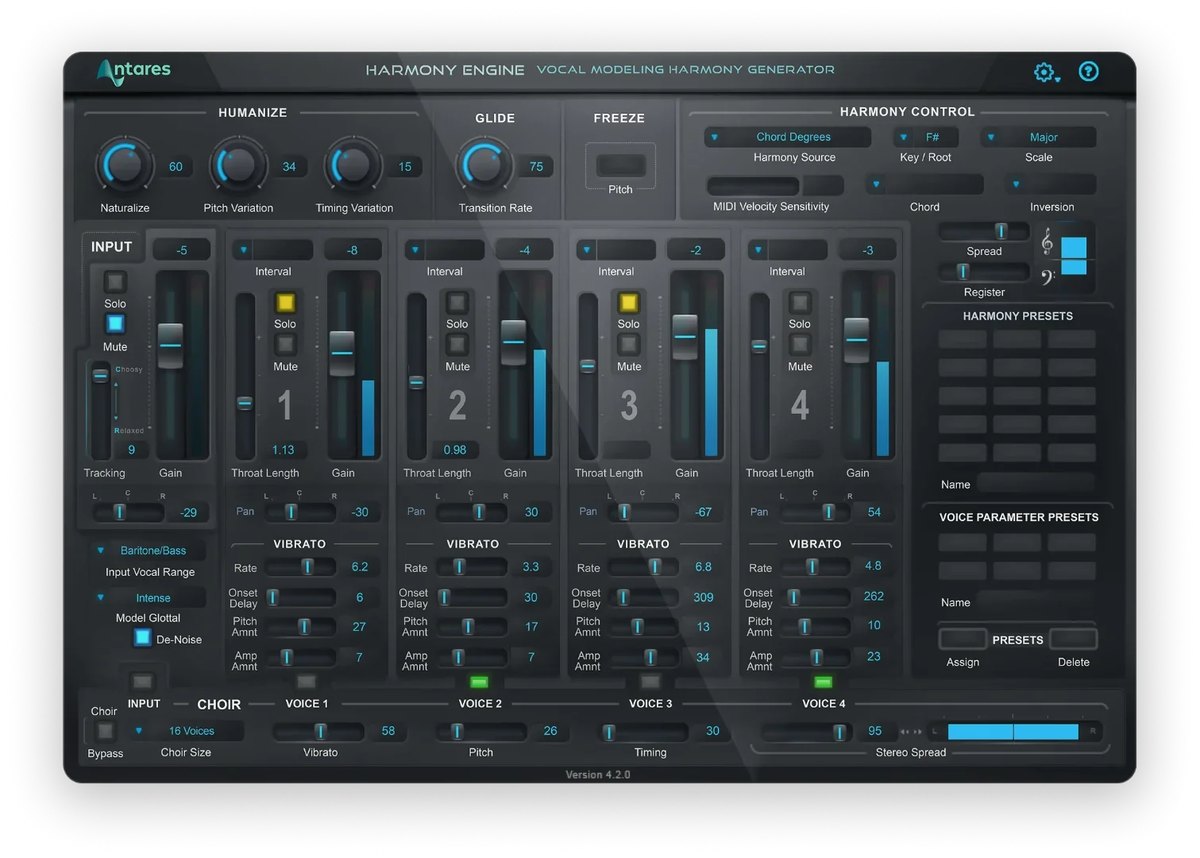 AntaresHarmony Engine AntaresHarmony Engine | S5.0 | SHarmony, choir, width | SPick a chord, automatic | STone, wobble, pan per voice |
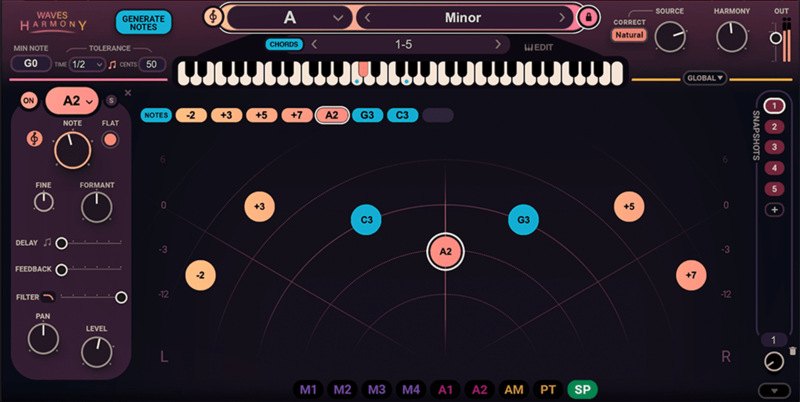 WavesWaves Harmony WavesWaves Harmony | S4.3 | BHarmony, thickness | SPick a chord, automatic | STone, pan, wobble per voice |
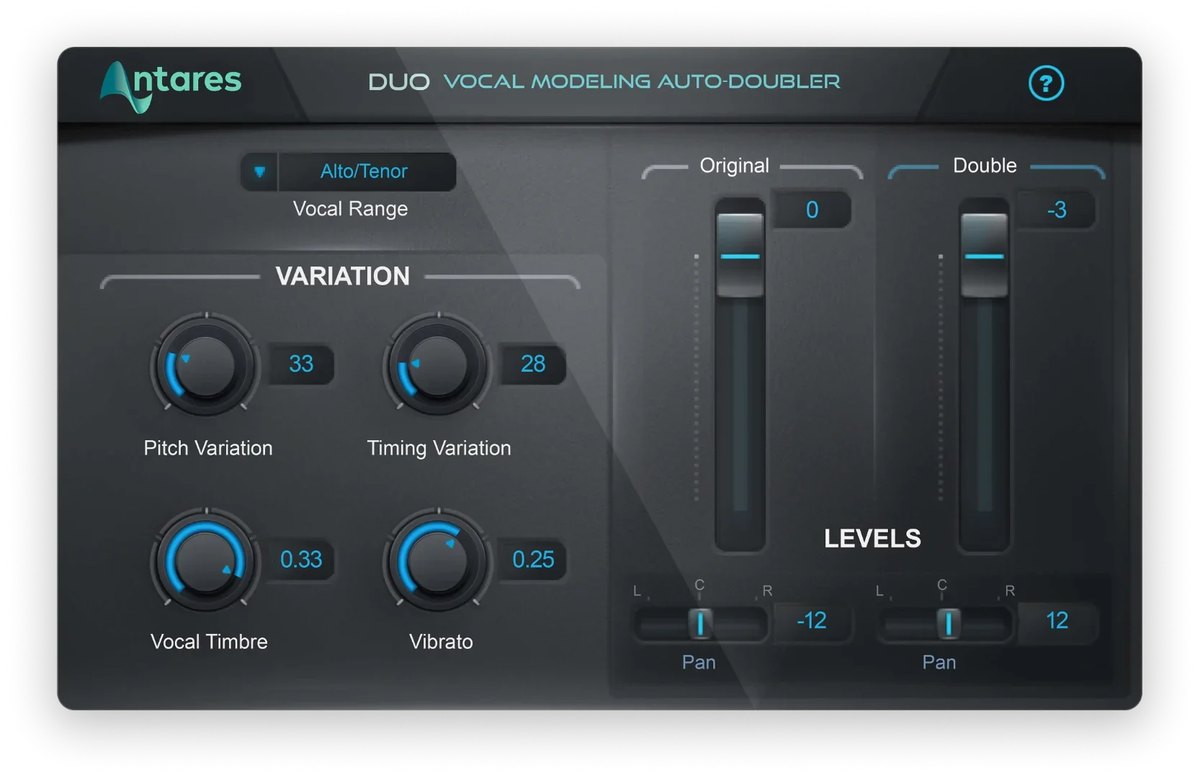 AntaresDuo AntaresDuo | A4.0 | BDoubling, stereo | SAutomatic doubling | APer-voice volume, pan, tone |
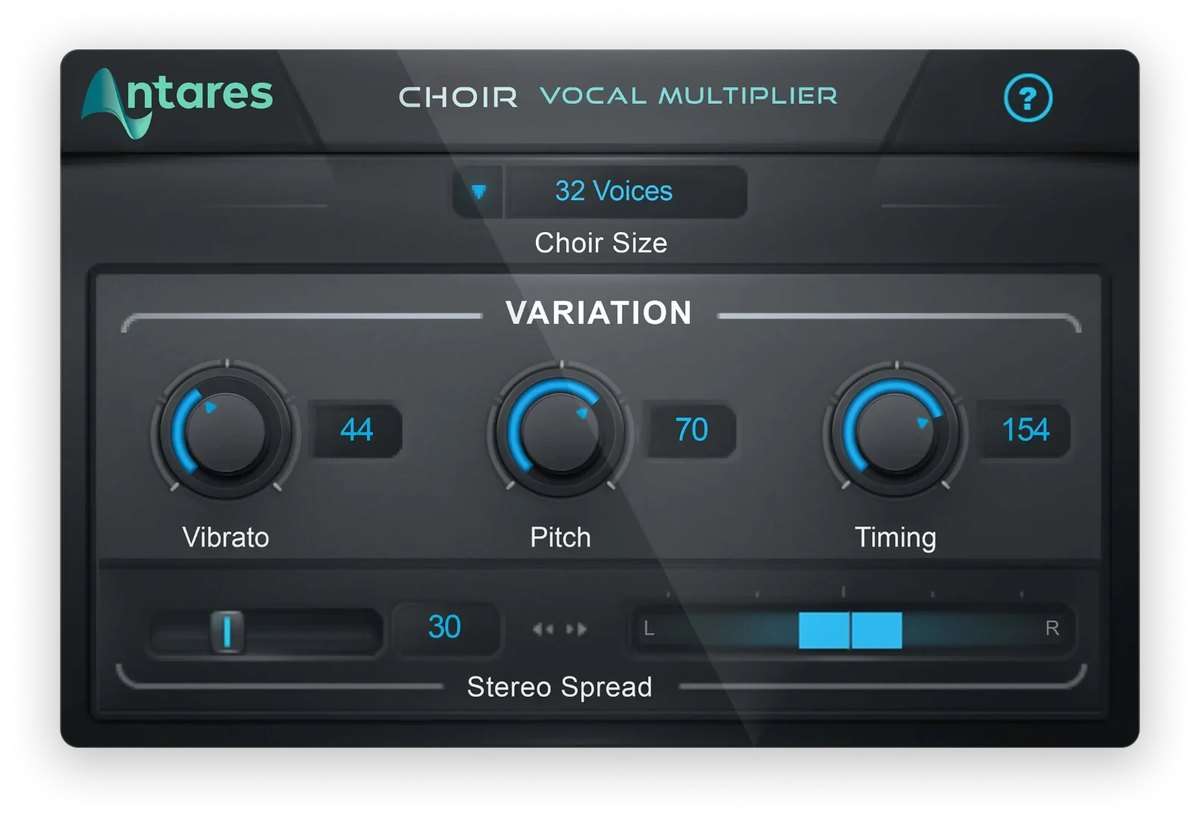 AntaresChoir AntaresChoir | A3.7 | BChoir, width | AJust choose the number | AAmount of variation |
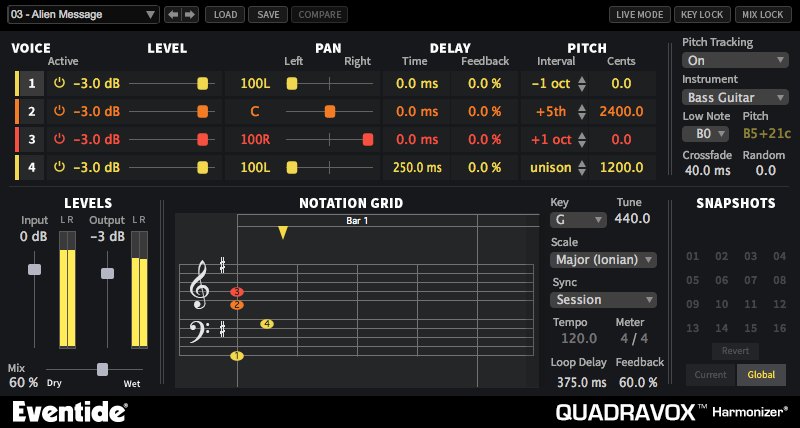 EventideQuadravox EventideQuadravox | B3.3 | BHarmony, width | B60+ presets | APer-voice volume, pan, offset |
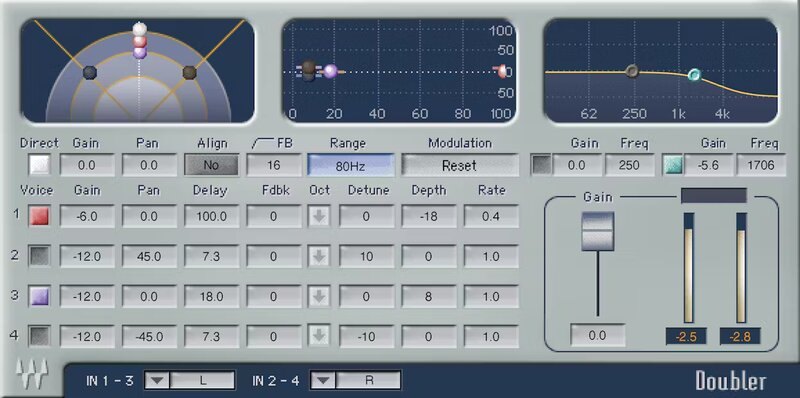 WavesWaves Doubler WavesWaves Doubler | B3.3 | BDoubling, width | B50+ presets | APer-voice delay, wobble, pan |
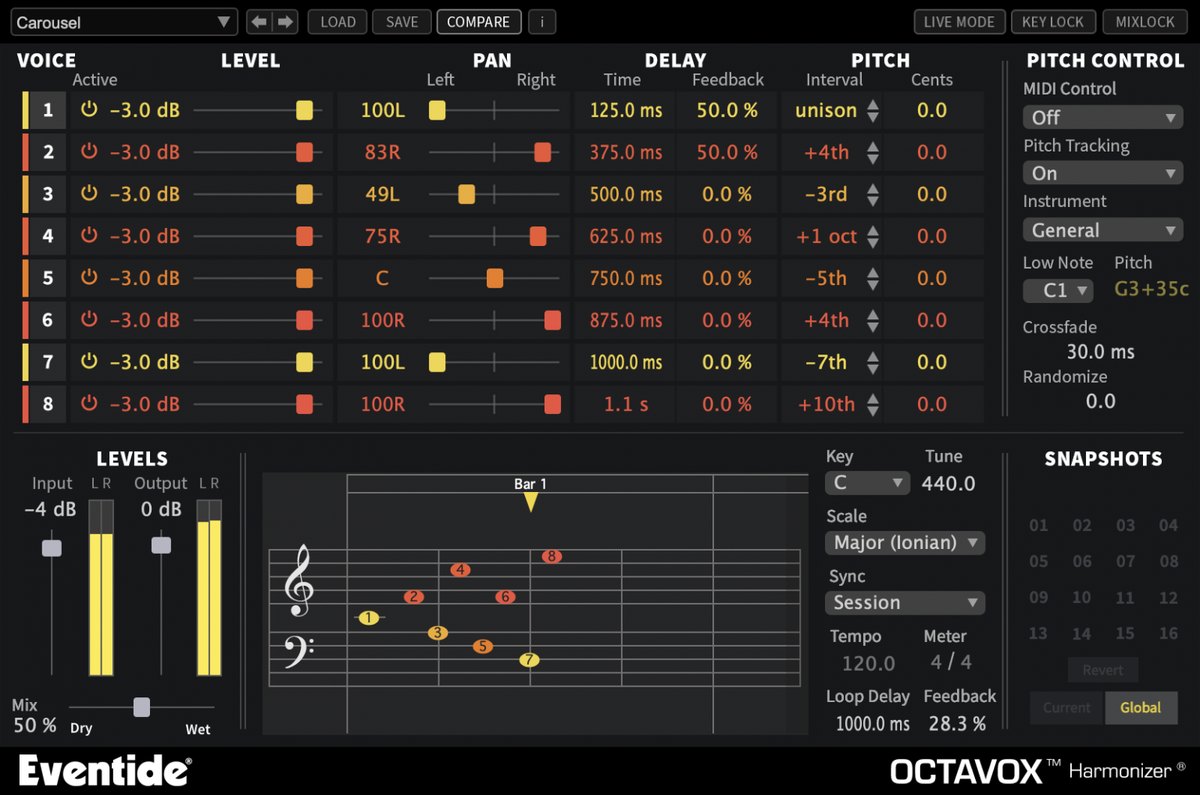 EventideOctavox EventideOctavox | B3.3 | BHarmony, width | B70+ presets | APer-voice pan, delay, detune |
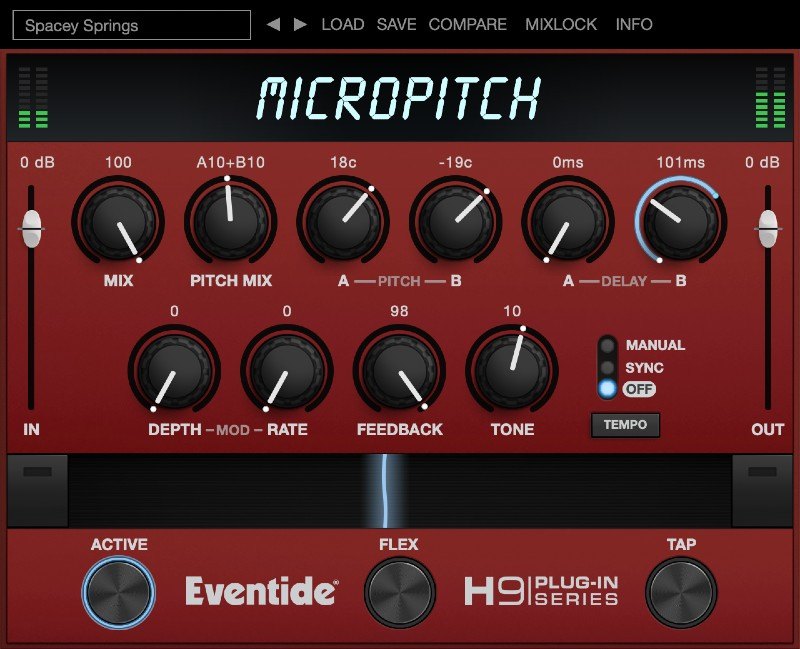 EventideMicroPitch EventideMicroPitch | B3.0 | BThickness, width | BPresets | BTone, wobble |
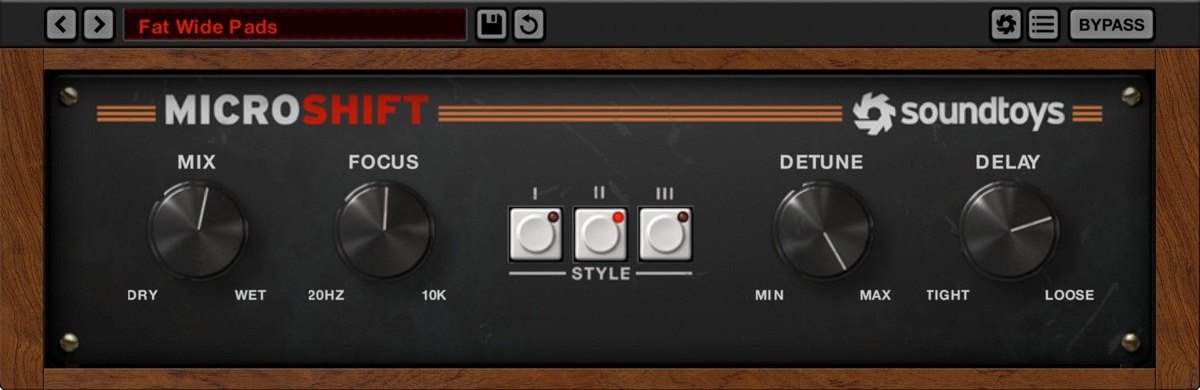 SoundtoysMicroShift SoundtoysMicroShift | B3.0 | CWidth | AChoose from 3 types | BFocus, amount of shift |
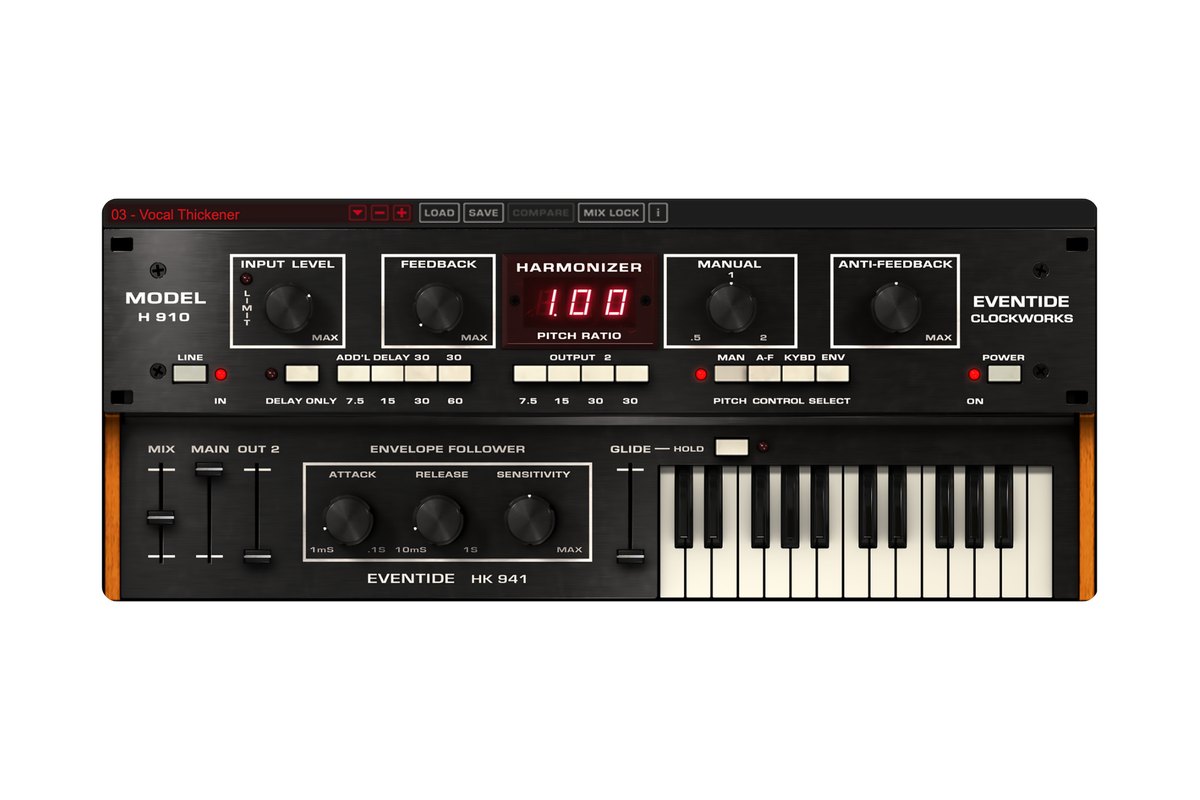 EventideH910 Harmonizer EventideH910 Harmonizer | B3.0 | BHarmony, doubling | BMany presets | BDelay output and feedback |
Click a column heading to sort by that criterion (click again to reverse). Each cell shows the score (1 to 5) on that criterion as 5 = S, 4 = A, 3 = B, 2 or lower = C. A dash means the criterion is not scored. This is a rating of the manufacturer's official features and specifications, not of sound quality. See How we rate specifications.
Top-scoring products
Up to 9 products in order of score. Images are the manufacturers’ official press images or Plugin Boutique images. The overall order and the basis for each rank are in the tier tables above and on each product’s page.
How to choose a harmony or doubling plug-in
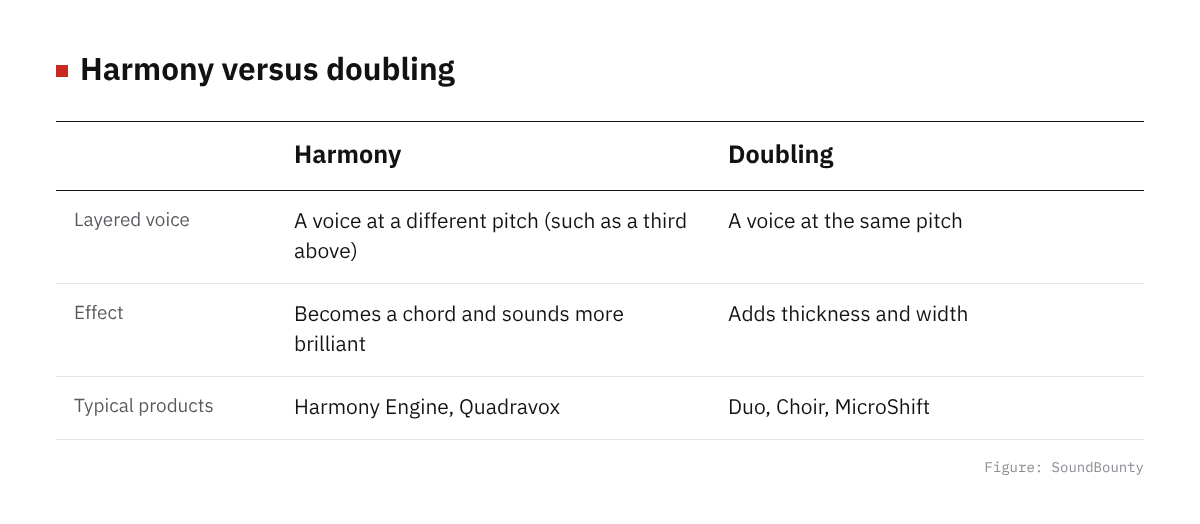
Figure: SoundBounty
Do you want harmonies, or thickness?
Some products make harmony parts at different pitches, and others layer voices at the same pitch for thickness and width. To add harmonies to the chorus, choose the former; to make the voice sound thick and wide, the latter.
How the harmony notes are decided
Some make harmonies automatically when you choose a key or chord, some are decided by playing a MIDI keyboard, and some are placed one note at a time. If you are not confident about music theory, one that can make them automatically from a key or chord is handy.
Making it sound natural
Whether it sounds like people sang it depends on whether you can vary the tone, vibrato and timing of each voice slightly. Choosing one with a function for adding variation reduces the mechanical feel.
A word on each product
Prices in the headings are regular prices in US dollars shown on Plugin Boutique on October 10, 2026. They are not part of the score.
Harmony Engine (rank S)
Antares’ Harmony Engine is a plug-in that makes up to four-voice harmonies from a single vocal in real time. You can make harmonies in three ways: specifying notes one by one, playing them on a MIDI keyboard, or choosing a chord and leaving the rest to it, and tone, vibrato, pan and octave can be changed for each voice.
Waves Harmony (rank S)
Waves’ Waves Harmony is a plug-in that makes up to eight-voice harmonies from a single vocal in real time. There are three ways to make them: automatic, MIDI and graphic (drawing by hand), and for each voice you can adjust pitch, formant (the component that sets the character of a voice), pan, delay, filter and modulation (changing a sound over time).
Duo (rank A)
Antares’ Duo is a plug-in that automatically makes a “doubling” part, as if the vocal had been recorded twice, from the vocal you recorded. The volume and pan of the original voice and the created voice can be adjusted separately.
Choir (rank A)
Antares’ Choir is a plug-in that turns one voice into a unison (same-pitch) choir of 4, 8, 16 or 32 people. Each voice is given variation in pitch, timing and vibrato, and you can adjust the amount.
Quadravox (rank B, $49)
Eventide’s Quadravox is a plug-in that layers voices shifted in pitch, up to four, to match a key and scale. You place the notes on a screen like a musical score, and there is a random function that shifts the pitch of each voice slightly to sound natural. It has more than 60 presets (ready-made settings).
Waves Doubler (rank B)
Waves’ Waves Doubler is a plug-in that creates a doubling effect (the effect of double-tracking) on a vocal. Each of its four voices has a delay (up to 100 milliseconds), pitch wobble, pan and volume, and there are more than 50 presets.
Octavox (rank B)
Eventide’s Octavox is a harmonizer that multiplies the incoming sound into up to eight voices to match a chosen key and scale. You can set pan, delay, detune and feedback for each voice, and you make the harmonies on a screen where you place notes.
MicroPitch (rank B, $99)
Eventide’s MicroPitch is a plug-in that layers two voices shifted slightly in pitch (by up to ±50 cents), delayed a little. It can make the classic effect of widening a voice left and right, and a chorus effect with added wobble.
MicroShift (rank B, $99)
Soundtoys’ MicroShift is a plug-in that recreates a classic studio technique for widening a vocal. You can choose from three ways of widening based on classic gear, and the Focus knob sets the band that gets widened.
H910 Harmonizer (rank B)
Eventide’s H910 Harmonizer is a pitch-shifting, delay and modulation plug-in that recreates the Eventide H910 Harmonizer, known for digital pitch shifting. You can make harmonies that follow a scale, and doubling with H910 Dual, which runs two units side by side.
Frequently asked questions
Q. Are they better than harmonies I sing myself?
For naturalness, nothing beats harmonies you sing yourself. A plug-in is useful when you want to try harmony ideas or reduce the effort of recording.
Q. What is the difference between doubling and a widening effect?
Doubling makes a second voice as if you had double tracked, and a widening effect layers a slightly delayed voice with its pitch shifted a little. Both add thickness to the voice, but they sound slightly different.
Q. What happens if I overdo it?
If you add too much thickness, the voice gets blurry and the lyrics hard to understand. Using it only in the chorus or keeping the volume low gives it contrast and works well.
How we score
How we score (Harmony and doubling plug-ins)
| Criterion | Basis | 5 pt | 4 pt | 3 pt | 2 pt | 1 pt |
|---|---|---|---|---|---|---|
| Range of effects | Which of harmonies, same-pitch voice layering (doubling or choir) and stereo width are officially described | All three | — | Two of the three | One of the three | — |
| Speed | How quickly you can get an effect (automatic creation, just choosing, presets) | Parts can be created automatically (harmonies that follow the key or chord, or doubling from the original voice) | The effect is decided just by choosing the number or type of voices | Choose from presets | Detailed settings are needed | — |
| Per-voice adjustment | Features that make the created voices sound natural | Tone, vibrato, pan and more can be changed for each voice | Variation between voices, or per-voice volume and pan, can be adjusted | The tone and wobble of the whole effect can be adjusted | Volume and pan only | — |
Each criterion is scored from 1 to 5 on how well the product serves one goal: adding harmonies, thickness and width to a vocal. Scores follow the conditions in the table above. So that products that make harmonies and products that double (layer the same pitch) can be compared by the same standard, there are three criteria: "Range of effects", "Speed" and "Per-voice adjustment". The basis is official manufacturer information. The naturalness of the sound has not been compared by ear, so it is not part of the score. Price is not part of the score. Features that cannot be confirmed from the manufacturer's or a retailer's description are scored as if absent. The "OBS (streaming)" column in the table shows whether the official page lists the VST2 format that the streaming software OBS Studio can use (○). OBS does not support the VST3 format. It is not part of the score.
The thinking behind scores and ranks is summarized in How we rate specifications. We add products in order.