
Disclosure: This page may contain affiliate links. Prices were checked on the date shown and may change.
An introduction to Signum Audio BUTE Loudness Normaliser Surround, based on information from the maker and distributors: what it does, how to use it and who it may suit. It is not scored.
A standalone application to automate your loudness-compliance efforts and do final checks before submitting
— Signum Audio official site
What is BUTE Loudness Normaliser Surround?
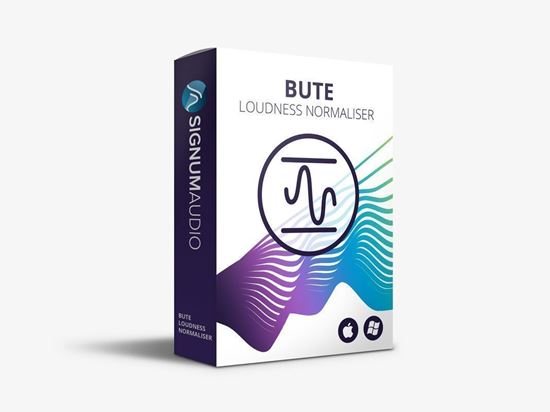
BUTE Loudness Normaliser is a standalone application for Windows and Mac from Signum Audio. It helps with the final checks of getting audio files to meet broadcast or streaming loudness targets.
This Surround edition adds support for surround formats up to Atmos 7.1.2. The maker offers Stereo and Surround editions.
The workflow is: drag in a WAV file, choose a preset or set custom parameters, click Analyse, then click Comply to normalise. A built-in true-peak limiter prevents overshoots while normalising to target.
The maker states that the application is also included in BUTE Loudness Suite. It works on files rather than as a DAW plugin.
Key features
Analyse then Comply
It analyses a file, flags sections that fall outside the target, and normalises on Comply. It may shorten the final check before delivery.
Presets for many standards
The maker lists ITU-R BS.1770, EBU R128, ATSC A/85, OP-59, ARIB TR-B32, Spotify, YouTube, Netflix and more, and you can save your own presets.
Colour-coded alerts
Sections outside the target appear in red on the history timeline and custom alerts in yellow, helping you find what to fix.
Built-in true-peak limiter
A gain reduction display shows where and how much it limited. The maker says it is designed to affect dynamics as little as possible.
Measurements
Integrated loudness, loudness range, short-term and momentary loudness, RMS and true peak can be shown and toggled.
File formats
It supports standard broadcast WAV at 48 kHz including pull-up and pull-down variants, plus flac, mp3, aiff and more.
Specifications
| Item | Details |
|---|---|
| Type | Standalone loudness normalisation application |
| Editions | Stereo / Surround (up to Atmos 7.1.2) |
| OS | Mac OS X 10.9 or later / Windows 7 or later (per Plugin Boutique) |
| Processing | One file at a time; batch processing is a separate product (BUTE Batch Processor) |
| Formats | WAV, flac, mp3, aiff and more |
What is included and system requirements
- BUTE Loudness Normaliser application (Surround edition)
- Presets for standards and platforms
- A 7-day trial is offered on the maker's site (Stereo and Surround)
How to use it
- After purchase, get the installer from the licence key email and download link.
- Run the .pkg on Mac or the installer on Windows.
- Launch the app and enter your licence key.
- Drag and drop a WAV file into the app.
- Choose a preset for a platform or standard, or set your own values.
- Click Analyse and review the red and yellow alerts.
- Click Comply to normalise and export.
Where it may come in handy
Exporting audio for video or streaming
It could help bring audio to the loudness target of a platform such as YouTube.
Pre-delivery check in post-production
It may be used to confirm broadcast compliance before delivery.
Matching levels across a DJ set or tracks
The maker lists DJs and producers who want consistent levels across tracks.
Checking surround material
It could suit loudness checks on multichannel material up to Atmos 7.1.2.
Who it may suit
- People who want to check loudness of finished files
- Those delivering to broadcast or streaming standards
- Users working with surround material
- Anyone who prefers a standalone app over a plugin
Good to know before you buy
- It processes one file at a time; batch work needs a separate product.
- The maker prices in British pounds while Plugin Boutique shows US dollars.
- It is also included in BUTE Loudness Suite 2, which may be worth considering if you want other BUTE tools.
How it differs from similar products
We do not pick a winner; the official figures are placed side by side.
BUTE Loudness Normaliser Stereo
On the maker's site, the Stereo edition covers two channels and the Surround edition adds multichannel support up to Atmos 7.1.2.
Price
Please check the official page for the price.
See BUTE Loudness Normaliser Surround on the product page
More of the same kind
Other introduction articles of the same kind.
- Parakeet Paravo
- Elgato Wave Link
- OBS Project OBS Studio
- Zynaptiq TIME FACTORY II
- Waves SoundGrid Rack for VENUE
- Waves SuperRack Performer
We have introduced 3 other products from Signum Audio.
- Signum Audio SKYE Dynamics Surround
- Signum Audio BUTE Loudness Suite 2 Surround
- Signum Audio SKYE Clipper Surround
See the full list in Product database: Streaming and recording software and others.
Sources: signumaudio.com pluginboutique.com (checked 2026-10-27)










Comments