
Disclosure: This page may contain affiliate links. Prices were checked on the date shown and may change.
An introduction to W. A. Production InstaComposer 2, based on information from the maker and distributors: what it does, how to use it and who it may suit. It is not scored.
What is InstaComposer 2?
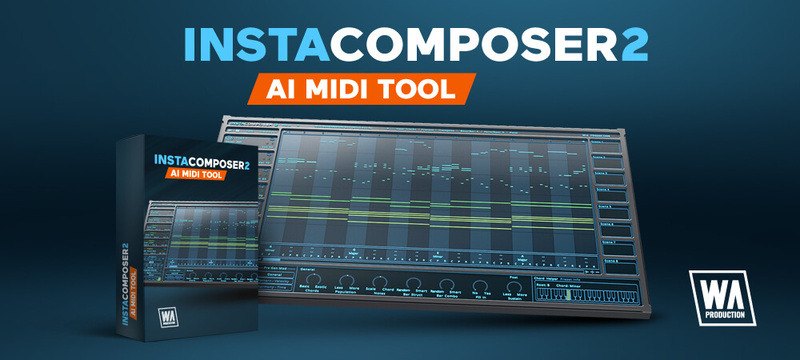
InstaComposer 2 is a plug-in that generates MIDI for melodies, phrases, riffs and chord progressions. It is presented as a tool for drafting ideas when you get stuck (per the manufacturer). It runs inside your DAW (music production software) and works with MIDI, so you choose the instrument sound yourself.
It runs on Windows 8 or later and macOS 10.13 or later (64-bit). Formats are VST and AAX on Windows, and VST, AU and AAX on Mac (per the manufacturer). If you use Apple Silicon, check compatibility before buying.
Key features
MIDI built by algorithms
The maker says it does not place notes at random: pre-built algorithms and a database choose notes that fit the scale and context. You can adjust chord complexity, note count and variation ("chaos") (per the manufacturer).
Six tracks and eight scenes
It has six tracks and eight "scenes", so one preset can hold several layers or ideas for different parts of a song. Modes include melody, bass line, pad, chords and drums (per the manufacturer).
Piano roll editing and MIDI export
The built-in piano roll lets you move, copy and delete notes and change velocity. Results can be saved as MIDI files or dragged into your DAW, including per-track export (per the manufacturer).
What version 2 adds
Compared with the previous version, the maker lists 22 additional scales, a drum generation mode, a "Pad 2" mode, and parameters such as Sustain and Chord Helper. A demo version exists so you can test it in your DAW first (the demo plays major chords only).
After you buy: installation and activation
This is the flow for W. A. Production products bought at Plugin Boutique (you register a license key in your W. A. Production account). Steps and screen names can change when the manufacturer updates its software.
- Create an account from “Download” in your Plugin Boutique account, or at waproduction.com/users/login.
- Under “Register Plugin”, enter the license key from your Plugin Boutique account (W. A. Production calls it a serial number) and press “Add”.
- From “My Orders” → “View Order” → “Download Files” in your account, download the installer and run it.
Price
Please check the official page for the price.
See InstaComposer 2 on the product page
More of the same kind
Other introduction articles of the same kind.
- Zynaptiq MORPH 3 PRO
- Leapwing Audio StageOne 2
- United Plugins Transmutator
- Klevgrand Brusfri
- Solid State Logic Acoustifier
- Universal Audio UAD Sound City Studios
We have introduced 43 other products from W. A. Production.
- W. A. Production DERES
- W. A. Production KickShaper
- W. A. Production Noizzer
- W. A. Production Biggifier by Aden
- W. A. Production TriVox
See the full list in Product database: Effects.
Sources: pluginboutique.com help.pluginboutique.com support.pluginboutique.com (checked 2026-11-15)










Comments