
Disclosure: This page may contain affiliate links. Prices were checked on the date shown and may change.
An introduction to Wave Alchemy Glow, based on information from the maker and distributors: what it does, how to use it and who it may suit. It is not scored.
With 14 unique programs ranging from Halls, Plates and Rooms, to the abstract and creative – Glow is an instant ticket to surreal and retro future reverb spaces.
— Wave Alchemy official site
What is Glow?
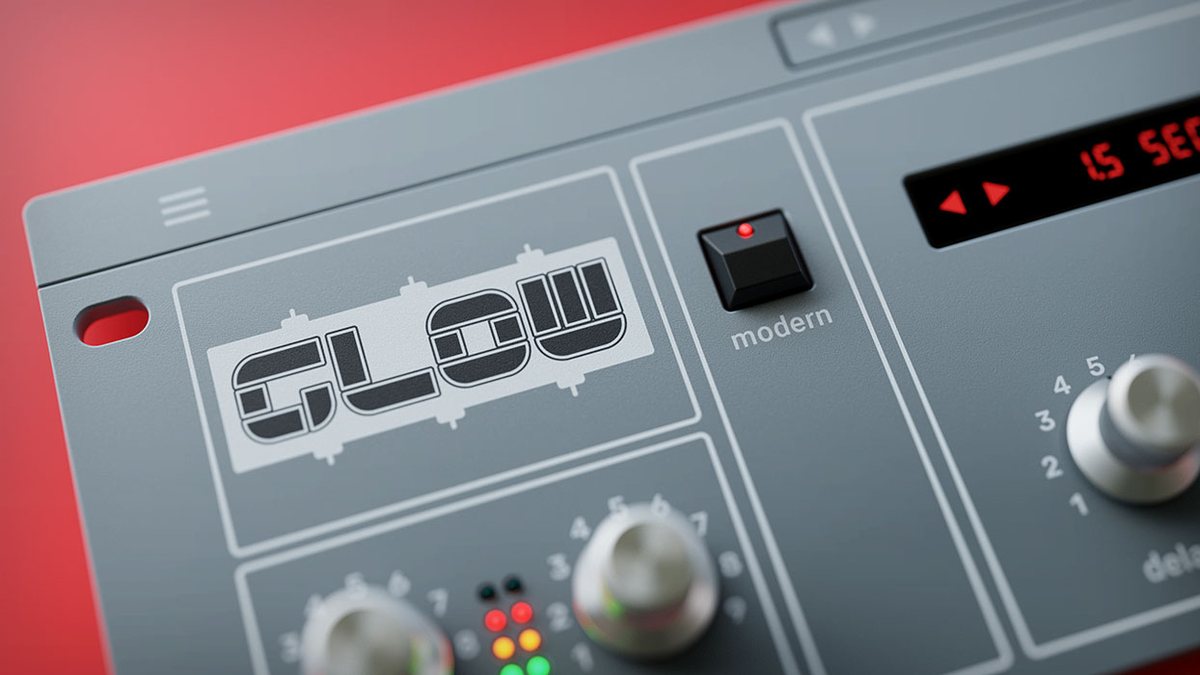
Glow is a reverb plug-in from Wave Alchemy that recreates the 1981 digital reverb known as the RMX and adds modern features.
It is aimed at 80s-style work: gated drums, wide synths and atmospheric vocals.
It includes 14 algorithms such as Ambience, Room, Hall, Plate, NonLin 2, Reverse, Image and Freeze.
It uses a hybrid of convolution and DSP and adds custom processing for gating, ducking, transient smoothing and modulation.
Key features
14 programs
Includes Ambience, Room A1/B1/A0, Hall C1/B3/A1, Plate A1/B1, NonLin 2, Reverse 1/2, Image P1 and Freeze.
Gate
Any program can become a gated reverb using an internal sidechain driven by the input.
Duck
Automatically lowers the reverb based on the direct sound, with no complex sidechain routing.
Smooth
Suppresses the initial transient before it reaches the reverb, useful for fuller drum reverb.
Flux and Modern
Flux drives stereo filter, width and pitch modulation in one control, and Modern mode gives a tighter low end and extended highs.
Workflow
Four themes, a resizable UI, a preset browser, random presets, undo/redo and tempo-synced pre-delay are included.
Specifications
| Item | Details |
|---|---|
| Formats | VST3, AU, AAX |
| OS | macOS 10.12 or later, Windows 10 or later (64-bit) |
| Apple silicon | Native for VST3, AU and AAX |
What is included and system requirements
- 14 reverb programs
- Four UI themes
- Preset browser
- Formats: VST3 / AU / AAX
How to use it
- Buy from Plugin Boutique or Wave Alchemy and install.
- Load Glow on a send for drums or synths.
- Pick a program such as NonLin 2 or Ambience.
- Adjust Mix and compare using preset lock.
- Use Gate to set how the reverb is cut.
- Use Duck to keep reverb out of the direct sound's way.
- Try Modern mode for a tighter low end.
Where it may come in handy
Gated drums
NonLin 2 combined with Gate and Smooth may suit 80s-style drums.
Synth space
Ambience or Freeze may create long spaces for pads.
Vocal effects
Reverse programs may add effects at the ends of phrases.
Who it may suit
- People who want 80s-style reverb
- People who want an easy gated reverb
- People looking for synthetic-sounding spaces
Good to know before you buy
- The content is based on the Plugin Boutique product page.
- Supported OS: macOS 10.12 or later, Windows 10 or later.
How it differs from similar products
We do not pick a winner; the official figures are placed side by side.
Wave Alchemy Radiance
Glow has 14 RMX-style programs, while Radiance, from the same maker, models seven EMT 140 plates.
Price
$75 (Plugin Boutique, checked 2026-10-27). Prices can vary by region and promotion, so check the official page before buying.
More of the same kind
We have introduced 112 reverbs. Here are some of the others.
- Arturia Rev OCEAN
- Eventide UltraReverb
- Valhalla DSP ValhallaShimmer
- iZotope Equinox
- Acon Digital DeVerberate 3
- Rob Papen RP-VERB 2
We have introduced 2 other products from Wave Alchemy.
For a side-by-side comparison scored on the same criteria, see our comparison of reverbs.
See the full list in Product database: Effects.
Sources: pluginboutique.com (checked 2026-10-27)










Comments