
Disclosure: This page may contain affiliate links. Prices were checked on the date shown and may change.
An introduction to W. A. Production SphereDelay 2, based on information from the maker and distributors: what it does, how to use it and who it may suit. It is not scored.
SphereDelay 2 emerges as an avant-garde multimode delay effect plugin, meticulously crafted for producers and sound engineers who demand more than just the ordinary.
— W. A. Production official site
What is SphereDelay 2?
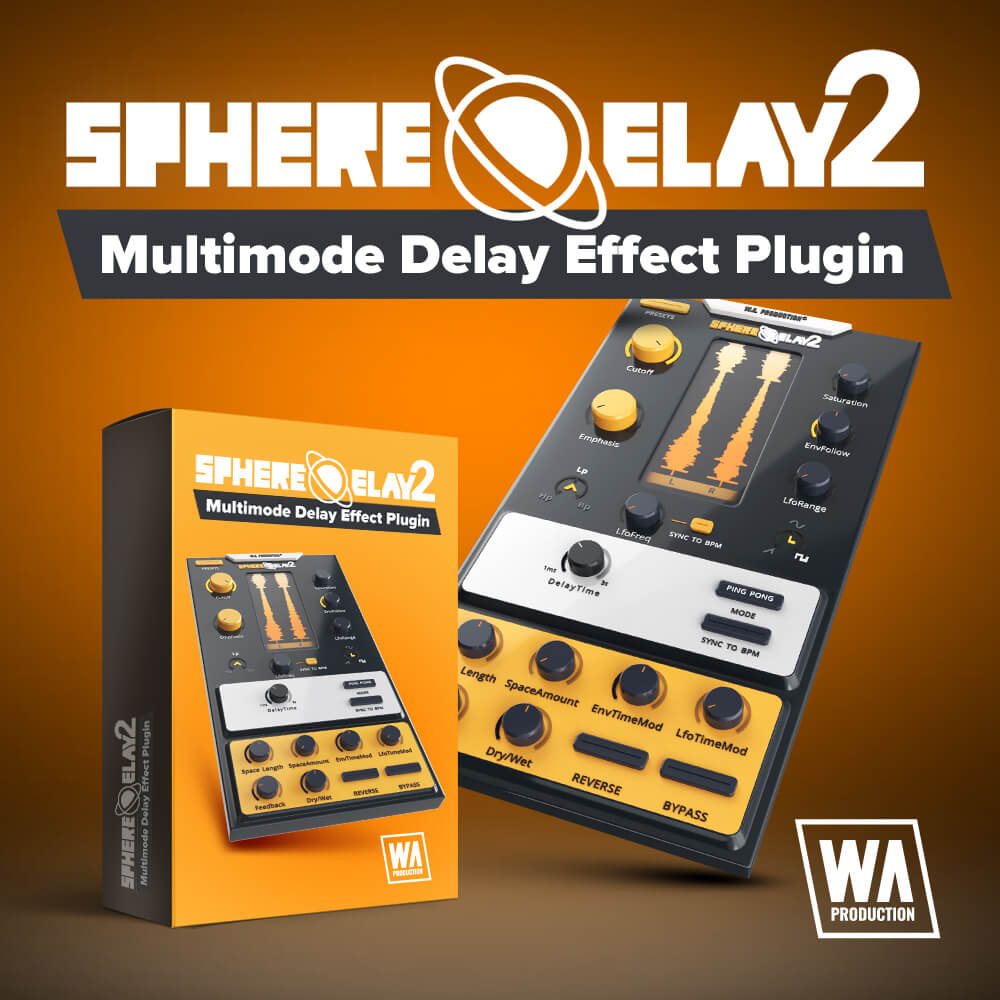
SphereDelay 2 is a multimode delay plug-in from W. A. Production. As a sequel to SphereDelay, it brings a refreshed look, an upgraded engine and new parameters. Formats are AU, AAX and VST3.
It offers four delay modes: Mono, Stereo, Ping-Pong and Ping-Pong Separate. In each mode, delay time can be modulated by an LFO and an envelope follower (modulation driven by the level of the input).
The headline additions in version 2 are the Space Length and Space Amount parameters, which the maker describes as new tools for creating expansive soundscapes. Envelope time modulation and a resizable GUI are also new.
A reverse feature reverses the input while keeping the feedback signal intact, and a stereo filter offers saturation, LFO and envelope follower modulation. More than 50 presets are included, from tape-delay imitations to psychedelic, spacey effects.
Key features
Four delay modes
Choose from Mono, Stereo, Ping-Pong and Ping-Pong Separate, from bouncing left-right echoes to separately set channels, depending on the song.
Space Length and Space Amount
New in version 2, these add spatial width to the echoes. Length and amount are set separately, so you can create a reverb-like afterglow behind the delay.
LFO and envelope modulation
In every mode, delay time can be modulated by an LFO or an envelope follower, so echoes can respond to playing dynamics.
Reverse feature
The input is reversed while the feedback signal stays intact, which suits sound design with layered reversed echoes.
Stereo filter with saturation
The filter includes saturation, LFO and envelope follower, so echoes can be roughened or animated.
Resizable GUI and 50+ presets
The window can be resized to fit your setup. With 50+ presets, beginners can start from them.
Specifications
| Item | Details |
|---|---|
| Type | Multimode delay |
| Delay modes | Mono / Stereo / Ping-Pong / Ping-Pong Separate |
| Presets | 50+ |
| Plug-in formats | AU / AAX / VST3 |
| Supported OS | Windows 10/11 or higher (64-bit) / macOS 10.14 or higher (64-bit) / AAX requires Pro Tools 12 or higher |
What is included and system requirements
- SphereDelay 2 plug-in
- 50+ presets
- A demo version is offered on the official site
How to use it
- Obtain the installer as instructed after purchase.
- Install it and rescan plug-ins in your DAW.
- Insert SphereDelay 2 on a send or as an insert.
- Choose a delay mode, such as Ping-Pong.
- Pick a preset and adjust the mix amount.
- Set delay time and feedback, then add modulation with the LFO or envelope.
- Add Space Length and Space Amount little by little to hear the width.
- Use the filter and saturation to shape the tone as needed.
Where it may come in handy
Width for synths and leads
Combining Ping-Pong mode with the Space settings may add depth to a synth.
Sound design and effects
Layering reverse and modulation could create effect-like echoes.
Vocal embellishment
A short slapback or tempo-synced echo could be added lightly behind a vocal.
Who it may suit
- People who want to design sounds with delay
- Those who want filter and saturation in the same plug-in
- Beginners who want to start with presets
- Anyone who wants rhythmic echoes that follow the DAW tempo
Good to know before you buy
- For Apple Silicon (M1/ARM) Macs, the maker advises checking the current compatibility status before purchase.
- The maker states that the plug-in may not work properly on older OS versions.
- A demo can be tried before buying.
- The official site shows a Black Friday pre-sale, so the price changes over time.
How it differs from similar products
We do not pick a winner; the official figures are placed side by side.
Waves SuperTap
SphereDelay 2 has four delay modes and ships with 50+ presets. SuperTap is a multi-tap type with six independent delay lines.
Price
$69 (W. A. Production official site, checked 2026-10-27). Prices can vary by region and promotion, so check the official page before buying.
See SphereDelay 2 on the product page
More of the same kind
We have introduced 62 delays. Here are some of the others.
- McDSP EC-300 Echo Collection
- PSP Audioware Lexicon PSP 42
- Eventide Precision Time Align
- Waves SuperTap
- Slate Digital Stellar Echo SD-201
- MeldaProduction MeldaProduction MDelayMB
We have introduced 42 other products from W. A. Production.
- W. A. Production Mutant Delay
- W. A. Production MultiBender
- W. A. Production Delay Rings
- W. A. Production Spectron by Curbi
- W. A. Production Detroubler
For a side-by-side comparison scored on the same criteria, see our comparison of delays.
See the full list in Product database: Effects.
Sources: waproduction.com pluginboutique.com (checked 2026-10-27)










Comments