
Disclosure: This page may contain affiliate links. Prices were checked on the date shown and may change.
An introduction to Waves Bass Rider, based on information from the maker and distributors: what it does, how to use it and who it may suit. It is not scored.
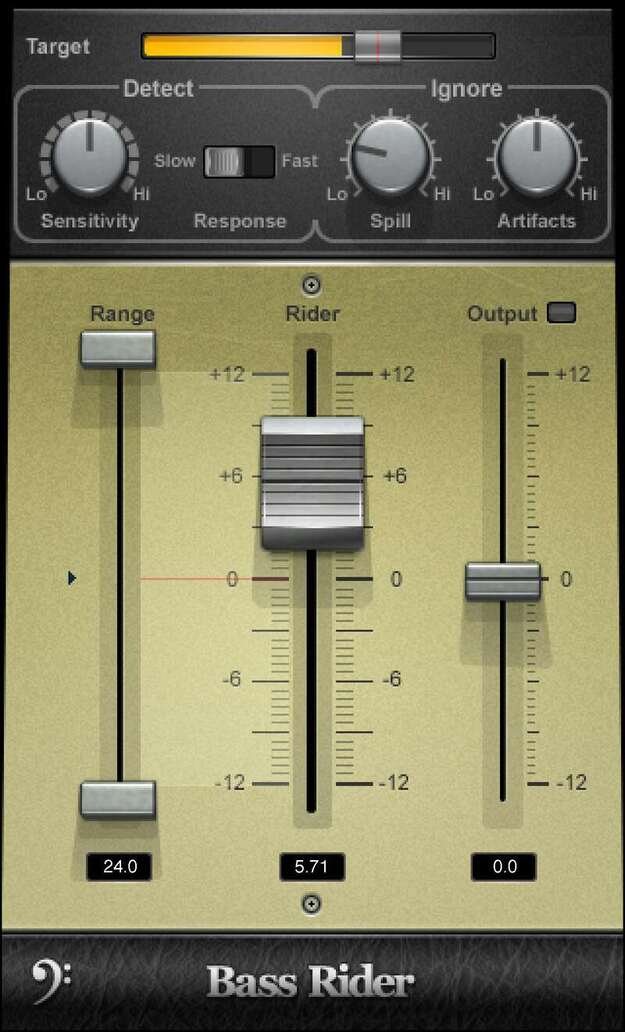
Bass Rider provides consistent bass levels throughout your track, by controlling the bass's gain automatically to maintain a steady target level.
— Waves official site
What is Bass Rider?
Bass Rider is a bass level control plug-in from Waves. Plugin Boutique describes it as automatically moving the bass gain to hold a steady target level, in the manner of automated fader riding.
The description says it does not use dynamics processing, so the attack, tone and sustain of the bass are retained. It is presented as an alternative to heavy compression, which can alter the sound, and to manual level automation, which is tedious and imprecise.
It operates in real time and is said to add no latency. It can also write an automation track, which can be fine-tuned by hand if needed. Compensating for a bass player whose touch is uneven is also listed as a use.
Formats are VST, AU and AAX (VST and AAX on Windows) for macOS Monterey 12 through Sequoia 15 and Windows 10 or later. After purchase it is registered in a Waves account and installed with Waves Central.
Key features
Automatic riding to a target level
It raises and lowers the bass automatically toward a target level, which may help when low-end level wanders through a song.
Keeps attack and tone
Since no dynamics processing is used, the attack, tone, sustain and dynamic feel of the bass are said to be preserved.
No added latency
It runs in real time with no added latency, so it can be used while monitoring a live or studio performance.
Writes automation
The movement can be written as an automation track, to be used as it is or edited by hand.
Retains punch
It is intended to even out level while retaining the punch that compression often squashes.
Compensates for uneven touch
Evening out level differences from a bass player's touch is listed as a use, which may suit live-played recordings.
Specifications
| Item | Details |
|---|---|
| Type | Bass level control (automatic gain riding) |
| Formats | macOS: VST/AU/AAX; Windows: VST/AAX |
| OS | macOS Monterey 12 to Sequoia 15 / Windows 10 or later |
| Latency | None (real-time operation, per Plugin Boutique) |
What is included and system requirements
- The plug-in
- Registration in a Waves account and installation via Waves Central (as described for Plugin Boutique purchases)
How to use it
- Register the serial number in a Waves account and install via Waves Central.
- Insert Bass Rider on the bass track in the DAW.
- Set the target level.
- Play the bass and check how the level moves.
- Write the automation if needed.
- Review the written automation and edit any parts by hand.
Where it may come in handy
Recording live bass
It may be used to even out a performance whose level varies without changing the tone.
Before a compressor
It may be tried to level the signal ahead of a compressor.
Live streaming or live recording
With no added latency, it may be tried to level bass automatically.
Who it may suit
- People bothered by uneven bass level
- People who want to avoid tonal change from compression
- People who want less manual automation
Good to know before you buy
- A Waves account and Waves Central are needed for registration and installation.
- Supported systems are macOS Monterey 12 to Sequoia 15 and Windows 10 or later.
Price
Please check the official page for the price.
See Bass Rider on the product page
More of the same kind
Other introduction articles of the same kind.
- Klevgrand STARK
- Audified RZ062 Equalizer
- BEATSURFING CHEat code
- Bogren Digital Ampknob Duet
- PSP Audioware PSP HertzRider2
- Acon Digital Extract:Dialogue 2
We have introduced 215 other products from Waves.
- Waves Nx Germano Studios New York
- Waves Sub Align
- Waves Greg Wells PianoCentric
- Waves Waves CLA Unplugged
- Waves Key Detector
See the full list in Product database: Effects.
Sources: pluginboutique.com (checked 2026-10-27)










Comments