
Disclosure: This page may contain affiliate links. Prices were checked on the date shown and may change.
An introduction to Blue Cat Audio Blue Cat's Analysis Pack, based on information from the maker and distributors: what it does, how to use it and who it may suit. It is not scored.
Get all the tools you need to measure, monitor, and understand the audio signal, and reuse these measurements to control other plug-ins or any MIDI controllable device.
— Blue Cat Audio official site
What is Blue Cat's Analysis Pack?
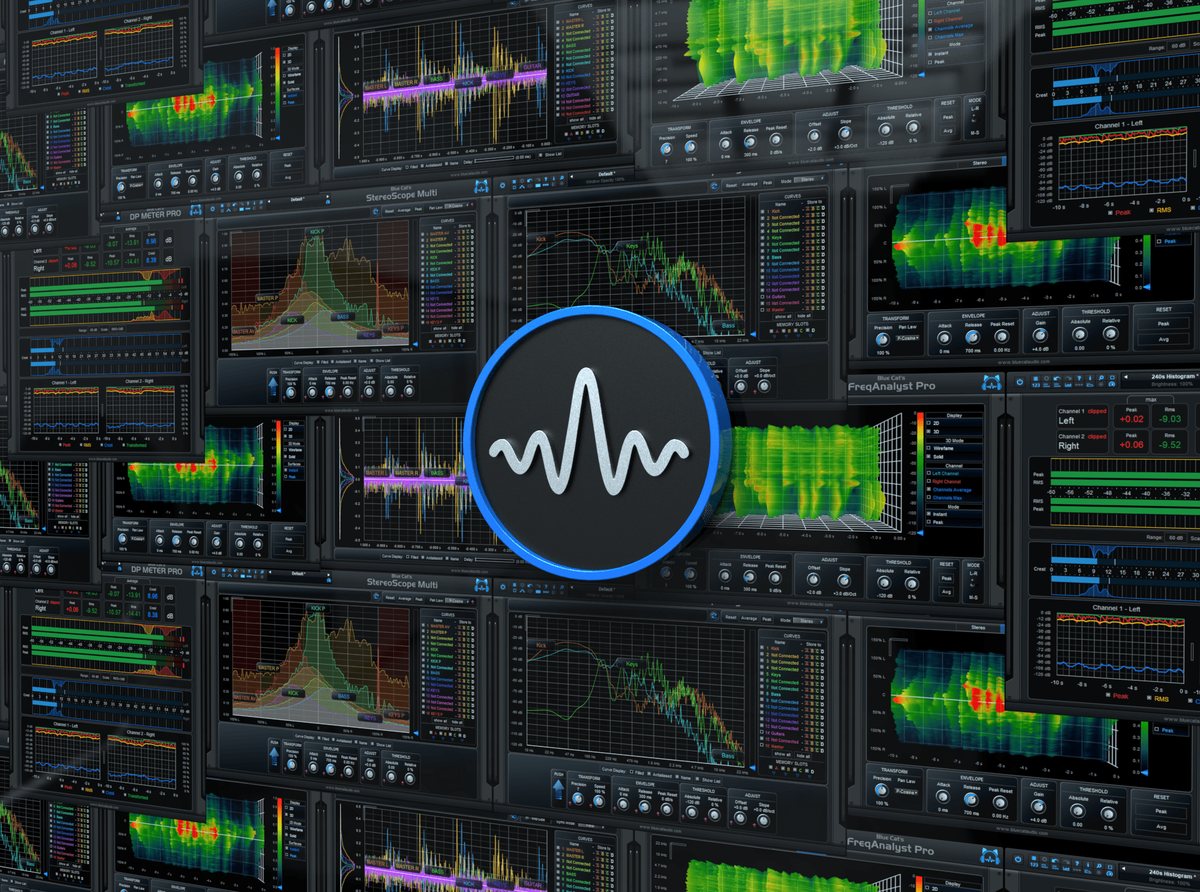
Blue Cat's Analysis Pack is a bundle of six measurement plug-ins from Blue Cat Audio in France. It gathers level meters, spectrum analyzers, stereo image displays and an oscilloscope, which are tools for checking visually what is hard to judge by ear. It is organised for moments before and after mixing or mastering when you want to see the state of the sound as numbers and graphs.
The six products are DP Meter Pro, FreqAnalyst Multi, FreqAnalyst Pro, Oscilloscope Multi, StereoScope Multi and StereoScope Pro. According to the maker, the 'Pro' plug-ins add outputs that let you use measured values to control other plug-ins or MIDI devices, while the 'Multi' plug-ins can show the analysis of several tracks on a single screen.
The maker's description stresses that measurements can be reused as well as displayed. Peak and RMS movements can be recorded as automation curves or sent out as MIDI CC messages to move the controls of another effect. This suggests uses such as ducking driven by a signal, or a filter that follows the pitch of a source.
The official site presents the bundle price of $299 as a saving of $245 compared with buying each plug-in separately. This article goes through each plug-in in turn and lists situations where it may help. No score is given, and no impressions of sound or handling are written. It is an introduction based on the maker and retailer information.
Key features
DP Meter Pro: a configurable level meter
A meter for peak, RMS and crest factor whose characteristics, such as the release shape, can be adjusted in detail. It offers five scales including Bob Katz's K-System (K-12, K-14, K-20), and custom scales can be created. Histograms show the dynamic range of a track.
Reuse measurements to control other effects
DP Meter Pro can record peak and crest factor envelopes as automation or send them as MIDI CC. The envelope can be reversed and its amount and offset adjusted, which points to uses such as side-chain style ducking or controlling compression.
FreqAnalyst Multi: overlay spectra of several tracks
Up to 16 curves can be drawn on one graph, which suits looking at where instruments overlap in frequency. A 'Diff' view shows the difference between curves, useful when matching EQ. Each track can use instant, peak or average display.
FreqAnalyst Pro: spectrogram and frequency outputs
Precision, rate, slope offset and attack/release can be adjusted, and the change of the spectrum over time can be viewed in 2D or as a 3D waterfall. The minimum and maximum frequencies and the energy center of the spectrum can be output as automation or MIDI CC.
Oscilloscope Multi: compare waveforms and check phase
Shows the waveforms of several tracks on one screen with loop, flow and trigger modes. The X-Y (Lissajous) view helps look for phase cancellation and mono compatibility problems, and four memory slots store waveforms for comparison.
StereoScope Multi and Pro: look at the stereo image
Multi compares the stereo spread of several tracks at once. Pro has three views (stereo image, a 'stereogram' showing change over time, and output parameters giving position and extent as values), plus a 3D waterfall and a correlation meter.
Specifications
| Item | Details |
|---|---|
| Included products | DP Meter Pro / FreqAnalyst Multi / FreqAnalyst Pro / Oscilloscope Multi / StereoScope Multi / StereoScope Pro (6 products) |
| Formats | VST / VST3 / AU / AAX (Mac and Windows; Windows formats are VST / VST3 / AAX) |
| OS | Mac: Intel or Apple Silicon, Mac OS 10.9 or newer (per the Oscilloscope Multi page) / Windows: 7 to 11 |
| Licensing | Registration with user name and key (per the Plugin Boutique page) |
| Trial | A demo of each plug-in is offered on the official site |
What is included and system requirements
- DP Meter Pro (level meter with control outputs)
- FreqAnalyst Multi (multi-track spectrum)
- FreqAnalyst Pro (spectrum, 3D view, frequency outputs)
- Oscilloscope Multi (multi-track waveform and phase)
- StereoScope Multi (multi-track stereo comparison)
- StereoScope Pro (stereo image, 3D view, output parameters)
How to use it
- After purchase, follow the download link from your Plugin Boutique account and enter your name and email on the Blue Cat Audio registration page.
- Keep the user name and key from the email, run the installer and choose the plug-in formats.
- Open your DAW and insert DP Meter Pro, FreqAnalyst or another plug-in on the track or master bus you want to analyse.
- Enter the registered user name and key on first launch to authorise the plug-in.
- To compare several tracks, insert the Multi plug-ins on each track and check the curves gathered in the same group.
- To drive another effect with the measurements, set up the automation or MIDI CC outputs of the Pro plug-ins.
- Save settings you want to reuse as presets so they can be recalled quickly next time.
Where it may come in handy
Finding frequency clashes in a mix
Placing FreqAnalyst Multi on several tracks may let you compare instruments such as kick and bass that overlap in frequency on one graph. It could serve as a guide when deciding where to cut with EQ.
Checking microphone phase while recording
When recording with several microphones, the X-Y view of Oscilloscope Multi could be used to check whether signals cancel each other. It may help with multi-mic drums or guitars.
Reviewing stereo width and mono compatibility
The correlation meter and stereogram in StereoScope Pro may be used to review the width of the whole mix, including whether it thins out when heard in mono.
Moving effects with measured values
Turning the outputs of DP Meter Pro or FreqAnalyst Pro into MIDI CC or automation could suit experiments that move another plug-in's controls, for people who want to widen their sound design ideas.
Who it may suit
- People who want to confirm the state of a mix or master with numbers and graphs.
- People who want to compare several tracks on one screen to look for frequency or phase problems.
- People who want to use measured values to control other plug-ins or MIDI devices.
- People who prefer to buy a set of analysis tools instead of buying each one separately.
Good to know before you buy
- These are measurement tools, not effects that process the sound.
- The Plugin Boutique page lists some system requirements (such as Mac versions) with older baselines than the maker's site. Check the official compatibility information before buying.
- Demo versions of each plug-in can be tried from the maker's site before purchase.
- Licensing uses registration with a user name and key.
How it differs from similar products
We do not pick a winner; the official figures are placed side by side.
Blue Cat's Oscilloscope Multi
The official site lists Analysis Pack at $299 for six products and Oscilloscope Multi at $49 on its own. Oscilloscope Multi is also included in this bundle.
Price
$299 (Blue Cat Audio official site, checked 2026-10-27). Prices can vary by region and promotion, so check the official page before buying.
See Blue Cat's Analysis Pack on the product page
More of the same kind
Other introduction articles of the same kind.
- Waves CLA Classic Compressors
- UJAM Usynth Bundle
- Waves Content Creator Audio Toolkit
- Waves JJP Analog Legends
- Audio Modeling SWAM Solo Strings 3
- sonible sonible pure:bundle
We have introduced 21 other products from Blue Cat Audio.
- Blue Cat Audio Blue Cat's Multi Pack
- Blue Cat Audio Blue Cat's All Plug-Ins Pack
- Blue Cat Audio Blue Cat's Chorus
- Blue Cat Audio Blue Cat's Axiom 2
- Blue Cat Audio Blue Cat's DP Meter Pro
See the full list in Product database: Bundles.
Sources: bluecataudio.com pluginboutique.com (checked 2026-10-27)










Comments