
Disclosure: This page may contain affiliate links. Prices were checked on the date shown and may change.
An introduction to W. A. Production Vocal Cleaner, based on information from the maker and distributors: what it does, how to use it and who it may suit. It is not scored.
Vocal Cleaner puts your vocals through a rinse cycle, subtly taming harsh sibilance and removing intermittent noise.
— W. A. Production official site
What is Vocal Cleaner?
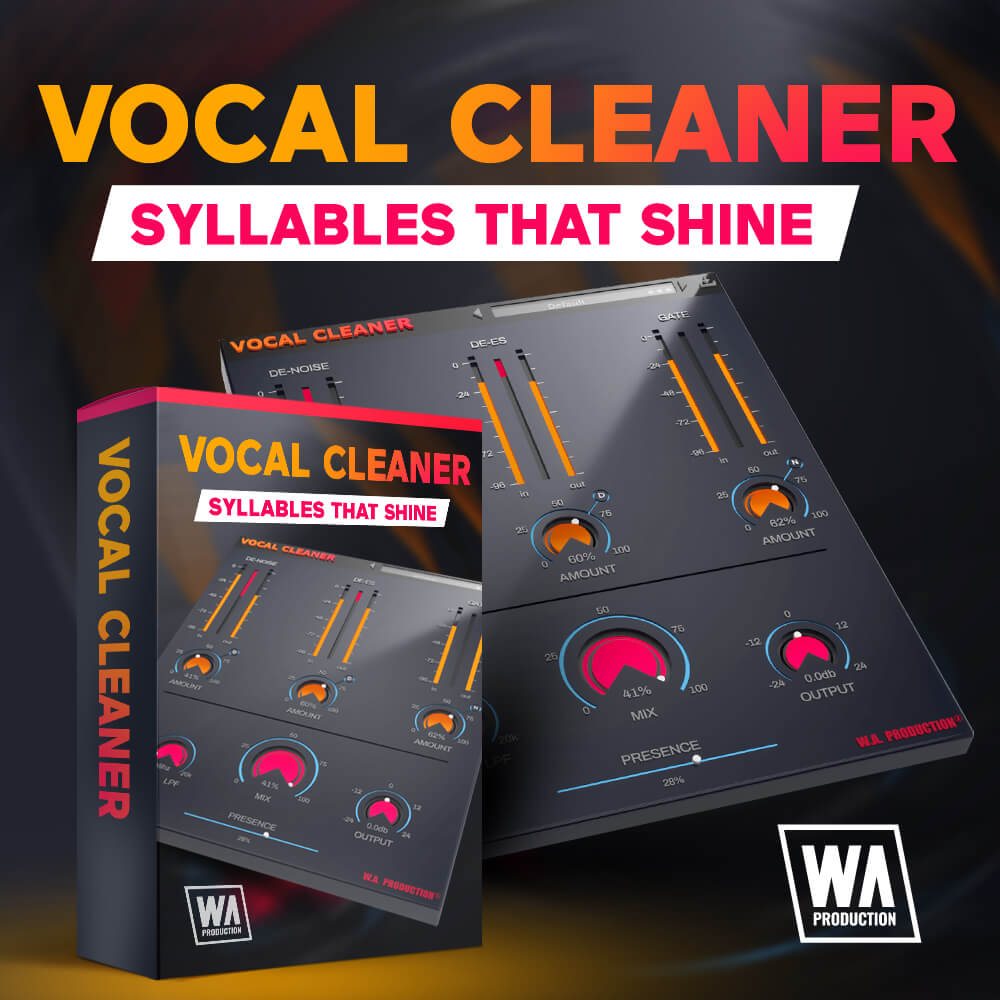
Vocal Cleaner is a vocal clean-up plug-in from W. A. Production. It aims to tidy noise, harsh sibilance, breaths and room noise in a recorded vocal from a single window.
It has three processing stages: De-Noise, De-Ess and a Noise Gate. According to the description, it is meant to sit first in a vocal effects chain, as preparation before compression or reverb.
Operation centers on threshold sliders and Amount dials, so it can be handled without detailed technical knowledge. Three buttons, Bright, Natural and Dark, adapt the processing to the material, and high-pass and low-pass filters plus a Presence control for restoring definition are included.
Plugin Boutique lists VST, AU and AAX for Mac and VST and AAX for Windows. Presets are organized by source type, such as female vocals, male vocals and backing vocals.
Key features
De-Noise
The input is split into voice and noise to reduce background hum and hiss. The main fader and Amount dial are used to find a level that does not harm the voice.
De-Ess
Harsh high-frequency sounds such as sibilants are detected and reduced with an adaptive EQ curve. It may help when a microphone exaggerates sibilance.
Noise Gate
Quieter parts below the threshold are held back while louder parts pass. It is aimed at breaths and room noise, with Amount used to keep it natural.
Bright, Natural and Dark
Bright suits high-frequency noise, Dark suits low-frequency noise and Natural is balanced. It lets the processing follow the noise in the material.
Filters and Presence
High-pass and low-pass filters remove hum and extra highs, and Presence restores definition with a mix of saturation, compression and EQ.
Master Mix and VU meters
Master Mix blends the cleaned and original signals, and VU meters show what each stage is doing.
Click-free bypass
Bypass switches smoothly to avoid clicks and pops, which makes A/B checks with the Output dial easier.
Specifications
| Item | Details |
|---|---|
| Maker | W. A. Production |
| Type | Vocal clean-up (noise reduction, de-essing, gate) |
| Stages | De-Noise, De-Ess, Noise Gate |
| Mac | macOS 10.13 or later (64-bit only), VST, AU, AAX |
| Windows | Windows 8 or later (32 / 64-bit), VST, AAX |
| AAX | Requires Pro Tools 11 or later |
| Latest version | 2.0.0 (per the official page) |
What is included and system requirements
- Vocal Cleaner itself
- Factory presets (female vocals, male vocals, backing vocals and more)
- A PDF manual and tutorial video
- A demo version is offered on the official site and at Plugin Boutique
How to use it
- Install with the downloaded installer after purchase and restart the DAW.
- Load Vocal Cleaner at the start of the insert chain on a vocal track.
- Choose a preset close to the material as a starting point.
- Press Bright, Natural or Dark to match the type of noise.
- Move the De-Noise slider to find a position where background noise is no longer distracting.
- Adjust De-Ess until the harshness of sibilants eases.
- Add the Noise Gate to reduce breaths and room noise, and back off Amount if the voice is cut unnaturally.
- Set Master Mix and Output and compare with the original using bypass.
Where it may come in handy
Preparing a home-recorded vocal
It could be placed before compression and reverb on a vocal that picked up room sound or hiss.
Narration and streaming
It may be used to tidy voice noise and breaths together.
Organizing backing vocals
A shared preset across stacked backing tracks may be a short way to even them out.
Correcting sibilance from a bright microphone
The De-Ess stage may be worth trying on material recorded with a bright condenser microphone.
Who it may suit
- People who want to handle noise, sibilance and breaths in one plug-in
- Users who prefer sliders and presets to detailed settings
- Those looking for a first-in-chain preparation tool for vocals
Good to know before you buy
- The official site asks Apple silicon Mac users to check the compatibility status before purchase.
- The AAX format requires Pro Tools 11 or later.
- The official product URL ends in vocal-cleaner-1.
- The Plugin Boutique review summary mentions a reviewer who wanted a stronger de-essing action.
How it differs from similar products
We do not pick a winner; the official figures are placed side by side.
W. A. Production VocalShaper
Vocal Cleaner has three stages, De-Noise, De-Ess and Noise Gate, focused on preparation. VocalShaper adds a Leveler, Cleaner, compression, Demud, S-Volume, Air, Tone, Depth, Heat and Spread, making it a broader vocal toolkit.
Price
Please check the official page for the price.
See Vocal Cleaner on the product page
More of the same kind
We have introduced 35 vocal processors. Here are some of the others.
- Waves Greg Wells VoiceCentric
- Techivation T-De-Breather
- Waves Renaissance Vox
- Waves OVox Vocal ReSynthesis
- Harrison Consoles Vocal Flow
- Synchro Arts VocAlign 7
We have introduced 42 other products from W. A. Production.
- W. A. Production VocalShaper
- W. A. Production Vocal Splitter
- W. A. Production Mutant Reverb
- W. A. Production Zqueezer
- W. A. Production ChopBeast 2
For a side-by-side comparison scored on the same criteria, see our comparison of vocal processors.
See the full list in Product database: Effects.
Sources: waproduction.com pluginboutique.com (checked 2026-10-27)










Comments