
Disclosure: This page may contain affiliate links. Prices were checked on the date shown and may change.
An introduction to W. A. Production VocalShaper, based on information from the maker and distributors: what it does, how to use it and who it may suit. It is not scored.
this Leveler utilises pink noise to continuously adjust vocal amplitude, ensuring a smooth and consistent performance.
— W. A. Production official site
What is VocalShaper?
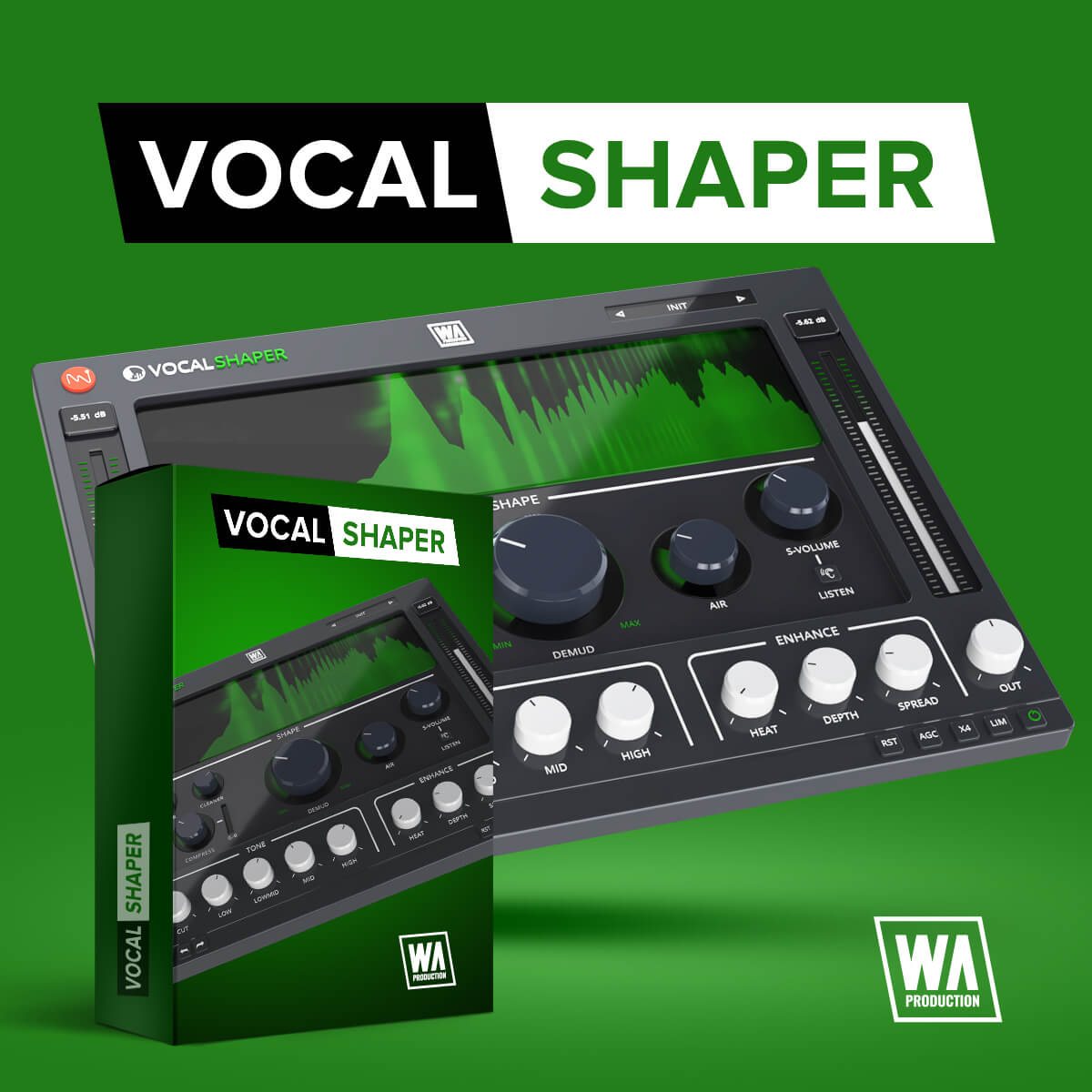
VocalShaper is a multi-function vocal plug-in made by W. A. Production in collaboration with audio engineer Emrah Celik. It is presented as a modular tool that handles leveling, noise cleaning, compression, mud removal, sibilance, tone and stereo width from one window.
The official description suggests placing it first in the vocal chain to improve clarity, add warmth and polish the top end, and then sending the signal to delay and reverb. The text says it can be used for both sung and spoken voice.
Notable functions include a Leveler that uses pink noise to keep level consistent, Demud that tracks pitch to reduce low resonance between 60 and 360 Hz, and S-Volume for linear control of sibilants. S-Volume has a Listen button that lets a user hear the signal being affected.
Plugin Boutique lists VST2, VST3 and AAX for 64-bit Windows and VST2, VST3, AAX and AU for 64-bit Mac, while the official format line lists AU, AAX and VST3. The interface is vector-based and resizable, with AB comparison and undo/redo.
Key features
Leveler, Cleaner and Compression
The Leveler adjusts amplitude using pink noise. The Cleaner reduces background noise, headphone leakage and breaths, and the compression stage works from the Leveler or directly from the recording.
Demud
This pitch-tracking control reduces low resonance between 60 and 360 Hz, with adjustable sensitivity.
S-Volume
Unlike a conventional de-esser, it provides linear control of sibilants, and the Listen button lets a user audition the affected signal.
Air
An exciter-style control that adds brightness and lightness to the highs.
Tone section
Cut, Low, LowMid, Mid and High shape the body of the voice without touching sibilance. Depth adds LA-style opto compression, Heat adds warmth and Spread widens the image with micro-pitch shifting.
Display and comparison
A central window displays the signal in real time, and AB comparison with undo and redo supports experimentation.
Presets
A large number of factory presets cover multiple genres.
Specifications
| Item | Details |
|---|---|
| Maker | W. A. Production |
| Collaboration | Emrah Celik |
| Type | Multi-function vocal effect |
| Windows | Windows 8 or later (64-bit only), VST2, VST3, AAX (Plugin Boutique) |
| Mac | macOS 10.13 or later (64-bit only), VST2, VST3, AAX, AU (Plugin Boutique) |
| Official format line | AU, AAX, VST3 |
| AAX | Requires Pro Tools 11 or later |
What is included and system requirements
- VocalShaper itself
- Factory presets (a large number)
- A PDF manual and tutorial video
- A demo version (offered on the official site and at Plugin Boutique)
How to use it
- Install after purchase, restart the DAW and authorize.
- Load VocalShaper at the start of the insert chain on a vocal track.
- Pick a preset close to the voice as a starting point.
- Set level and noise with the Leveler and Cleaner.
- Reduce low muddiness with Demud.
- Adjust S-Volume and confirm the affected signal with Listen.
- Shape tone with the Tone knobs, Air, Heat and Depth.
- Add width with Spread if needed and confirm with AB comparison.
Where it may come in handy
Shaping a home-recorded vocal with one tool
It could be used to settle the basic shape before stacking several plug-ins.
Fixing muddy material
Demud may be worth trying on vocals muddied by proximity effect or similar causes.
Adjusting sibilance
Listen on S-Volume may let a user check the amount of sibilance while adjusting.
Spoken voice and narration
The official text says it works for spoken voice, so streaming or narration may be worth a try.
Who it may suit
- People who want to process vocals with one tool
- Users who want to check mud, sibilance and noise separately
- Those who want a short workflow for home-recorded vocals
Good to know before you buy
- The official format line lists AU, AAX and VST3, while Plugin Boutique also lists VST2. Check the formats supported by your DAW before buying.
- The official site asks Apple silicon Mac users to check the compatibility status before purchase.
- AAX is supported only with Pro Tools 11 or later.
- The interface is resizable.
How it differs from similar products
We do not pick a winner; the official figures are placed side by side.
W. A. Production Vocal Cleaner
VocalShaper is the broader toolkit with Leveler, compression, Demud, S-Volume, Air, Tone, Depth, Heat and Spread, while Vocal Cleaner is limited to three stages: De-Noise, De-Ess and Noise Gate.
Price
Please check the official page for the price.
See VocalShaper on the product page
More of the same kind
We have introduced 35 vocal processors. Here are some of the others.
- Antelope Audio InTune Harmony
- Sonnox VoxDoubler
- Leapwing Audio UltraVox 2
- BLEASS BLEASS Voices
- Klevgrand Altitude
- Bogren Digital A-Class Vocal
We have introduced 42 other products from W. A. Production.
- W. A. Production Vocal Cleaner
- W. A. Production Vocal Splitter
- W. A. Production ChopBeast 2
- W. A. Production Biggifier by Aden
- W. A. Production Noizzer
For a side-by-side comparison scored on the same criteria, see our comparison of vocal processors.
See the full list in Product database: Effects.
Sources: waproduction.com pluginboutique.com (checked 2026-10-27)










Comments