
D16 Group’s bass synth Phoscyon 2 is 40% off at Plugin Boutique: $71.40 instead of $119 (USD). The product page says the offer runs until November 2.
Disclosure: This article contains affiliate links. If you buy through them, SoundBounty may earn a commission at no extra cost to you. Prices are as of the date we checked them and can change.
The deal
| Product | Regular price | Sale price | Discount | Ends |
|---|---|---|---|---|
| Phoscyon 2 | $119 | $71.40 | 40% off | Nov 2 |
Prices are in US dollars as shown on Plugin Boutique, checked on October 27, 2026. The discount and end date come from the Plugin Boutique product page. Taxes, fees and availability can vary by country, so check the checkout page.
Where to buy
- Phoscyon 2: View at Plugin Boutique
What is Phoscyon 2?
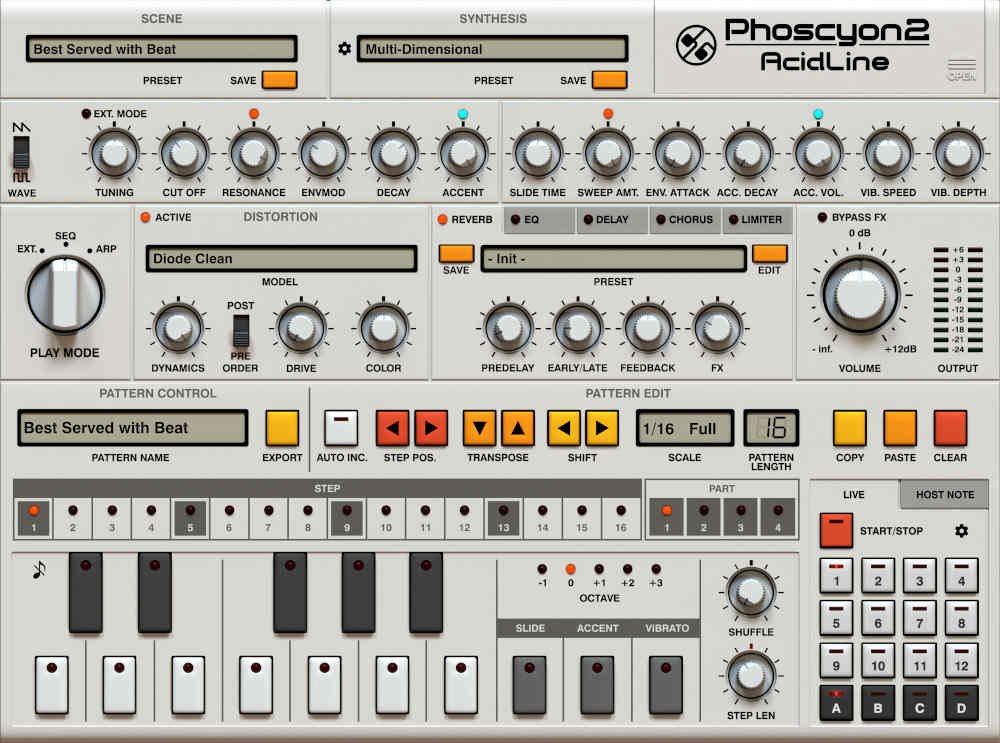
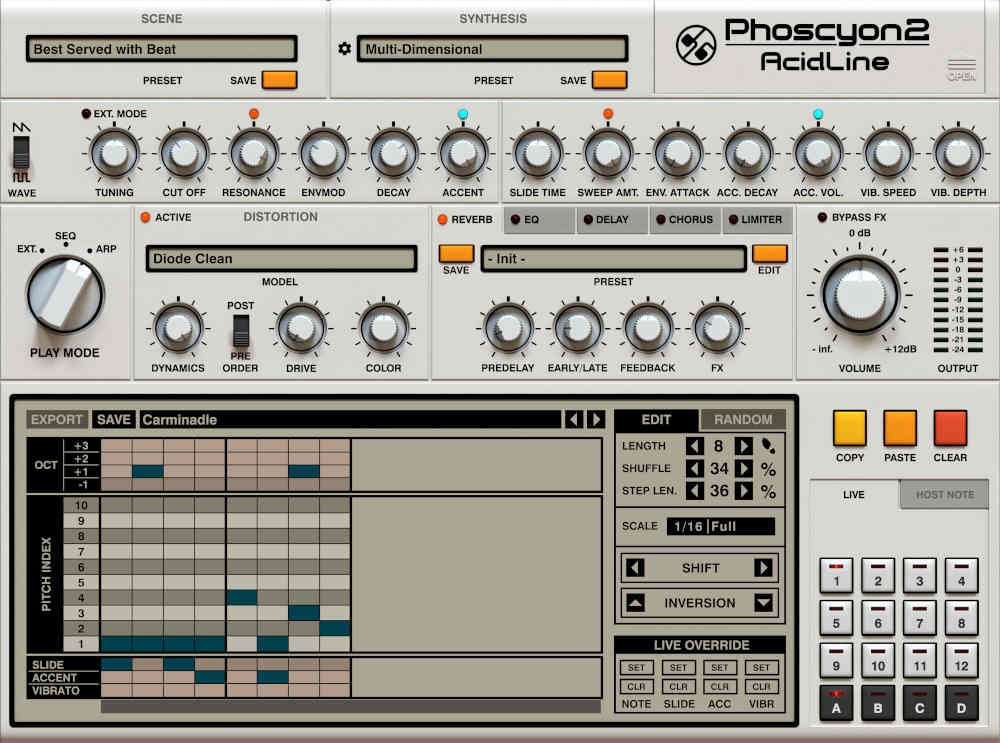
Phoscyon 2 is a plug-in from D16 Group that models the Roland TB-303 bass synthesizer. It suits producers who want the squelchy bass lines of acid house and techno. It does not run on its own as a DAW; you use it as a plug-in inside your DAW (music production software).
System requirements: Windows 7 or later (VST2, VST3, AAX) and Mac OS X 10.13 or later (VST2, VST3, AU, AAX; Apple Silicon supported). See the official page for the full requirements (per the manufacturer).
Features
A redesigned 303 emulation
D16 Group says it redesigned the signal path from the original Phoscyon to raise the accuracy of the 303 emulation considerably (per the manufacturer).
Effects chain
It includes several effect algorithms suited to acid sounds. The distortion offers 19 models based on well-known hardware (per the manufacturer).
Sequencer and arpeggiator
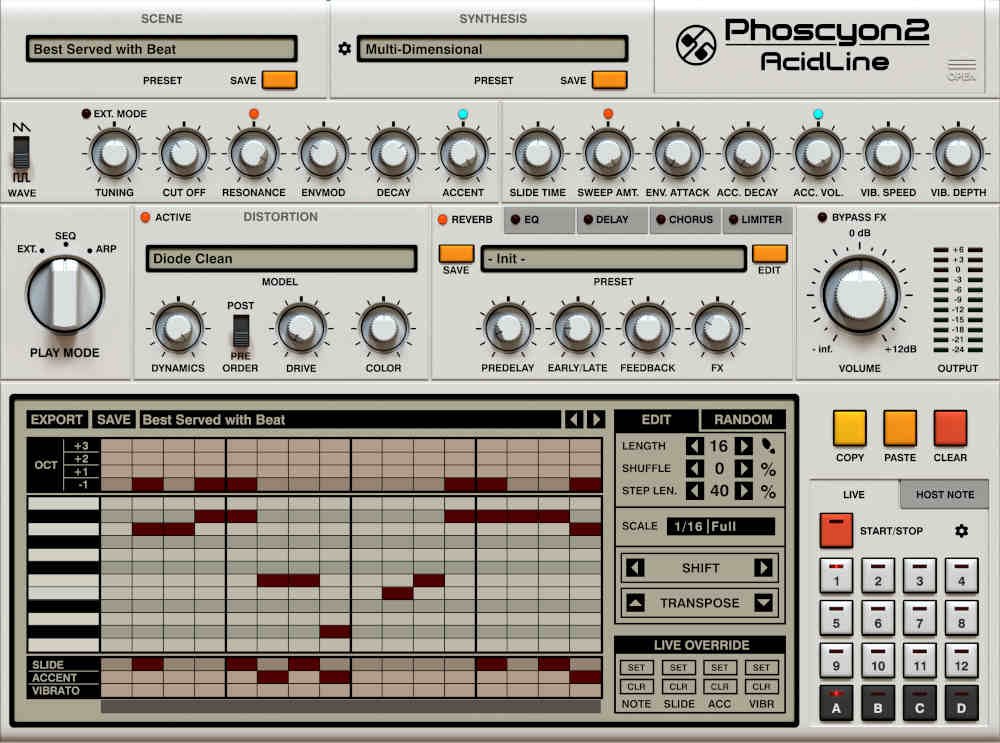
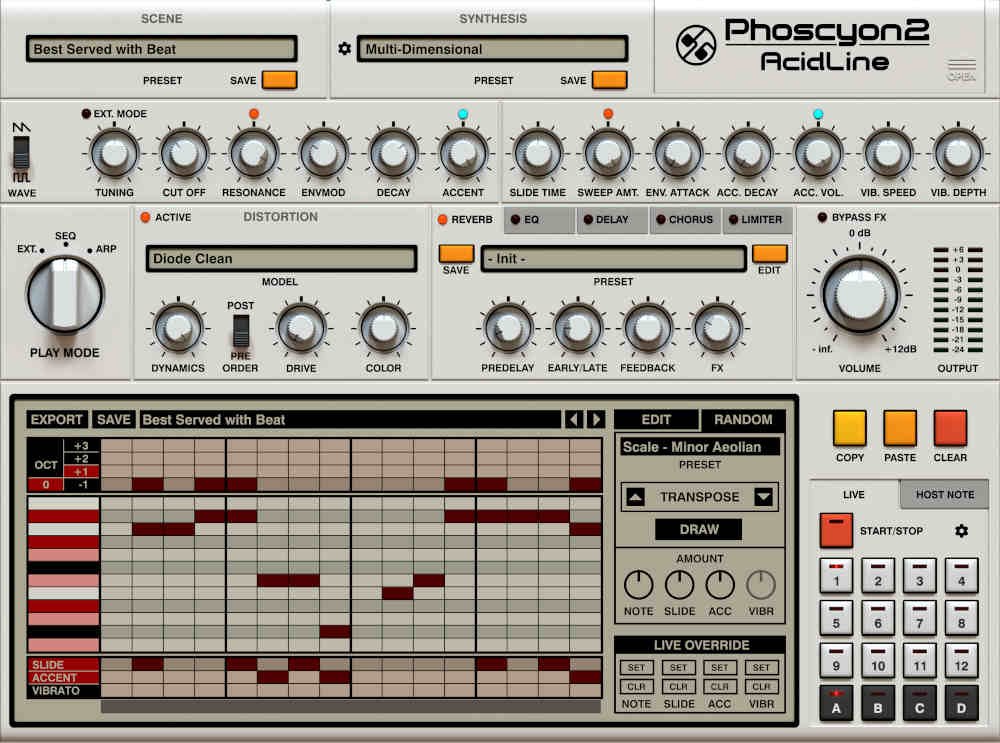
You can edit patterns easily and play them in a loop. You can switch patterns with the mouse, a MIDI controller or MIDI notes from your DAW, and drag and drop patterns into the DAW (per the manufacturer).
Presets and usability
The factory content has more than 800 presets and patterns. It also offers light and dark themes, several interface sizes and MIDI Learn for assigning controllers (per the manufacturer).
Specifications and system requirements
- Windows: Windows 7 or later; host supporting VST2, VST3 or AAX (32-bit and 64-bit)
- Mac: Mac OS X 10.13 to macOS 26, Intel and Apple Silicon; host supporting VST2, VST3, AU or AAX (64-bit only)
- Sample rate: 44.1 kHz or higher (per the manufacturer)
After you buy: installation and activation
This is the general flow for products bought at Plugin Boutique. Activation differs by product (serial number, a manufacturer account, iLok and so on), so check the instructions in your library after purchase.
- Log in to your Plugin Boutique account and find the product in “Library”.
- Download the installer (you can switch between the Windows and Mac versions). Depending on the product, you also get a serial number, an unlock code or a key file.
- Product-specific steps are under “…” → “Installation Instructions” next to the product in your library, and also near the bottom of the product page.
Before you buy
- The end date is the one shown on Plugin Boutique. Offers can change, so confirm on the product page before you buy.
- Check the supported operating systems, plug-in formats (VST3, AU, AAX and so on) and the licensing method on the product page before buying.
Where to buy
- Phoscyon 2: View at Plugin Boutique









Comments