
Eventide’s reverb plug-in Blackhole is 50% off at Plugin Boutique: $49 instead of $99 (USD). The product page says the offer runs until November 1.
Disclosure: This article contains affiliate links. If you buy through them, SoundBounty may earn a commission at no extra cost to you. Prices are as of the date we checked them and can change.
The deal
| Product | Regular price | Sale price | Discount | Ends |
|---|---|---|---|---|
| Blackhole | $99 | $49 | 50% off | Nov 1 |
Prices are in US dollars as shown on Plugin Boutique, checked on October 24, 2026. The discount and end date come from the Plugin Boutique product page. Taxes, fees and availability can vary by country, so check the checkout page.
Where to buy
- Blackhole: View at Plugin Boutique
What is Blackhole?
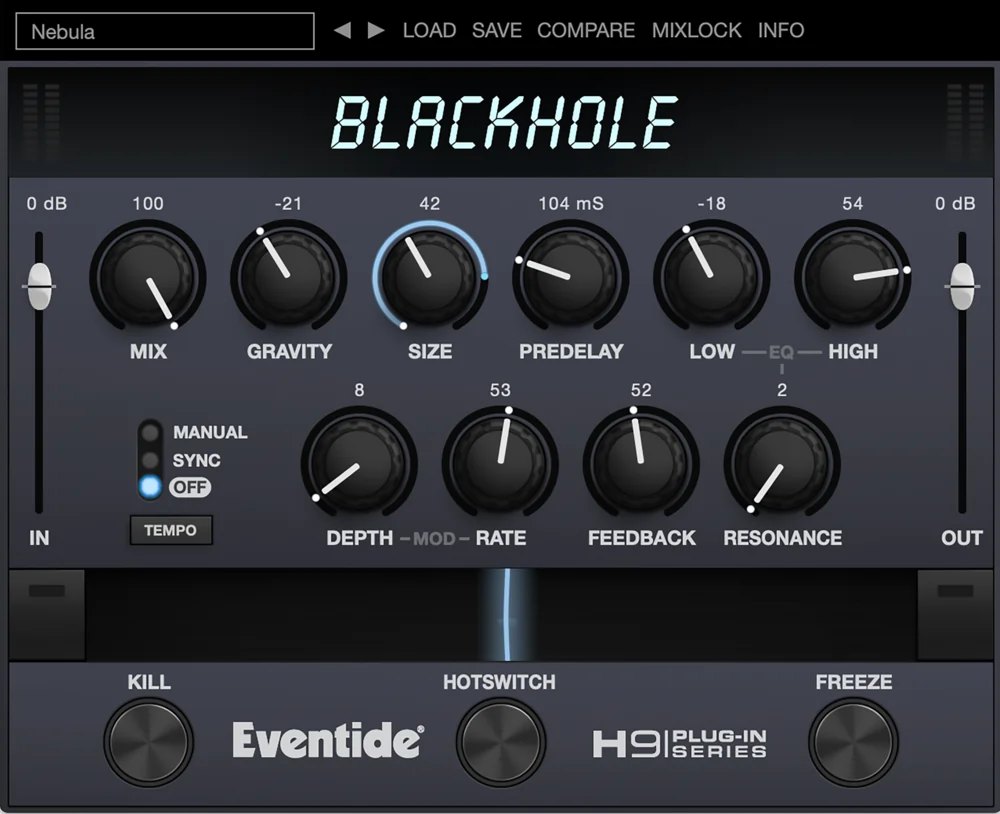
Blackhole is a reverb from Eventide. Eventide says it can create spaces far larger than anything in the real world: large sizes give a soft attack and a long, lingering tail, while small sizes can add shine to vocals or make drums sound dreamlike (per the manufacturer).
It supports Windows 10 or later (AAX, VST2, VST3) and macOS 10.14 or later (AAX, AU, VST3; Apple Silicon supported). You need an iLok account, but no physical dongle (USB key). Eventide recommends trying the 14-day demo before you buy (per the manufacturer).
Features
A reverb for spaces that cannot exist
Eventide says ordinary reverbs are bound by real-world physics, while Blackhole can create spaces that are impossible in reality. Large settings suit guitars, strings and pads; small settings can add an angelic gloss to vocals.
Soft attack and long, drifting harmonic tails
Eventide describes the sound as having a soft attack and a long tail rich in harmonics.
Distinctive controls such as Gravity
It has a unique “Gravity” control. It also offers settings for effects that real spaces cannot produce, plus “Ribbon” and “Hot Switch” to move several parameters at once.
Easy-to-use presets
It comes with more than 50 presets, including ones made by artists. Mix lock lets you switch presets and settings while keeping the wet/dry balance (per the manufacturer).
Flexible inputs and outputs, and sound design tools
You can freely choose mono or stereo for input and output, so you can add stereo width to a mono instrument. The Kill Switch cuts the input and leaves only the reverb tail, which Eventide says suits sound design and automation.
Official video
Specifications and system requirements
- macOS 10.14 or later (Intel and Apple Silicon): AAX, AU, VST3 (64-bit)
- Windows 10 or later: AAX, VST2, VST3 (64-bit)
- An iLok account is required (no physical dongle needed)
- Tested by the manufacturer with Ableton Live, Cubase, FL Studio, Logic Pro, Pro Tools and Studio One. The official site mentions a 14-day demo
After you buy: installation and activation
This is the flow for Eventide products bought at Plugin Boutique (an Eventide account plus an iLok account). Steps and screen names can change when the manufacturer updates its software.
You need first: a free iLok account (no physical dongle needed).
- Create your iLok account first (skip if you already have one).
- At eventideaudio.com/login, enter your iLok user ID and create an Eventide account.
- At the bottom right of the account page, enter the license key from your Plugin Boutique account (in the form 1234-1234-1234) and your iLok user ID, then press “Register” (no serial number is needed). Do not add spaces before or after the key.
- Open iLok License Manager and sign in. Activate the license that appears in the list and choose where to activate it (for example, a computer).
Before you buy
- The end date is the one shown on Plugin Boutique. Offers can change, so confirm on the product page before you buy.
- Check the supported operating systems, plug-in formats (VST3, AU, AAX and so on) and the licensing method on the product page before buying.
Where to buy
- Blackhole: View at Plugin Boutique









Comments