
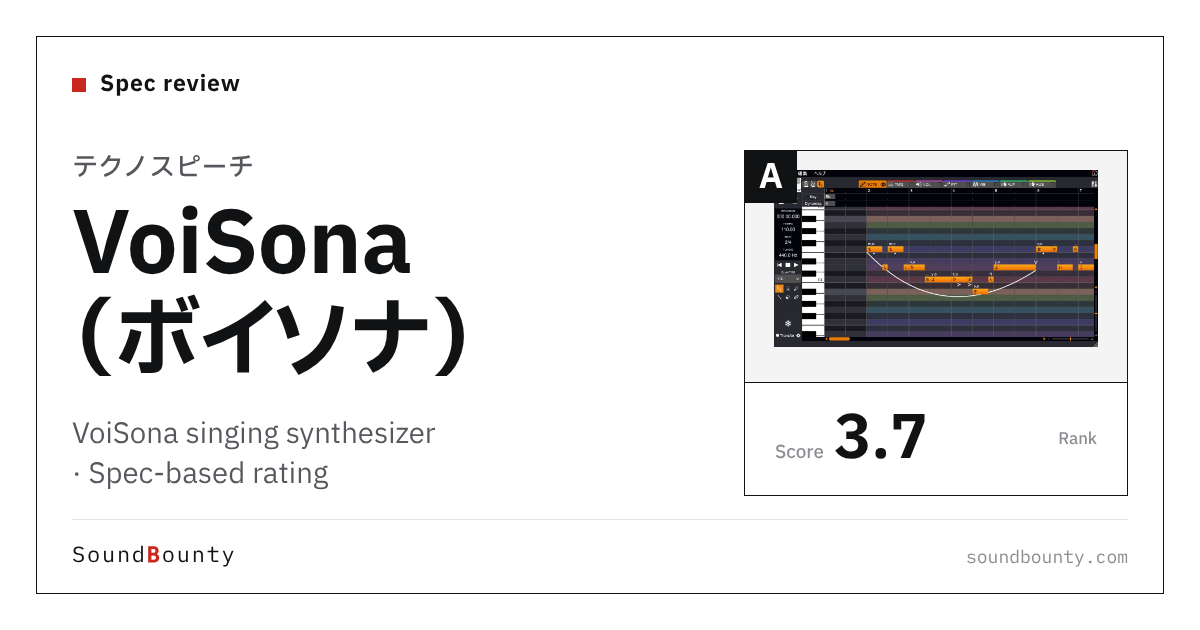
Techno-Speech’s VoiSona is a singing program that reproduces how a person sings with AI. The editor is free and voice libraries are sold separately (even before buying, you can try the first 10 seconds of a song). It works on Windows, Mac, iPhone and iPad.
A singing synthesizer is a tool that sings for you when you enter lyrics and a melody on a computer.
In this article we compare VoiSona with 7 singing synthesizers and rate how well it serves its purpose on three criteria. The basis is official manufacturer information.
Disclosure: This article contains affiliate links. If you buy through them, SoundBounty may earn a commission at no extra cost to you. Prices and sale information are as of the date we checked them and can change.
Score 3.7 / 5 (average of the 7 products compared: 3.4)
- Specs last checked
- 2026/09/27
- AI features
- AI singing
- Languages
- 3 languages
- Where you can use it
- Win, Mac, iOS, plug-in
- Price (store, date)
- Not listed
Image: from the VoiSona official website (product image)
Summary
Among the 7 singing synthesizers, VoiSona is rank A. The ranks run S, A, B and C, and A is second from the top. Averaging the scores for the three criteria (out of 5) gives 3.7.
Strengths
- Where you can use it (5 points): you can use it on many kinds of computers and environments.
Who it suits: people who want to try it first with the free editor, and people who also want to make music on an iPhone or iPad.
Main features of VoiSona
An AI singing program you can start for free
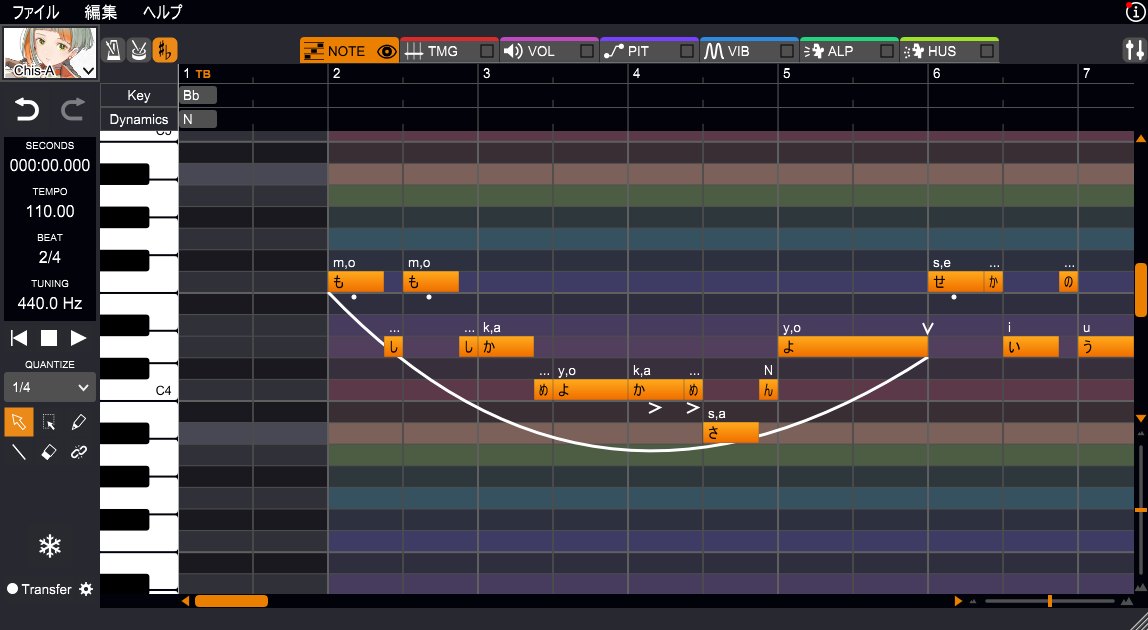
VoiSona is a singing program that reproduces how a person sings with AI, and its editor is released for free. Even before buying a voice library, you can have it actually sing and try the first 10 seconds of a song. The default voice library is Chis-A, a gender-neutral voice.
Works on computers and on iPhone and iPad
The PC edition works on Windows and macOS and can be used inside a DAW as a VSTi or AU plug-in. There are also iOS and iPadOS editions, which can be used standalone or as plug-ins (AU) in apps such as GarageBand, Logic Pro and Cubasis.
Voices for several languages
With the voices that support several languages, you can choose Japanese, English or Chinese and have them sing.
Adjust how it sings phoneme by phoneme
You can have it sing just by putting notes and lyrics on a piano roll, and you can also load MIDI and MusicXML files. You can shift the timing of each phoneme (vowel or consonant) of the lyrics forward or back, and draw by hand pitch, volume, vibrato, voice quality and huskiness while looking at the lines the AI produced. A style of singing that drops vowels, and falsetto, can also be reproduced by putting symbols in the lyrics.
Where it is useful
- Trying an AI singing voice with the free editor
- Having a voice sing in GarageBand on an iPad
- Making the vocal of an original song inside a DAW
Rating by criterion
AI features: 3 / 5
We look at AI singing and the features that support it (remaking how it sings, importing your own voice, choirs and so on).
It is a singing program that reproduces how a person sings with AI.
Languages it can sing: 3 / 5
We look at the number of languages it can sing.
With the voices that support several languages, you can choose Japanese, English or Chinese and have them sing (official manual).
Where you can use it: 5 / 5
We look at how wide the range of environments is, such as Windows, Mac, phones and DAW plug-ins.
It supports Windows, macOS, iOS and iPadOS, and can be used inside a DAW as a VSTi or AU plug-in.
How we score (Singing synthesizers)
| Criterion | Basis | 5 pt | 4 pt | 3 pt | 2 pt | 1 pt |
|---|---|---|---|---|---|---|
| AI features | AI singing and the features that support it (regenerating how it sings, importing your own voice or singing style, choirs and so on) | AI singing plus two or more support features | AI singing plus one support feature | AI singing | — | No mention of AI |
| Languages it can sing | Number of languages it can sing (as stated officially) | 6 or more languages | 4 to 5 languages | 2 to 3 languages | Japanese only | — |
| Where you can use it | Which of Windows, Mac, phones and tablets, and DAW plug-ins it supports | All four | Three | Two | One | — |
Each criterion is scored from 1 to 5 on how well the product serves one goal: making a singing voice from a melody and lyrics. Scores follow the conditions in the table above. They are criteria chosen to match common searches about AI, singing in English, and whether it works on a Mac or a phone. The basis is official manufacturer information (official sites and manuals) and the Plugin Boutique product page. How natural the voice sounds has not been compared by ear, so it is not scored. Price and the number of voices are not part of the score. Features that cannot be confirmed from the manufacturer's or a retailer's description are scored as if absent.
VoiSona system requirements and getting started
| Operating system | Windows / Mac / iOS and iPadOS |
|---|---|
| Plug-in formats | VSTi, AU |
| Standalone | Yes |
| Free version | The editor is released as a free version (voice libraries are paid; before buying you can try the first 10 seconds of a song) |
Checked on the manufacturer’s official pages on September 27, 2026.
Compared with other singing synthesizers
Click a heading to sort. On a phone, the table scrolls sideways.
| Product | RankAvg. score | AI features | Languages | Where you can use it | Free | Price (store, date) |
|---|---|---|---|---|---|---|
| DreamtonicsSynthesizer V Studio 2 Pro | S 4.7 | AI singing + regeneration and more | 6 languages | Win, Mac, plug-in | — | $99 (sale; regular $377) [PB, checked Oct 26] |
| YamahaVOCALOID6 | A 4.0 | VOCALOID:AI + import and more | 3 languages | Win, Mac, plug-in | — | $225 [PB, checked Oct 26] |
| ACE StudioACE Studio 2.0 Artist | S 4.7 | AI singing + voice cloning, choir | 8 languages | Win, Mac, plug-in | — | $398 [PB, checked Oct 26] |
| Techno-SpeechVoiSona | A 3.7 | AI singing | 3 languages | Win, Mac, iOS, plug-in | — | Not listed |
| CeVIOCeVIO AI | C 2.3 | AI singing | Japanese | Windows only | — | Not listed |
| STUDIO NEUTRINONEUTRINO | B 2.7 | AI singing | Japanese | Win, Mac | Free | Not listed |
| CeVIOCeVIO Creative Studio | C 1.7 | No AI stated | Japanese | Windows only | — | Not listed |
Features checked on each manufacturer's official website on September 27, 2026. Check the store page behind the buy button for the price.
Read next
- VOCALOID6: features and rating (rank A)
- Synthesizer V Studio 2 Pro: features and rating (rank S)
- ACE Studio 2.0 Artist: features and rating (rank S)
- CeVIO AI: features and rating (rank C)

Comments