
Disclosure: This page may contain affiliate links. Prices were checked on the date shown and may change.
An introduction to BFD BFD 3.5, based on information from the maker and distributors: what it does, how to use it and who it may suit. It is not scored.
What is BFD 3.5?
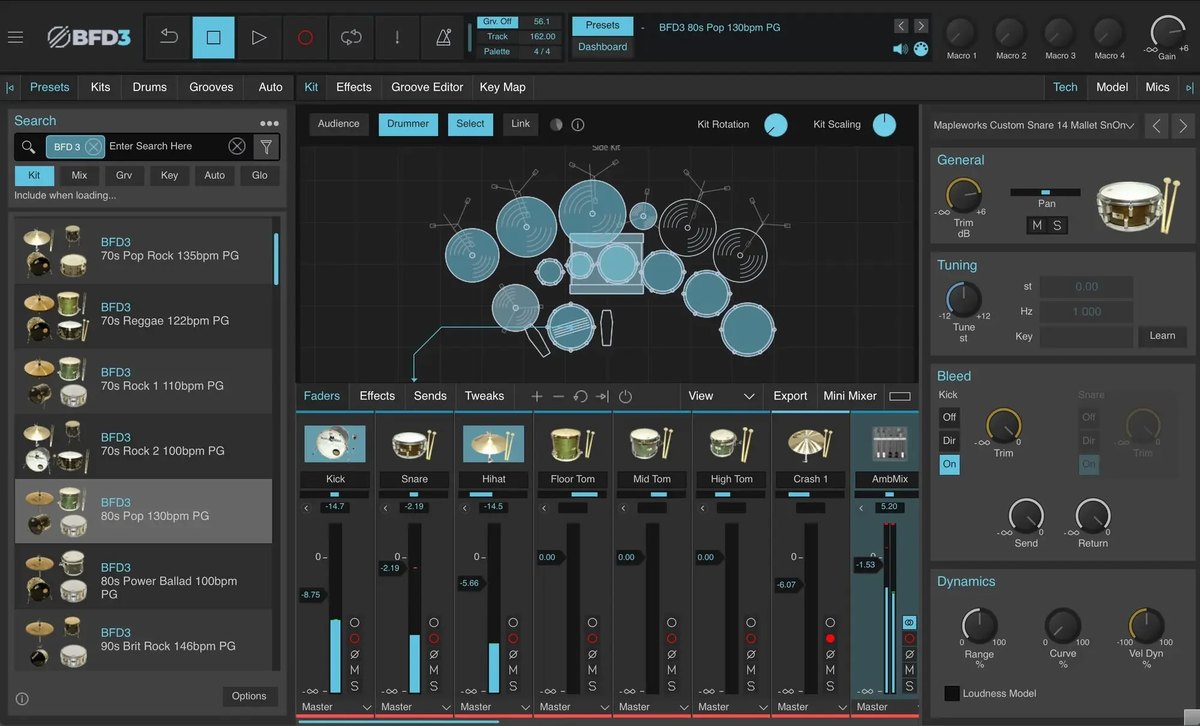
BFD 3.5 is an acoustic drum instrument from BFD. You can pick kits and shape the sound by retuning, damping and mixing several microphones (per the manufacturer).
A built-in groove section lets you use performance patterns and edit them. Check supported operating systems and free disk space on the product page before buying.
Key features
Shape the kit and the mics
Browse presets or build custom kits, and adjust tuning, damping and multi-mic mixing (per the manufacturer).
Modeled tom resonance and bleed
Tom resonance and mic bleed are modeled to blend the kit together (per the manufacturer).
Groove section
Play session-drummer patterns and edit or create your own (per the manufacturer).
After you buy: installation and activation
This is the general flow for products bought at Plugin Boutique. Activation differs by product (serial number, a manufacturer account, iLok and so on), so check the instructions in your library after purchase.
- Log in to your Plugin Boutique account and find the product in “Library”.
- Download the installer (you can switch between the Windows and Mac versions). Depending on the product, you also get a serial number, an unlock code or a key file.
- Product-specific steps are under “…” → “Installation Instructions” next to the product in your library, and also near the bottom of the product page.
Price
Please check the official page for the price.
See BFD 3.5 on the product page
More of the same kind
We have introduced 7 drum instruments. Here are some of the others.
- UJAM Virtual Drummer PHAT 2
- AudioThing Orbita
- D16 Group PunchBox 2
- AudioThing Hand Clapper
- Celemony Tonalic
We have introduced 1 other product from BFD.
For a side-by-side comparison scored on the same criteria, see our comparison of drum instruments.
See the full list in Product database: Instruments.
Sources: pluginboutique.com help.pluginboutique.com support.pluginboutique.com (checked 2026-11-15)










Comments