
Disclosure: This page may contain affiliate links. Prices were checked on the date shown and may change.
An introduction to Cat Psychedelia Purrigee, based on information from the maker: what it does, how to use it and who it may suit. It is not scored.
Purrigee — a drone reverb that hovers
— Cat Psychedelia official site
What is Purrigee?
Purrigee is a reverb plug-in released on November 6, 2026 by Cat Psychedelia, an individual plug-in brand from Japan. It is free to get on a name-your-price basis and is designed around one job: stretching played notes into pads and drones, which are sustained sounds that keep ringing without a break.
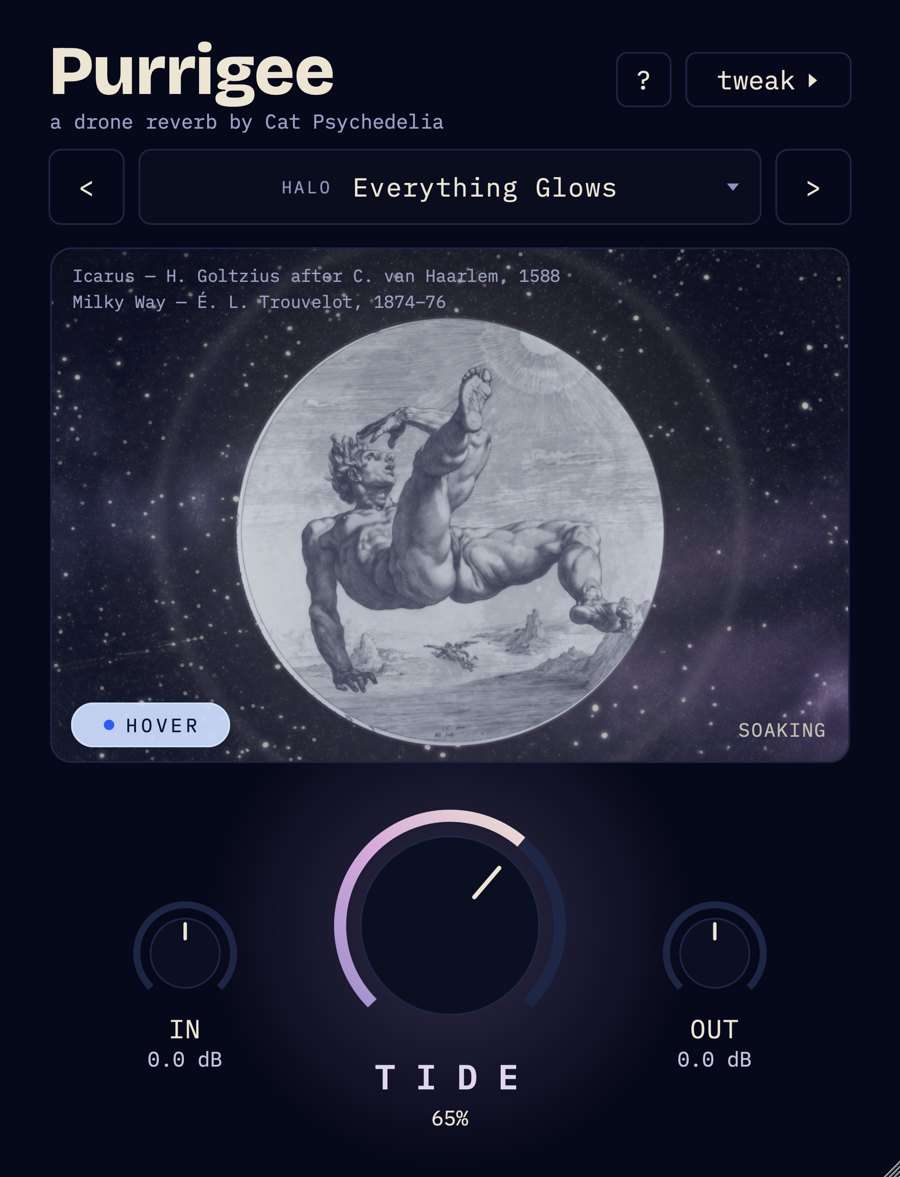
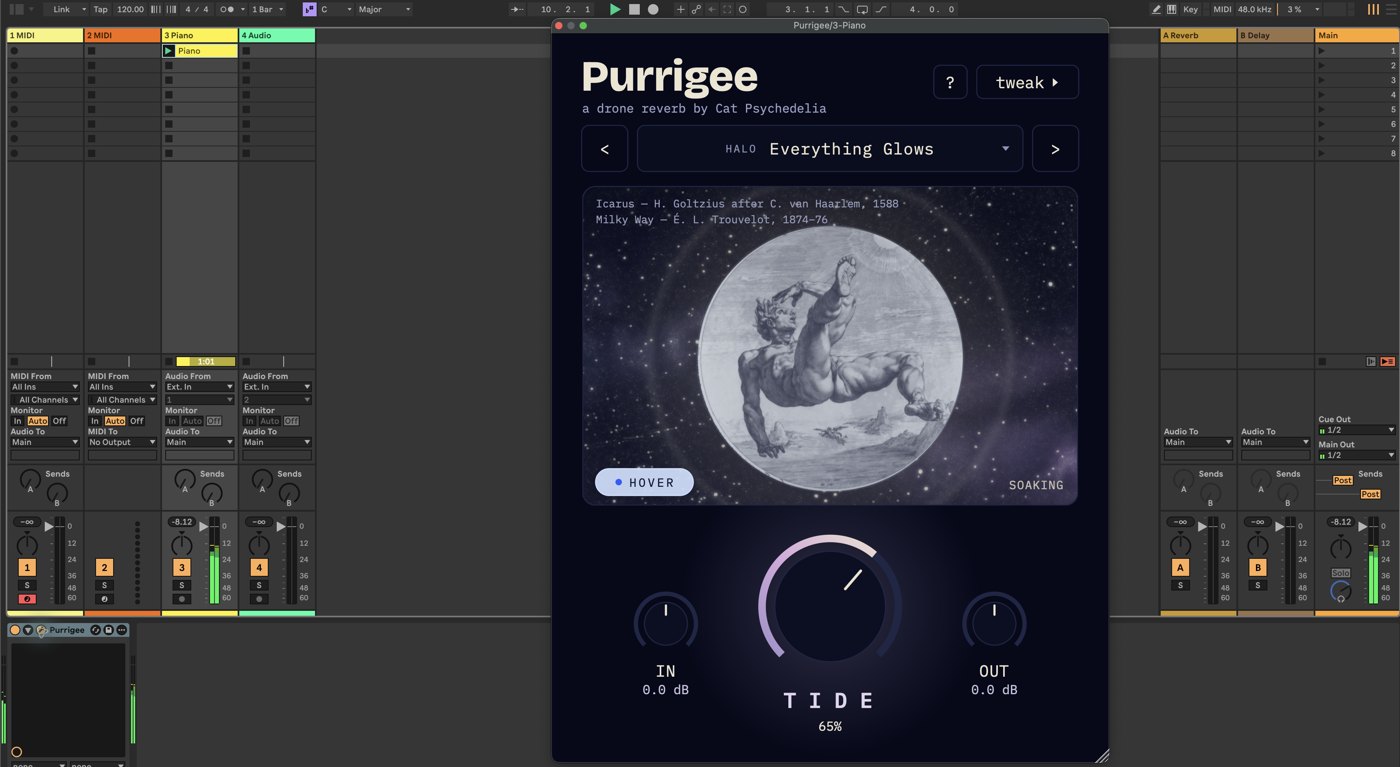
The key feature is HOVER. When it is on, the reverb barely fades while you play and new notes gradually stack on top. After you stop playing, the sound keeps floating for a few seconds and then fades slowly. With HOVER off, it behaves like an ordinary reverb. You can play a chord once, release it, and let the tail stay in the air.
How strongly the effect applies is set by one large knob called TIDE. At 0 the dry signal passes through unchanged. Turning it up makes the reverb deeper, and past the middle the dry level is kept while only the reverb gets denser. The developer says it was designed so you can start in three steps: insert it, pick a preset and turn TIDE.
There are 24 presets in four groups. For finer control, the tweak panel at the top right opens decay (reverb length), tone, shimmer and hold. It runs as AU and VST3 on Mac (Apple Silicon and Intel) and as VST3 on Windows, with no account, authentication or internet connection required.
Key features
HOVER keeps the sound floating
When on, the plug-in alternates between holding the tail and briefly taking in new sound. After you stop playing the tail floats for a few seconds and then fades over roughly twice the decay time. With HOVER off it is an ordinary reverb.
One big knob: TIDE
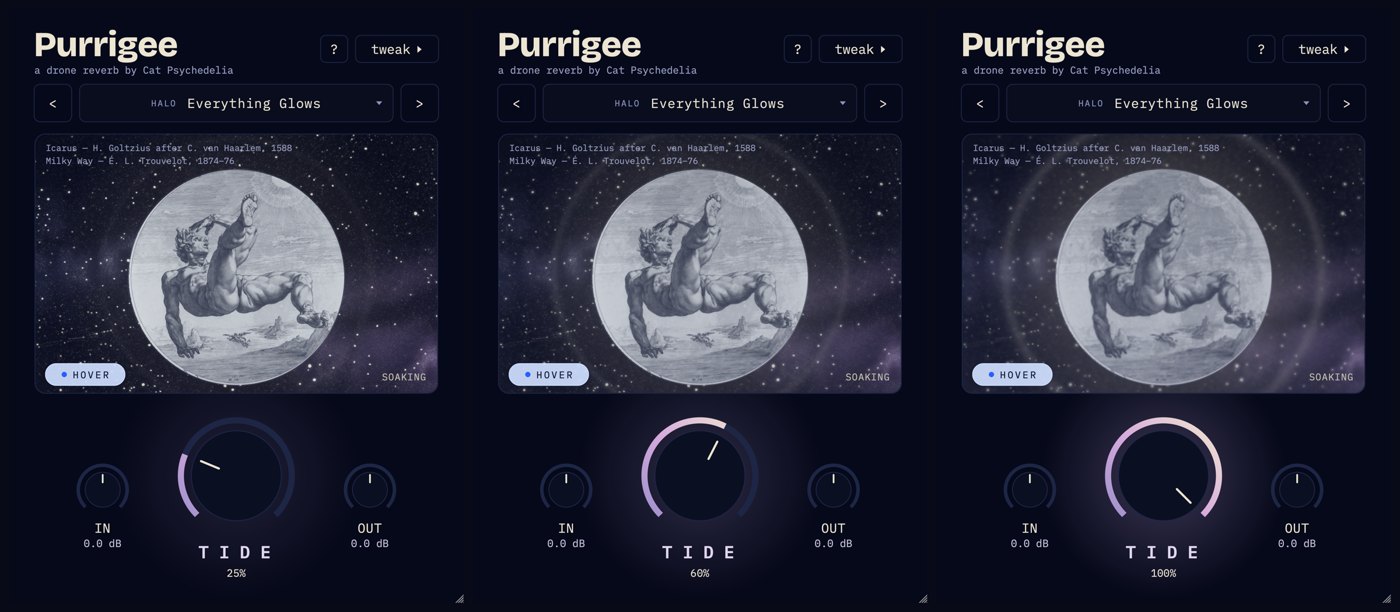
At 0 the sound is dry, and turning up adds more reverb. Up to the middle the reverb is blended in gradually; above the middle the dry level is held while only the reverb gets denser. With HOVER on, a higher TIDE lengthens the hold and thickens the drone.
24 presets in four groups
DUSK is a short room, HALO a medium glowing tail, PERIGEE a long dark drone and LUNACY a tail whose pitch slowly wobbles. HOVER on or off and the hold time are set per preset, and settings not shown on the knobs, such as modulation and diffusion, are stored in each preset.
Fine control in the tweak panel
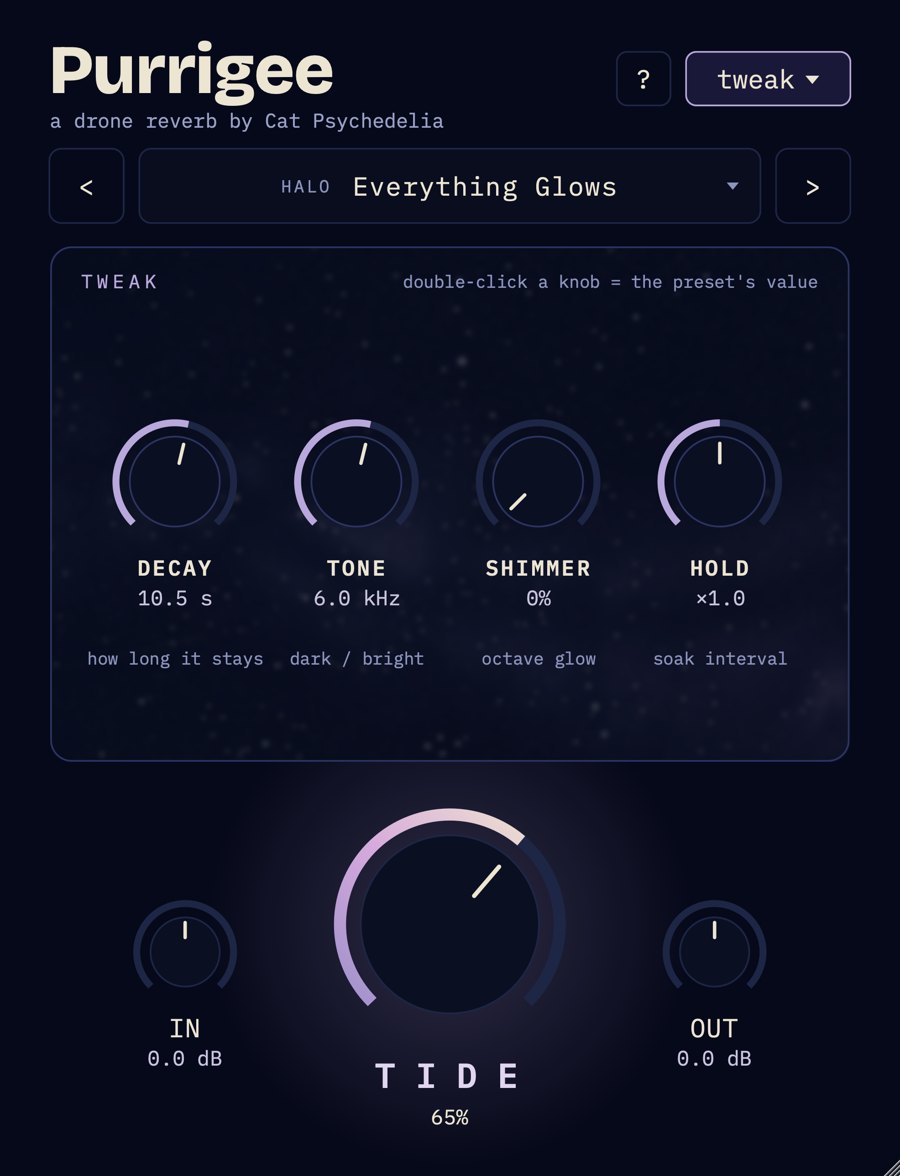
The four controls are DECAY (reverb length, 1.5 to 30 seconds), TONE (brightness of the reverb), SHIMMER (adds sparkle one octave up) and HOLD (the interval at which HOVER takes in new sound). Double-clicking a knob returns it to the preset value.
Input and output gain, plus a status readout
Input and output gain (plus or minus 24 dB) sit on either side of TIDE and do not change when you switch presets. The lower right of the screen shows AWAKE, HOLDING, SOAKING or FALLING so you can see what the tail is doing.
Quiet preset changes and low load
When you switch presets the old tail is cleared in 0.25 seconds before the next one starts, so no noise should appear at the moment of switching, according to the developer. Once sound stops and the tail has died away, processing rests and CPU load drops to almost zero. The window can be resized between 75 and 200 percent.
In-house reverb engine
The reverb engine is NEBULA, an in-house design shared with the brand's Mewlure and built from a diffusion stage plus an FDN. Before release it was run through 37 automated tests, the strictest setting of the pluginval validation tool and Apple's AU validation (auval), according to the developer.
Video: from the official Cat Psychedelia YouTube channel
Specifications
| Item | Details |
|---|---|
| Type | Reverb for drones, with a HOVER function |
| Developer | Cat Psychedelia |
| Release date | November 6, 2026 |
| Formats | AU and VST3 (macOS), VST3 (Windows) |
| Supported OS | macOS 11 or later (Apple Silicon and Intel), Windows 10 and 11 (64-bit) |
| Presets | 24 (four groups) |
| Decay | 1.5 to 30 seconds |
| Input and output gain | Plus or minus 24 dB |
| Window size | 75 to 200 percent |
| Account and internet | Not required |
| Price | Free (name your own price, from $0) |
What is included and system requirements
- Formats: AU and VST3 for macOS (installer signed and notarized by Apple), VST3 for Windows
- 24 presets (DUSK 6, HALO 6, PERIGEE 6, LUNACY 6)
- How to get it: enter 0 in the price field on the product page (Gumroad) and download
How to use it
- Open the product page (Gumroad, in English) and enter 0 in the price field (Name a fair price). You can enter any amount if you want to support the developer.
- Press I want this! and enter your email address.
- Download the file from the screen or from the email you receive.
- On Mac, open the installer (.pkg). On Windows, unzip the file and copy Purrigee.vst3 into C:\Program Files\Common Files\VST3.
- Rescan plug-ins in your DAW and insert Purrigee by Cat Psychedelia on a track.
- Choose a preset that suits the source. The default is HALO, Everything Glows.
- Turn TIDE to set the depth, and turn it back down if it sounds too heavy.
Where it may come in handy
Intros, outros and transitions
The developer suggests opening a song by letting the first chord float, or letting the last chord fall slowly instead of fading out. Leaving the previous chord hanging in the air may also help you move to the next section without a silent gap.
Backgrounds for ambient, shoegaze and dream pop
It is described as suited to building thick layers from a single guitar or piano. If you want a swaying tail, the LUNACY presets may be worth trying.
Looping and live streaming
The developer describes leaving a played chord in the background and layering a melody over it.
Game and film music, and sketching ideas
The developer notes that you can build an unobtrusive sustained background from a single instrument, and set the mood of a piece by letting one chord float.
Who it may suit
- People who want to build pads and drones from a single chord
- People who want a floating tail for ambient, dream pop or shoegaze
- People who find reverb settings hard and mostly use presets
- People who want the tail after playing to be part of the music
Good to know before you buy
- The developer says it is not meant for people who want to build every parameter by hand, or who only want a transparent, uncolored room sound.
- The presets are deliberately set on the strong side. If it sounds too heavy, turn TIDE down.
- For sources you do not want to sustain, such as vocals and drums, turn HOVER off and use it only to add length.
- The product page is on Gumroad. Enter 0 in the price field to get it, or pay any amount you like as a tip.
Price
Free to use (Cat Psychedelia official site, checked 2026-11-09).
Name your own price, starting from $0.
See Purrigee on the product page
More of the same kind
We have introduced 112 reverbs. Here are some of the others.
- Solid State Logic SSL Native FlexVerb
- LANDR VoxVerb
- sonible pure:verb
- NUGEN Audio Paragon ST
- McDSP Revolver Native v7
- Waves Atlas Reverb
For a side-by-side comparison scored on the same criteria, see our comparison of reverbs.
See the full list in Product database: Effects.
Sources: catpsychedelia.gumroad.com (checked 2026-11-09)









Comments