
Disclosure: This page may contain affiliate links. Prices were checked on the date shown and may change.
An introduction to HeadRush ReValver Suite, based on information from the maker and distributors: what it does, how to use it and who it may suit. It is not scored.
What is ReValver Suite?
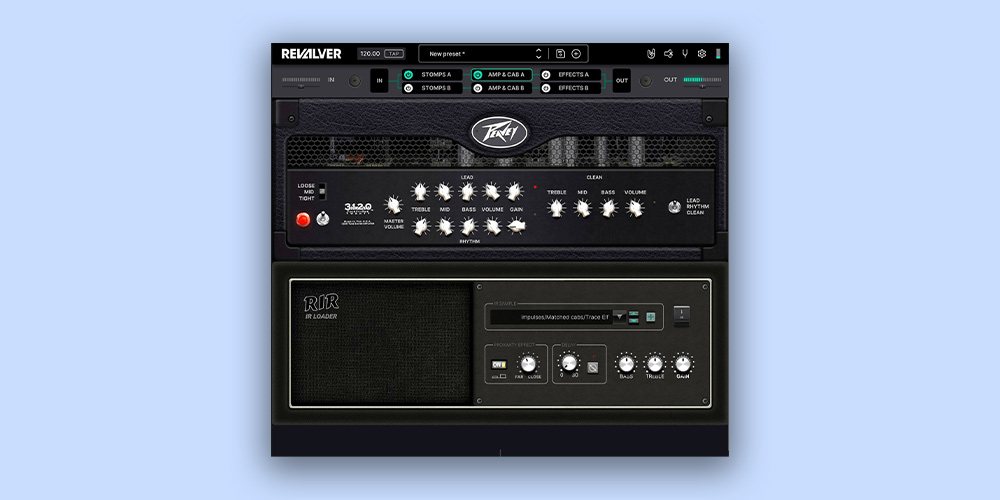
ReValver Suite is amp modeling and capture software from HeadRush. According to the official page, it bundles ReValver 5.1, an amp, cabinet and effects modeler, with ReValver Amp Cloner 1.0, which captures gear.
Amp Cloner can capture guitar and bass amps, preamps, and distortion, overdrive and fuzz pedals, using HeadRush's ACT Gen II technology.
SuperClones combines several clones into one model, and the Gain knob moves between them. Captured clones load into ReValver 5.1 and some HeadRush hardware.
A guided wizard walks through connecting, cloning, dialing in and saving, so the flow is easy to follow for newcomers to capturing.
Key features
Capturing with Amp Cloner
It captures guitar and bass amps, preamps and pedals, which may help recreate gear you own in software.
SuperClones
Several clones can be merged into one, with the Gain knob moving between them, even across different amps.
ReValver 5.1 modeling
The plugin provides amp, cabinet and effects models, so you can shape tone without capturing.
Cabinet replacement
A captured cabinet can be replaced with RIR, RIR2 or third-party IRs, and SAG, PRESENCE and CHUG controls are provided.
Cloud library
Clones made by HeadRush and the community are available, so you can try them without capturing yourself.
Specifications
| Item | Details |
|---|---|
| Contents | ReValver 5.1 + ReValver Amp Cloner 1.0 |
| Formats | VST 2.4 / VST3 / AAX (AU also on Mac) / standalone |
| OS | Windows 10 21H2 or later / macOS 13.0 or later (Intel and ARM, 64-bit) |
| System | 64-bit CPU with SSE2, 2 GB RAM, 700 MB disk space |
What is included and system requirements
- ReValver 5.1 (amp, cabinet and FX modeling)
- ReValver Amp Cloner 1.0 (gear capture)
- SuperClones feature
- Free Amp Cloner Player for opening clones
How to use it
- Install ReValver Suite and activate the license.
- Connect an audio interface and the gear you want to capture.
- Follow the Amp Cloner wizard to connect and capture.
- Adjust the captured sound, including SAG, PRESENCE and CHUG.
- Save the clone and load it into ReValver 5.1.
- Use it as a DAW plugin or in standalone mode.
Where it may come in handy
Recording your own amp
You may capture an amp or pedal you own and recall it later in a DAW.
Blending amps
SuperClones may let you move between different amps' sounds.
Working with HeadRush gear
Captured clones may be carried to HeadRush hardware.
Who it may suit
- Players who want their own gear in software
- Those interested in amp and pedal capture
- Owners of HeadRush hardware
Good to know before you buy
- Capturing requires an audio interface that can connect to the gear.
- ARM-based Windows tablets are listed as unsupported on the official page.
Price
Please check the official page for the price.
See ReValver Suite on the product page
More of the same kind
Other introduction articles of the same kind.
- Waves LoAir
- Boz Digital Labs Little Foot
- Leapwing Audio Joe Chiccarelli
- Waves Abbey Road Vinyl
- Waves OneKnob Brighter
- Blue Cat Audio Blue Cat's Remote Control
See the full list in Product database: Effects.
Sources: revalver.headrushfx.com pluginboutique.com (checked 2026-10-27)










Comments