
Disclosure: This page may contain affiliate links. Prices were checked on the date shown and may change.
An introduction to Waves OneKnob Brighter, based on information from the maker and distributors: what it does, how to use it and who it may suit. It is not scored.
OneKnob Brighter boosts high-frequencies intelligently, by varying level and frequency.
— Waves official site
What is OneKnob Brighter?
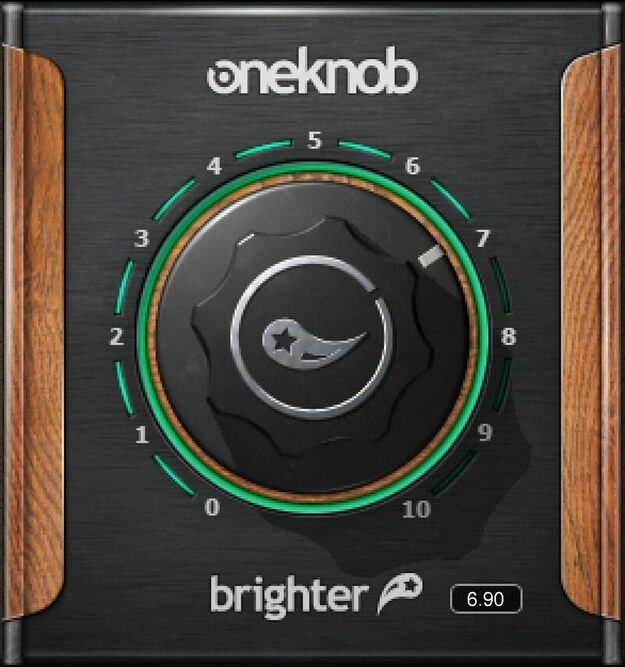
OneKnob Brighter from Waves adds brightness and air with a single knob. The sales page says it boosts high frequencies by varying level and frequency together to optimize the psychoacoustic brightness effect.
Several things happen behind the big knob: turn it fully up for air, pull back for shine, or use lower settings for subtle enhancement.
Suggested uses include more intelligible vocals and narration, fixing muddy mixes, and drums and cymbals that sizzle.
It can bring instruments forward without raising their levels, and the page stresses the faster workflow of a one-knob solution.
Key features
Level and frequency together
Turning the knob changes both the boost and the frequency, designed to optimize perceived brightness.
Intelligibility of voices
It is suggested for vocals and narration, and may be worth trying on streaming or video voices.
Brightness without harshness
It aims to add a bright, clear quality to any track without harshness.
Fixing muddy mixes
It is suggested for fixing muddy mixes with an intelligent high-end boost.
Forward without level
Instruments can be brought forward without raising their levels, which may help drums and cymbals sizzle.
Specifications
| Item | Details |
|---|---|
| Type | High-end enhancer (EQ) |
| Control | One knob |
| Mac | macOS Monterey 12 to Sequoia 15, VST, AU, AAX |
| Windows | Windows 10 or later, VST, AAX |
| List price | $49 (Plugin Boutique) |
What is included and system requirements
- OneKnob Brighter
- Formats: Mac VST/AU/AAX; Windows VST/AAX
- Requirements: macOS Monterey 12, Ventura 13, Sonoma 14, Sequoia 15 (VST, AU, AAX); Windows 10 or later (VST, AAX)
How to use it
- Create a Waves account, or log in if you already have one.
- Register the serial number shown in your Plugin Boutique account under Register New Products in your Waves account.
- Download, install and log in to the Waves Central app.
- In the Install Products tab, choose the product and click Install & Activate.
- Open your DAW and load the Waves plug-in from the plug-in list.
- Insert it on a track that needs brightness.
- Raise the knob gradually and listen to the top end.
- Compare on and off to avoid overdoing it.
Where it may come in handy
Voice and narration
It may help raise intelligibility.
Drums and cymbals
It may be worth trying for snap and shine.
Whole mix
It may be a quick way to ease a muddy feel.
Who it may suit
- People who want a quick top-end adjustment
- People who want clearer voices
- People who find detailed EQ settings daunting
Good to know before you buy
- A Waves account and installation via Waves Central are required.
- The list price is the strike-through price on the sales page.
How it differs from similar products
We do not pick a winner; the official figures are placed side by side.
Waves OneKnob Phatter
Both are single-knob designs; Brighter handles the high end and Phatter the low end.
Price
$49 (Plugin Boutique, checked 2026-10-27). Prices can vary by region and promotion, so check the official page before buying.
See OneKnob Brighter on the product page
More of the same kind
Other introduction articles of the same kind.
- LEWITT Space Replicator
- UJAM UFX LOFI
- Eventide H949 Harmonizer
- NUGEN Audio Halo Downmix with 3D Immersive Extension
- LEWITT Space Replicator Free
- W. A. Production KickShaper
We have introduced 215 other products from Waves.
- Waves Center
- Waves TRACT System Calibration
- Waves CLA MixDown
- Waves Submarine
- Waves NLS Non-Linear Summer
See the full list in Product database: Effects.
Sources: pluginboutique.com (checked 2026-10-27)










Comments