
Disclosure: This page may contain affiliate links. Prices were checked on the date shown and may change.
An introduction to Rhodes V-Pan, based on information from the maker and distributors: what it does, how to use it and who it may suit. It is not scored.
This cutting-edge plugin brings the power of the Vari-Pan effect to your fingertips, allowing you to enhance any instrument within your preferred DAW.
— Rhodes official site
What is V-Pan?
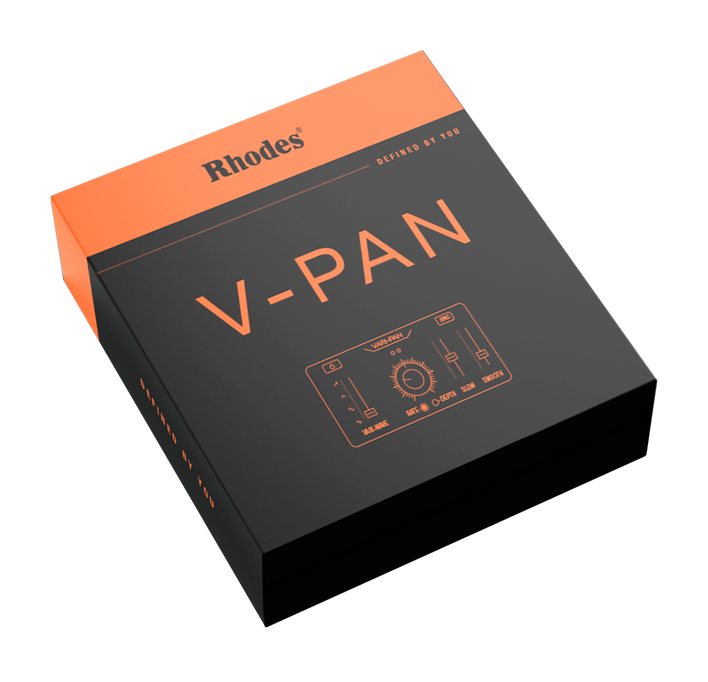
V-Pan is an auto-panner plugin modeled on the Vari-Pan circuit of the Rhodes MK8 piano. It moves a sound between left and right to add motion and depth to keyboards, synths, guitars or vocals.
The official page says Rhodes introduced a vibrato-style stereo panning effect on its suitcase piano in the 1970s. V-Pan carries that line of work into the Vari-Pan circuit and makes it available for other instruments in a DAW.
A continuously variable waveform is a main feature. The rate range runs from very slow up into audio rates for synth-like and ring-mod-like effects, and the depth control is described as deep.
It has left/right panning LEDs, a parameter readout, Slew and Smooth controls for shaping the waveform, and BPM sync. The page recommends headphones to hear the full panning effect.
Key features
Modeled on the MK8 Vari-Pan
It is modeled on the Vari-Pan circuit of the Rhodes MK8 hardware and can be applied to instruments other than piano.
Continuously variable waveform
The shape of the panning waveform can be varied continuously, so the movement can be set in detail.
Wide rate range
The rate runs from very slow up to audio rates. At fast settings the page says it gives synth-like and ring-mod-like effects.
Depth, Slew and Smooth
Depth sets how deep the effect is, and Slew and Smooth shape the waveform edges and smooth the movement.
BPM sync
The panning can follow the tempo of the song, which may help when making rhythmic movement.
LEDs and value readout
LEDs show left/right panning and a readout shows parameter values, so you can check the movement visually while adjusting.
Specifications
| Item | Details |
|---|---|
| Type | Auto-pan / stereo panning plugin |
| Mac | macOS Big Sur (11) to Sonoma (14), Intel and Apple Silicon; VST2, VST3, AU, AAX |
| Windows | Windows 10 to 11; VST2, VST3, AAX |
| RAM | 8 GB minimum |
| Disk space | 1.2 GB |
| Display | 1280 x 960 minimum, UI resizable |
| Internet | Required |
| Current version | 1.1.0 (official download page) |
What is included and system requirements
- The plugin
- Mac: VST2 / VST3 / AU / AAX
- Windows: VST2 / VST3 / AAX
- User manual and installation guide are linked on the official page
- CodeMeter is installed (for license management)
How to use it
- Choose the Windows or Mac installer on the official download page.
- Run the installer (CodeMeter is installed along with it).
- Make sure CodeMeter is running in the background.
- Insert V-Pan on a track in the DAW where you want the panning.
- Start with a slower rate and choose a waveform.
- Set the depth.
- Shape the movement with Slew and Smooth.
- Turn on BPM sync if needed and check on headphones.
Where it may come in handy
Space for keys and electric piano
The page describes adding motion to Rhodes-style keys and synths. It may be worth trying on an electric piano track.
Texture for guitars and FX
Adding unusual texture to guitars and giving FX sounds a floating quality are listed uses.
Seasoning for vocals
Giving vocals a distinctive movement is mentioned on the page. Checking on headphones seems sensible.
Who it may suit
- People who want to add auto-pan movement to keys or synths
- People who want to try Rhodes-style stereo panning
- People who also want ring-mod-like effects at fast rates
Good to know before you buy
- CodeMeter is used for license management and must be running in the background.
- An internet connection is listed as required.
- The Plugin Boutique page notes a known issue where Rhodes software does not work with GarageBand on Intel Macs.
- Please check the store page.
Price
Please check the official page for the price.
More of the same kind
Other introduction articles of the same kind.
- Sonarworks SoundID VoiceAI K-pop voices
- Waves Torque
- NUGEN Audio NUGEN Audio Monofilter Elements
- Waves Magma StressBox
- W. A. Production Biggifier by Aden
- Waves Nx Ocean Way Nashville
We have introduced 2 other products from Rhodes.
See the full list in Product database: Effects.
Sources: rhodesmusic.com pluginboutique.com (checked 2026-10-27)










Comments