
Disclosure: This page may contain affiliate links. Prices were checked on the date shown and may change.
An introduction to W. A. Production BeatQuake, based on information from the maker and distributors: what it does, how to use it and who it may suit. It is not scored.
BeatQuake is the characterful sonic toolkit you've been waiting for, ready to shake your music to the core.
— W. A. Production official site
What is BeatQuake?
BeatQuake is a multi-FX for beats that W. A. Production made with award-winning sound engineer Emrah Celik. It is introduced as a toolkit meant to tighten kicks and add punch to snares.
Celik is said to work on more than 300 productions a year including drum mixing, and that experience is described as poured into the algorithms. Psychoacoustic filtering is combined with carefully tuned tonal controls.
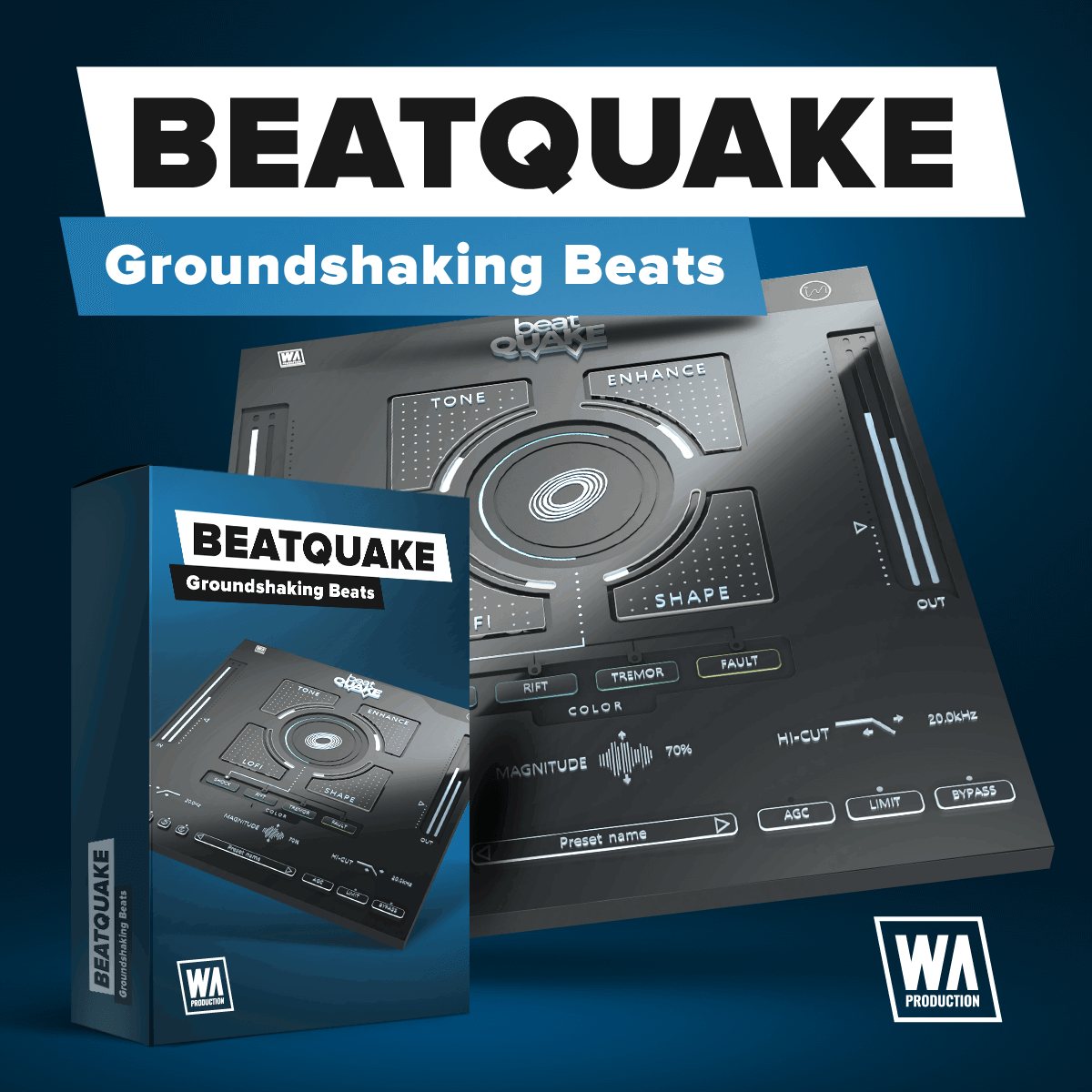
Operation centers on four knobs (Tone, Enhance, Lofi and Shape) and four color modes (Shock, Rift, Tremor and Fault). Each knob has 100 discrete points, and combining them is described as producing a wide variety of tones.
The official page says it also works on bass lines, pads and vocals, not just drums. A resizable interface, A/B comparison, undo/redo, AGC and a limiter are included for checking and adjusting.
Key features
Tone
A control inspired by Pultec-style EQs and a modern multiband exciter that adds warmth and harmonic enhancement. It is described as making a V-shaped balance with one knob.
Enhance
A knob that boosts attack power and aggression and adds sub-harmonic low-end weight. It may be worth trying when you want more presence in kicks.
Lofi
Adds the texture of 12-bit samplers with a single knob, suited to a modern lo-fi feel.
Shape
Combines inflation with a high-quality compressor algorithm. It is described as useful for 808s and highly dynamic material.
4 color modes
Shock punches up attack while keeping the low end clean, Rift stretches sustain for a gritty texture, Tremor adds strong low-end power, and Fault enhances above 60Hz for a clean gain boost. They are described as developed over two years.
Monitoring and comparison tools
Input/output faders, A/B comparison with copy/paste, undo/redo, an AGC button and a limiter. They may help when you want to compare without being misled by level differences.
Preset manager
Presets for drums, percussion and breakbeats plus snapshot management are included. You can also save and categorize your own settings.
Specifications
| Item | Details |
|---|---|
| Maker | W. A. Production |
| Type | Multi-FX for beats |
| Developed with | Emrah Celik |
| Knobs | Tone / Enhance / Lofi / Shape (100 points each) |
| Color modes | Shock / Rift / Tremor / Fault |
| Formats | VST, VST3, AU, AAX (Intel and Apple Silicon) |
| OS (Windows) | Windows 8 or higher (64-bit) |
| OS (Mac) | macOS 10.10 or higher (64-bit) |
| Pro Tools | Pro Tools 11 or higher (AAX) |
| Included | PDF manual, tutorial video |
What is included and system requirements
- BeatQuake plugin
- Presets and snapshot manager
- PDF manual
- Tutorial video
- Formats: VST / VST3 / AU / AAX
How to use it
- After purchase, register the license and install the installer for your OS.
- Insert BeatQuake on a drum track or drum bus in your DAW.
- Choose a color (Shock, Rift, Tremor or Fault) with the central control.
- Move Tone, Enhance, Lofi and Shape one at a time and listen to the changes.
- Use AGC to even out level differences and compare before and after.
- Use A/B comparison to switch between two different settings.
- If clipping is a concern, use the built-in limiter.
- Save settings you like as presets.
Where it may come in handy
Giving kicks and snares character
You may insert it on a drum bus and switch the color modes to compare how attack and low end come out.
Controlling 808s and bass
The Shape knob is described for 808s and highly dynamic material. It may be worth trying when looking for stability in a bass line.
Lo-fi beat texture
The Lofi knob could be used to add a 12-bit sampler-style texture.
Finishing pads and vocals
Because it is said to work beyond drums, you could also move Tone slightly to explore the overall tilt.
Who it may suit
- Those who want to shape beat low end and punch with few controls
- music production producers making hip-hop or EDM-style drums
- Those who struggle with handling 808s and bass
- Those who want to decide direction quickly with presets and color modes
Good to know before you buy
- The prices shown on Plugin Boutique and the official site differ; please check both before purchase.
- The official site has a demo button (Try demo).
- Formats are VST / VST3 / AU / AAX, listed as supporting both Intel and Apple Silicon.
- The official site may show time-limited pre-sales.
How it differs from similar products
We do not pick a winner; the official figures are placed side by side.
W. A. Production SphereQuad
BeatQuake is a multi-FX for shaping beats with Tone, Enhance, Lofi, Shape and color modes. SphereQuad is a moving effect combining flanger, phaser, chorus, filters and a 16-step sequencer.
Price
Please check the official page for the price.
See BeatQuake on the product page
More of the same kind
Other introduction articles of the same kind.
- UJAM Finisher RETRO
- AudioThing Frostbite 2
- Slate Digital Infinity Horizon
- Lexicon Lexicon 224 Digital Reverb
- Sonarworks SoundID VoiceAI K-pop voices
- Nathan Blair HALO 3D PAN
We have introduced 42 other products from W. A. Production.
- W. A. Production MixBoss
- W. A. Production Fundamental Bass
- W. A. Production TriVox
- W. A. Production SphereQuad
- W. A. Production BassShaper
See the full list in Product database: Effects.
Sources: waproduction.com pluginboutique.com (checked 2026-10-27)










Comments