
Disclosure: This page may contain affiliate links. Prices were checked on the date shown and may change.
An introduction to W. A. Production Presser by Aiden Kenway, based on information from the maker and distributors: what it does, how to use it and who it may suit. It is not scored.
This makes Presser a versatile and powerful tool for shaping the dynamic range of a wide range of different types of audio.
— W. A. Production official site
What is Presser by Aiden Kenway?
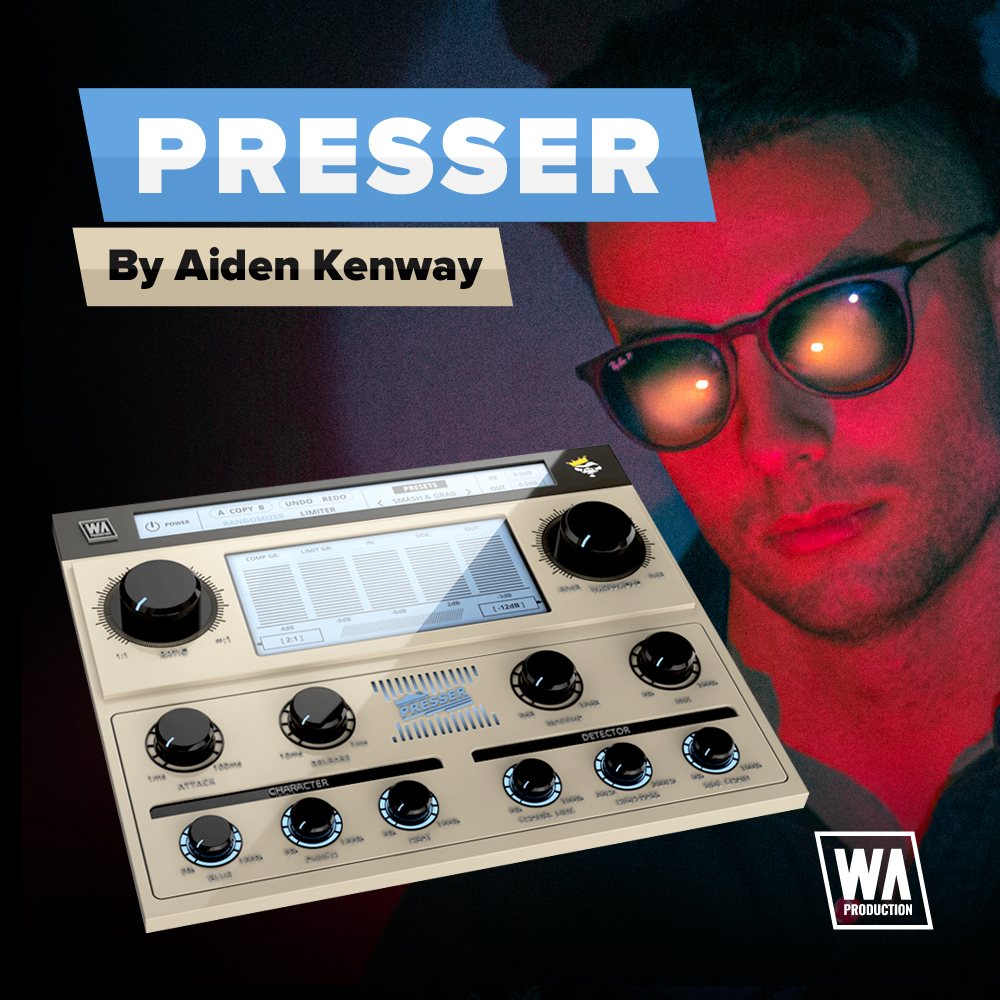
Presser by Aiden Kenway is a compressor plug-in made by W. A. Production in collaboration with producer and YouTuber Aiden Kenway. The official description says it includes signature processing chains from his productions and can shape the character of the sound as well as its dynamics.
Three controls are central. GLUE moves between a fast peak compressor at 0% and a sustained bus-compressor behavior at 100%. PUNCH adds transient punch with a built-in dynamic equalizer, and HEAT adds analog-style saturation before and after the compressor.
The basics are all present: ratio, threshold, attack, release and makeup gain, plus channel link, a detector high-pass and a sidechain whose amount can be set from 0% to 100%. A MIX control allows parallel compression.
It is listed in VST, AU, AAX and VST3 (as written on the official page) for Windows 8 or later and macOS 10.10 or later, both 64-bit. Artist-curated presets, A/B/Copy comparison, a resizable interface, a PDF manual and a tutorial video are included.
Key features
GLUE changes the compression behavior
At 0% it acts as a fast peak compressor; at 100% it behaves like a bus compressor. One knob moves between track-level and glue-style compression.
PUNCH and HEAT
PUNCH uses a dynamic EQ to tighten the attack of kicks, snares and basslines. HEAT adds saturation before and after the compressor, from subtle warmth to gritty overdrive.
Detector options
CHANNEL LINK chooses whether stereo channels are processed independently or together. HIGH-PASS sets a detection filter that helps reduce unwanted pumping with delicate settings.
Variable sidechain
The sidechain amount runs from 0% (normal compression) to 100% (sidechain input only), useful for letting a trigger sound move another track.
Mix, limiter and bypass
MIX blends the dry signal for parallel compression. The LIMITER button limits the output, and raising OUTPUT pushes more signal into it. The bypass is smoothed to avoid clicks and pops.
Presets and A/B comparison
Named and categorized artist-created presets are included, and the A/B/Copy function lets settings be compared.
Specifications
| Item | Details |
|---|---|
| Type | Compressor |
| Formats | VST, AU, AAX, VST3 (official page) |
| OS (Plugin Boutique) | Windows 8 or later (64-bit) / macOS 10.10 or later (64-bit) |
| AAX | Pro Tools 11 or higher |
| Main controls | Glue, Punch, Heat, Ratio, Threshold, Attack, Release, Mix |
What is included and system requirements
- Artist-curated presets
- PDF manual and tutorial video
- A/B/Copy comparison
- Resizable interface
How to use it
- Insert Presser on a drum or vocal track.
- Choose a nearby preset as a starting point.
- Set the amount of reduction with Threshold and Ratio.
- Move GLUE to adjust between peak-style and bus-style behavior.
- Add attack or saturation with PUNCH and HEAT.
- Lower MIX to blend with the dry signal and compare with bypass.
Where it may come in handy
Attack of drums and bass
PUNCH may be worth trying to tighten the outline of kicks and basslines.
Gluing a mix together
Raising GLUE toward bus-compressor behavior may help bind several tracks together.
Sidechain-driven production
The variable sidechain may be useful for letting a kick move other parts.
Who it may suit
- People who want punch and saturation in one compressor
- People who want to try processing used in hip-hop style production
- People who want quick parallel compression
Good to know before you buy
- The AAX format requires Pro Tools 11 or higher.
- The official page lists VST3 among the formats, while the Plugin Boutique requirements note only the AAX condition.
How it differs from similar products
We do not pick a winner; the official figures are placed side by side.
W. A. Production Combustor
Presser is built around GLUE, PUNCH and HEAT with a variable sidechain. Combustor offers five saturation models and a knee control, with sidechain as a mode.
Price
Please check the official page for the price.
See Presser by Aiden Kenway on the product page
More of the same kind
We have introduced 85 compressors. Here are some of the others.
- Waves Abbey Road RS124 Compressor
- Waves Waves H-Comp Hybrid Compressor
- Cockos ReaComp ReaPlugs
- Universal Audio UA 175B & 176 Tube Compressor Collection
- Waves IDX Intelligent Dynamics
- Klevgrand Richter
We have introduced 42 other products from W. A. Production.
- W. A. Production Vocal Compressor
- W. A. Production SphereComp
- W. A. Production Puncher 2
- W. A. Production XTT by VINAI
- W. A. Production Spectron by Curbi
For a side-by-side comparison scored on the same criteria, see our comparison of compressors.
See the full list in Product database: Effects.
Sources: waproduction.com pluginboutique.com (checked 2026-10-27)










Comments