
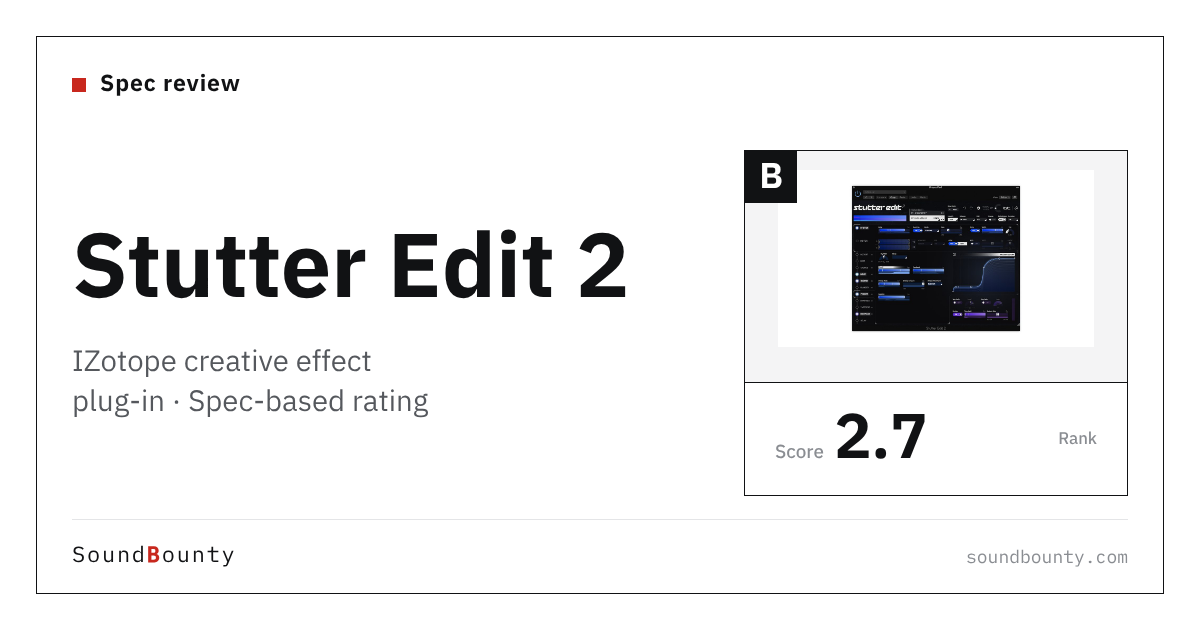
iZotope’s Stutter Edit 2 is a plug-in from iZotope that creates stutter effects, which chop up the sound, with a single button. With presets (ready-made settings) called “Gestures” and 11 effects, you can quickly build glitchy edits.
A creative effect plug-in moves a sound in time with the rhythm, or turns it into a completely different sound.
In this article we compare Stutter Edit 2 with 9 creative effect plug-ins and rate how well it serves its purpose on three criteria. The basis is official manufacturer information.
Disclosure: This article contains affiliate links. If you buy through them, SoundBounty may earn a commission at no extra cost to you. Prices and sale information are as of the date we checked them and can change.
Score 2.7 / 5 (average of the 9 products compared: 2.9)
- Specs last checked
- 2026/09/27
- Number of effects
- 11 types
- Ways to create movement
- Drawn curves, MIDI
- Reacting to sound
- Not listed
- Price (store, date)
- $199 [Official, checked Oct 26]
Summary
Among the 9 creative effect plug-ins, Stutter Edit 2 is rank B. The ranks run S, A, B and C, and B is third from the top. Averaging the scores for the three criteria (out of 5) gives 2.7.
Strengths
- Number of effects (4 points): many kinds of effects are included.
Things to keep in mind
- Reacting to sound (1 points): it has no feature for moving to match another sound.
Who it suits: people who want to quickly add stutter and glitch effects to beats and transitions.
Main features of Stutter Edit 2
Play stutter effects right away with Gestures
Stutter Edit 2 comes with presets called “Gestures” made by BT and iZotope’s sound design team. From trap-style rhythms to cinematic sweeps and scene transitions, you can play fine chops and glitches with one button.
Play with a MIDI keyboard, and try ideas in Auto mode
You can assign Gestures to the keys of a MIDI keyboard and trigger effects as if playing an instrument. With Auto mode, you can try effects one after another and pick the ones you like, even without a keyboard.
11 effects, and modifiers that change over time
Besides the stutter effect there are 11 effects, including a new reverb, comb and chorus, that can move with the tempo of the song. If you set the range of a parameter, it moves automatically with the Gesture. You can also add changes over time, such as stretching the tail of a reverb or swaying a gate or pan.
Draw your own curves
Click a slider and you can draw and edit the curve of its movement. The manufacturer explains that you can move pan, stutter, gate, distortion and more with the timing you want.
Video: “Getting Started with Stutter Edit 2 feat. BT | iZotope” (official iZotope, Inc. YouTube channel; narration in English) Watch on YouTube
Where it is useful
- Chopping the end of a vocal phrase to make it stand out at a high point of a cover song
- Making a drum fill flashier with chopping effects
- Dropping in a glitch effect for just a moment in the transition before a chorus
Rating by criterion
Number of effects: 4 / 5
We look at the number of kinds of effects included.
Besides the stutter effect, there are 11 effects including reverb, comb and chorus.
Ways to create movement: 3 / 5
We look at how many ways there are to move a sound over time (movement you draw yourself, randomization and so on).
Every slider can be clicked and edited with “Curve”, which draws changes over time. Gestures (presets) can be assigned to a MIDI keyboard and played.
Reacting to sound: 1 / 5
We look at whether the effect can be moved by the incoming sound or the sound of another track.
It has no feature that moves the effect to match another sound.
If “reacting to sound” matters most to you, ShaperBox 3 (5 points) is a better fit.
How we score (Creative effect plug-ins)
| Criterion | Basis | 5 pt | 4 pt | 3 pt | 2 pt | 1 pt |
|---|---|---|---|---|---|---|
| Number of effects | Number of kinds of effects included | 12 or more | 8 or more | 5 or more | 2 or more | 1 |
| Ways to create movement | Which of drawable LFOs, a step sequencer, randomization and MIDI triggering it has | All four | Three | Two | One, or the kinds are not stated | None |
| Reacting to sound | Whether the effect can be moved by the incoming sound or another track (sidechain and so on) | Both an external sidechain and retriggering on the attack of the sound | Many parameters can be moved by the incoming sound | One feature that reacts to sound, such as an envelope follower | — | Not mentioned |
Each criterion is scored from 1 to 5 on how well the product serves one goal: adding movement and change to loops, synths and vocals. Scores follow the conditions in the table above. "Reacting to sound" is a criterion that answers the common search for "sidechain". The basis is the manufacturer's product description on the Plugin Boutique product page. Sound quality has not been compared by ear, so it is not scored. Price is not part of the score. Features that cannot be confirmed from the manufacturer's or a retailer's description are scored as if absent. The "OBS (streaming)" column in the table shows whether the official page lists the VST2 format that the streaming software OBS Studio can use (○). OBS does not support the VST3 format. It is not part of the score.
Stutter Edit 2 system requirements and getting started
| Operating system | Windows 10 and 11 / Mac (macOS Sonoma, Sequoia and Tahoe) |
|---|---|
| Plug-in formats | VST3, AU, AAX |
| Trial | Free trial available |
| OBS (streaming) | Does not work as it is (VST3 only). It can be loaded through a bridge plug-in |
Checked on the manufacturer’s official pages on October 17, 2026. How to use plug-ins in the OBS streaming software is explained in How to use VST3 plug-ins in OBS.
Compared with other creative effect plug-ins
Click a heading to sort. On a phone, the table scrolls sideways.
| Product | RankAvg. score | Number of effects | Ways to create movement | Reacting to sound | OBS (streaming) | Price (store, date) |
|---|---|---|---|---|---|---|
| OutputMovement | B 3.3 | 6 types | LFO, steps, random | Sidechain on anything | ○ | $149 [PB, checked Oct 26] |
| OutputPortal | C 2.3 | Granular + 7 types | Humanize and more | No feature that reacts to sound | ○ | $149 [PB, checked Oct 26] |
| CableguysShaperBox 3 | A 4.0 | 11 types | Drawable LFO, MIDI | External SC + Audio Triggering | ○ | $89 (sale; regular $99) [PB, checked Oct 26] |
| Sugar BytesEffectrix 2 | A 4.0 | 14 types | Steps, random, MIDI | Envelope follower | ○ | $129 [PB, checked Oct 26] |
| Sugar BytesTurnado | A 3.7 | 24 types | LFO, steps | Envelope follower | ○ | $129 [Official, checked Oct 26] |
| iZotopeStutter Edit 2 | B 2.7 | 11 types | Drawn curves, MIDI | Not listed | × (VST3 only) | $199 [Official, checked Oct 26] |
| SoundtoysEffect Rack | B 2.7 | 14 types | Tempo-synced rhythmic effects | Not listed | ○ | $299 [Official, checked Oct 26] |
| SoundtoysCrystallizer | C 2.0 | 1 type | MIDI sync | Gate, duck | ○ | $149 [Official, checked Oct 26] |
| CableguysHalfTime | C 1.0 | 1 type | None | Not listed | ○ | ≈$13.45 [Official, checked Oct 26] |
Features checked on each manufacturer's official website on September 27, 2026. Check the store page behind the buy button for the price.
Read next
- Movement: features and rating (rank B)
- Effect Rack: features and rating (rank B)
- Portal: features and rating (rank C)
- ShaperBox 3: features and rating (rank A)

Comments