
Disclosure: This page may contain affiliate links. Prices were checked on the date shown and may change.
An introduction to Klevgrand Walls, based on information from the maker and distributors: what it does, how to use it and who it may suit. It is not scored.
Walls is a unique and versatile algorithmic space effect, an exploration of sound deconstructing the traditional ideas of what a reverb can be.
— Klevgrand official site
What is Walls?
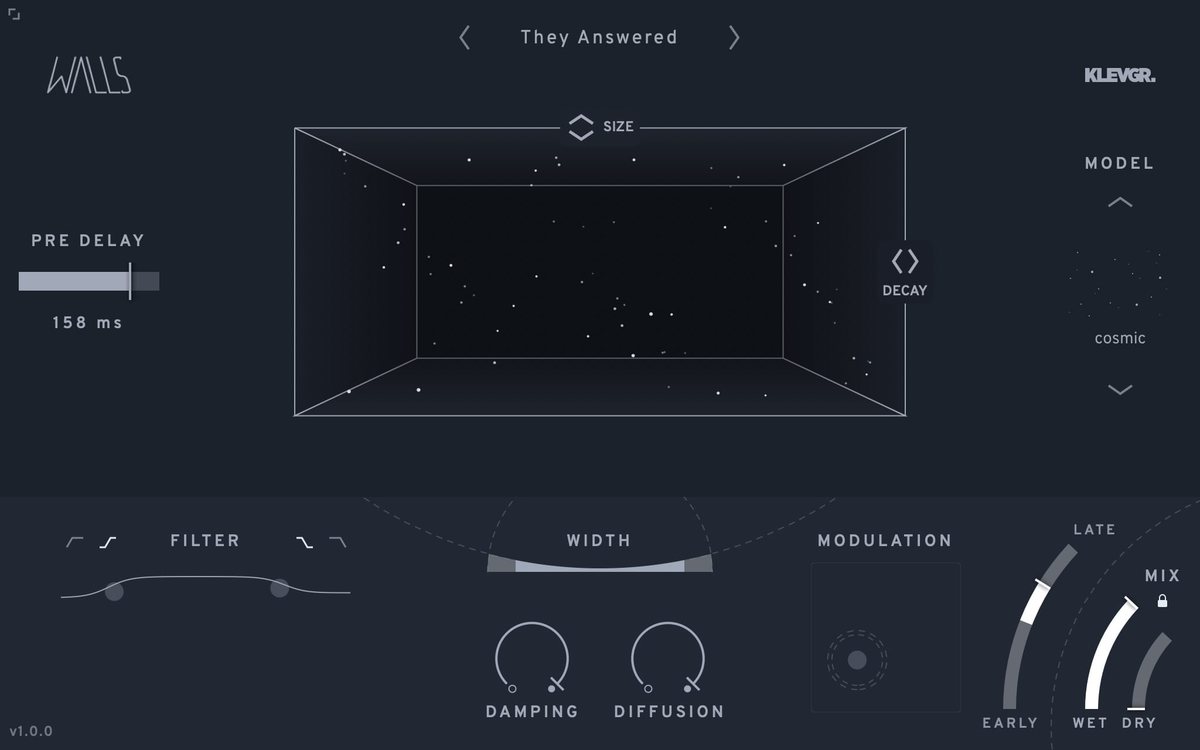
Walls is a spatial effect from Klevgrand. It rethinks what a reverb can be, letting you stretch, scale and tilt a space around your sound.
Six acoustic modes (Plate, Hall, Spring, Cosmic, Hex, Binary) range from natural reflections to impossible geometries within one plugin.
Internally it is a hybrid of a Feedback Delay Network and diffusion, with up to 40 modulation LFOs under a unified control system, plus an X-Y pad called Wobbulation to modulate delay time.
The interface favors movement over measurement. Besides macOS and Windows, an iPad version with AUv3 and standalone is also offered.
Key features
Six algorithms
Plate, Hall, Spring, Cosmic, Hex and Binary cover general reverb through granular-style textures.
Drag to set space
Drag the edges to set decay time and room size intuitively.
Pre-filter
A 2-band filter before the effect engine; each band is cut or shelving.
Widen, Dampen, Diffuse
Controls for stereo width, brightness and diffusion.
Wobbulation
An X-Y pad modulates delay time; larger moves give wobbly, warped textures.
40 LFOs and presets
Up to 40 modulation LFOs and a large preset collection.
Specifications
| Item | Details |
|---|---|
| Algorithms | 6 (Plate, Hall, Spring, Cosmic, Hex, Binary) |
| Method | Hybrid of Feedback Delay Network and diffusion |
| LFOs | Up to 40 |
| EQ | 2-band |
| OS | macOS 10.13+ (optimized for M1), Windows 7 SP1+ |
| Formats | AU, VST, AAX (64-bit) |
| iPad | AUv3, standalone |
| Demo | Full version with occasional audio dropouts |
What is included and system requirements
- Walls plugin (macOS and Windows)
- Large preset collection
- User manual
How to use it
- Download the demo from the Klevgrand site and install it.
- Use Klevgrand Helper with your account to authorize the license.
- Load it as an insert or send in your DAW.
- Choose the algorithm closest to what you need.
- Drag the edges to set decay and room size.
- Finish with Widen, Dampen, Diffuse and the pre-filter.
Where it may come in handy
As a regular reverb
Plate or Hall could add general-purpose reverb to vocals and synths.
Experimental textures
Cosmic or Hex may suit granular-style space.
Retro digital ambience
Binary gives a deliberately degraded reverb for old-digital character.
Who it may suit
- Those who want several reverb types in one plugin
- People looking for unusual spatial effects
- Users who like exploring by moving controls
Good to know before you buy
- The demo has all features but with occasional dropouts.
- Plugin Boutique lists macOS 10.10+; the official page lists 10.13+.
- The iPad version is listed separately.
Price
$49.99 (Klevgrand official site, checked 2026-10-27). Prices can vary by region and promotion, so check the official page before buying.
More of the same kind
Other introduction articles of the same kind.
- UJAM Finisher DYNAMO
- Serato Serato Pitch 'n Time LE
- Kuassa Efektor Harmonitron
- Waves OneKnob Phatter
- Waves Eddie Kramer Guitar Channel
- United Plugins DIFIX
We have introduced 26 other products from Klevgrand.
See the full list in Product database: Effects.
Sources: klevgrand.com pluginboutique.com (checked 2026-10-27)










Comments